

This article may contain references to products or services from one or more of our advertisers or partners. We may receive compensation when you click on links to those products or services. Nevertheless, our opinions are our own.
The information in this article is accurate to the best of our knowledge at the time of publication. However, information is subject to change and no guarantees are made as to the continued accuracy or completeness of this content after the date of publication.

Video can feel intimidating. You were trained to perform crown preparations and implant placements, not to act like a TikTok star.
But here’s the good news: you don’t have to be an artist to create effective dental videos. You just have to be clear, authentic and patient-oriented.
Let’s outline a simple approach to planning, filming, and posting videos to social media that will help real people feel more comfortable choosing your practice.
Know what your patients actually want to see
Start with their fears, questions and curiosities
Patients don’t scroll through Instagram and think, “I hope I see a perfect molar preparation today.” They think:
- “I’m ashamed of my smile.”
- “I’m afraid this is going to hurt.”
- “I heard implants are expensive; are they worth it?”
Your videos should address these real concerns.
Topic ideas:
- “What to expect during your first visit”
- “How we help patients who are afraid of the dentist”
- “Implants versus dentures: what’s the difference?”
- “Is teeth whitening safe for your enamel?”
Combine education, story and personality
Create a content mix such as:
- Short educational clips (30-60 seconds)
- Quick Patient Stories or Testimonials (with permission)
- A look behind the scenes of your team and office
- Seasonal or community-related posts (school runs, local events)
This variation keeps your feed interesting and makes followers feel like they know you.
Plan simple, repeatable video formats
The ‘Talking Head’ Explainer
This is the easiest format to get started with:
- Look at the camera (phone or DSLR).
- Introduce yourself and your role.
- Answer one frequently asked question in 45-60 seconds.
Example:
“Hi, I’m Dr. Smith from [Practice]. Many people ask if they are too old for Invisalign. The short answer is usually no…’
The FAQ series
Batch record of 5–10 short answers to frequently asked questions:
- “Does a root canal treatment hurt?”
- “How often should children get X-rays?”
- “Can I whiten my teeth if I have veneers?”
Place these for weeks, not all at once. Use consistent branding (same background, logo, bottom third text) for recognition.
Before and after stories
Share with patient consent:
- A short video describing the problem (“missing teeth, difficulty chewing”)
- Photos or short video of the transformation
- A short testimonial or response from the patient
These videos are powerful trust builders.
Film tips for dentists who are not “video people”.
Keep installation simple
For starters, you don’t need a production studio.
Minimum:
- A modern smartphone with a decent camera
- Natural or soft light (look toward a window if possible)
- A quiet room with minimal background noise
Use a small tripod and phone holder to stabilize the shot. Do not hold the phone in your hand during longer videos.
Focus on clear audio
Viewers will forgive a slightly imperfect video, but bad audio is painful.
Tips:
- If possible, use a small lavalier microphone (clip-on).
- Avoid noisy environments (compressors, extraction, noisy corridors)
- Make a quick test recording and listen back for clarity
Editing and branding without too many complications
Basic editing is sufficient
Cut out awkward start and end points. Add:
- Subtitles (many people watch with the sound off)
- Simple intro/outro screens with your logo and website
- Occasional text on the screen to emphasize important points
There are many simple editing apps for phones and desktops; no Hollywood-level software required.
Keep a consistent brand feel
Usage:
- Same brand colors in text and images
- Your logo in a corner or intro
- Similar fonts and styles in videos
Over time, people will immediately recognize your content in their feed.
If you’d rather skip the learning curve, you can collaborate with dental video marketing experts that plan, film and reuse content for you, while staying true to your brand voice and patient goals.
Post and promote your dental videos
Choose the right platforms
Focus on where your patients are most active:
- Instagram Reels
- YouTube (including Shorts)
- TikTok (if you’re targeting a younger audience)
You don’t have to master every platform at once. Start with one or two and reuse the content between them.
Use clear captions and CTAs
Your caption should:
- Summarize the value of the video
- Add the local context (“in [City, State]”)
- End with a simple call to action
For example:
“I’m thinking about replacing missing teeth with implants [City]? View this brief overview and send us a DM with ‘IMPLANT’ or call for an appointment.”
Measure what works (and do more of it)
Track:
- Views, likes and shares
- Saved and commented (strong engagement indicators)
- Click to your website or booking link
- New patients who mention: “I saw you on Instagram/YouTube”
See which topics and formats appeal most and then double your focus on those. Over time, your video content becomes an always-on trust engine that warms up patients before they ever call your office.
You don’t have to be perfect. You just have to be that way gift and genuinely helpful. That’s what turns regular scrollers into future patients.

Reviewed and edited by Albert Fang.
Spot a typo or would like to suggest an edit/revision to the content? Use the contact form to provide feedback.
At FangWallet, we value editorial integrity and open collaboration in curating quality content for readers to enjoy. Much appreciated for the help.
Did you find our article fun and enlightening? We encourage you to share the article link with family and friends so they can benefit from it too – better yet, share it on social media. Thanks for the support! 🍉
Article title: How to Create Engaging Dental Videos for Social Media (Without Feeling Awkward)
https://fangwallet.com/2025/12/12/how-to-create-engaging-dental-videos-for-social-media-without-feeling-awkward/The FangWallet Promise
FangWallet is an editorially independent resource – based on breaking down challenging financial concepts for everyone to understand since 2014. While we are committed to editorial integrity, please note that this post may contain references to products from our partners.
FangWallet’s promise is to always have your best interests in mind and be transparent and honest about the financial picture.
Become an insider
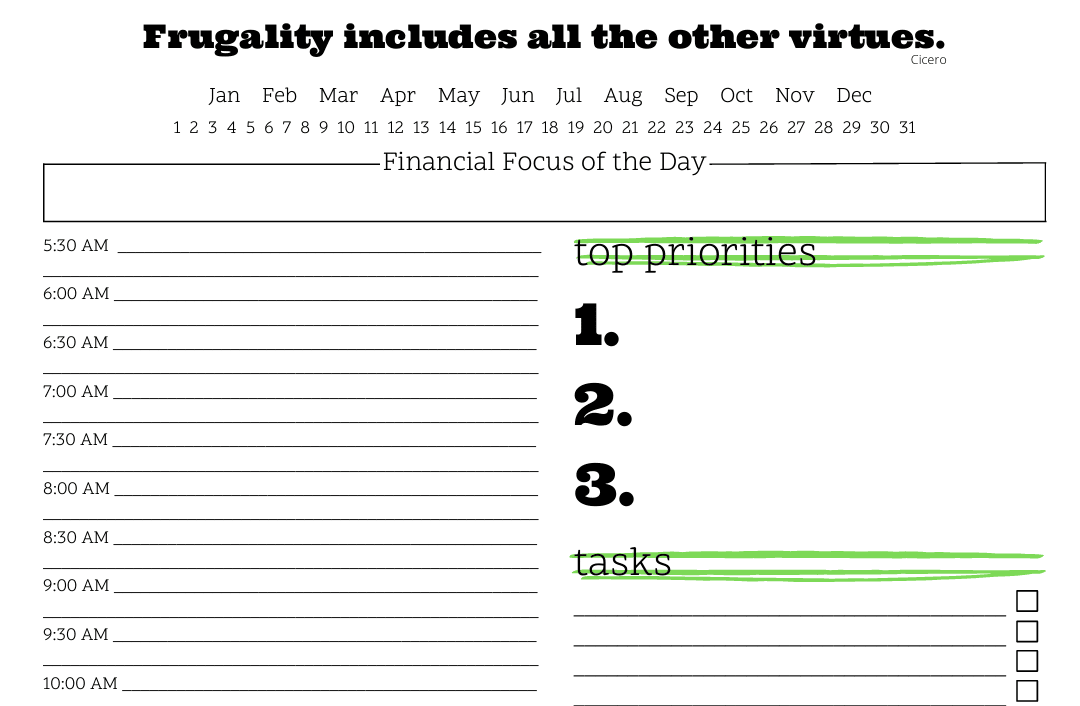
Sign up to receive a free printable daily budget planner so you can get your money on track!
Earn passive money the right way. No spam.
Editorial disclaimer: The editorial content on this page does not come from any of the companies mentioned. The opinions expressed here are solely those of the author.
The content of this website is for informational purposes only and does not represent investment advice, or an offer or solicitation to buy or sell any security, investment or product. Investors are encouraged to conduct their own due diligence and, if necessary, seek professional advice before making any investment decisions. Investing involves a high degree of risk, and financial losses may occur, including the potential loss of principal.
Advertiser Disclosure: This article may contain references to products or services from one or more of our advertisers or partners. We may receive compensation when you click on links to those products or services.
Write for us
Source Citation References:
+ Insp
There are currently no additional citations or references for this article.
#Create #Engaging #Dental #Videos #Social #Media #Feeling #Awkward #FangWallet