

Your hub just got more powerful. We’ve added Site Notes, a simple yet game-changing way to track customer feedback, to-do lists, and project details.
You can now add notes directly to the sites you manage, making collaboration easier and workflows more streamlined without having to switch tools. Notes are searchable, editable, and encrypted in our database for safekeeping.
Here’s what you can do with Site Notes:
Write, format and organize notes your way
Open the notes panel from a site’s details page or site list and add anything relevant. Whether it’s a checklist of updates, design tweaks, or customer requests after a phone call, the information remains tied to that specific site.
Notes supports rich text editing, so you can structure information in the way that works best for you. Add headings to individual topics, use bold or italics to highlight details, and insert links or quotes.
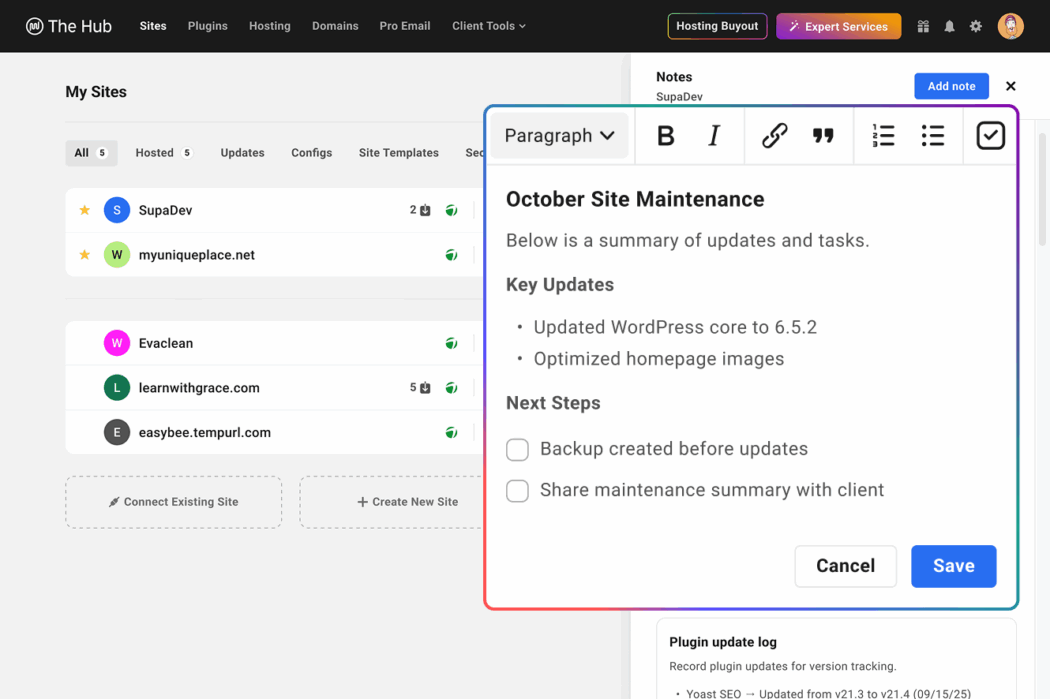
For task management, you can create checklists to mark items as completed, or use ordered and unordered lists to create structured action plans.
Stay informed of important details
Over time, the notes can add up. That’s why we’ve made it easy to search through them, pin important items to the top, and mark favorites. You can edit or update notes on the spot with the built-in editor, and delete old notes if they are no longer relevant.
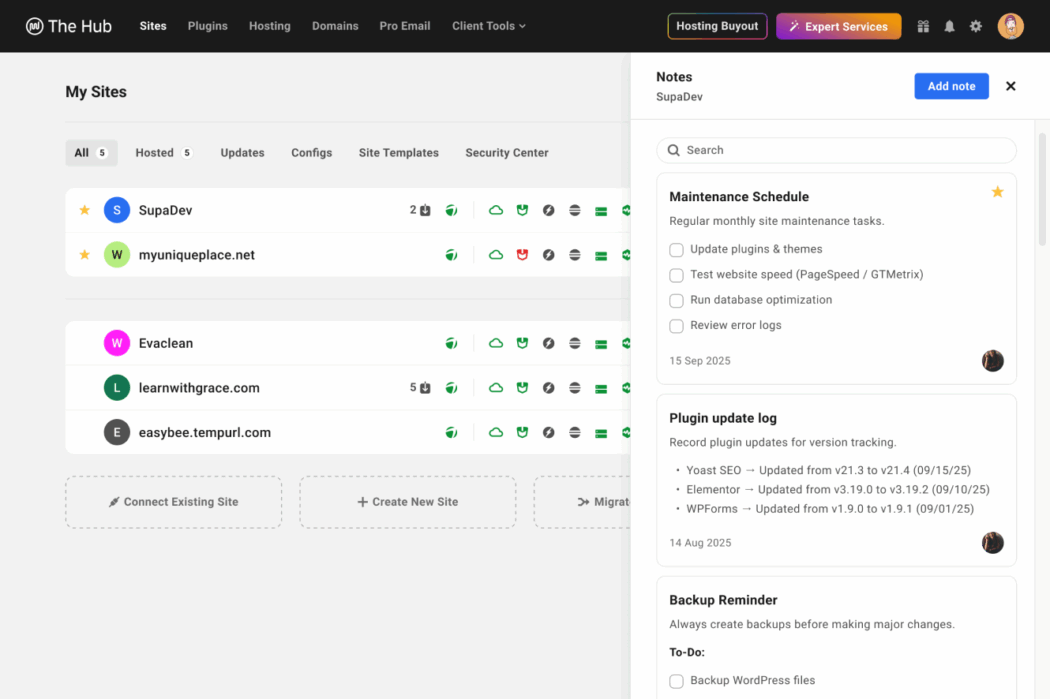
With a limit of 10 site notes per account (up to 5,000 characters each) you’ll have plenty of room for the essentials, and if you need more you can always contact our support team for advice.
Secure storage with encryption
Site Notes have built-in protection, so you can trust that your project notes and client data are encrypted in our secure database.
For maximum security, make sure you protect your WPMU DEV account with a strong, unique password and use 2FA for an extra layer of security.
Share your site notes with team members and customers
By default, no one other than you has access to your notes. But if you want to collaborate, we’ve added new capabilities for team roles and customer roles.
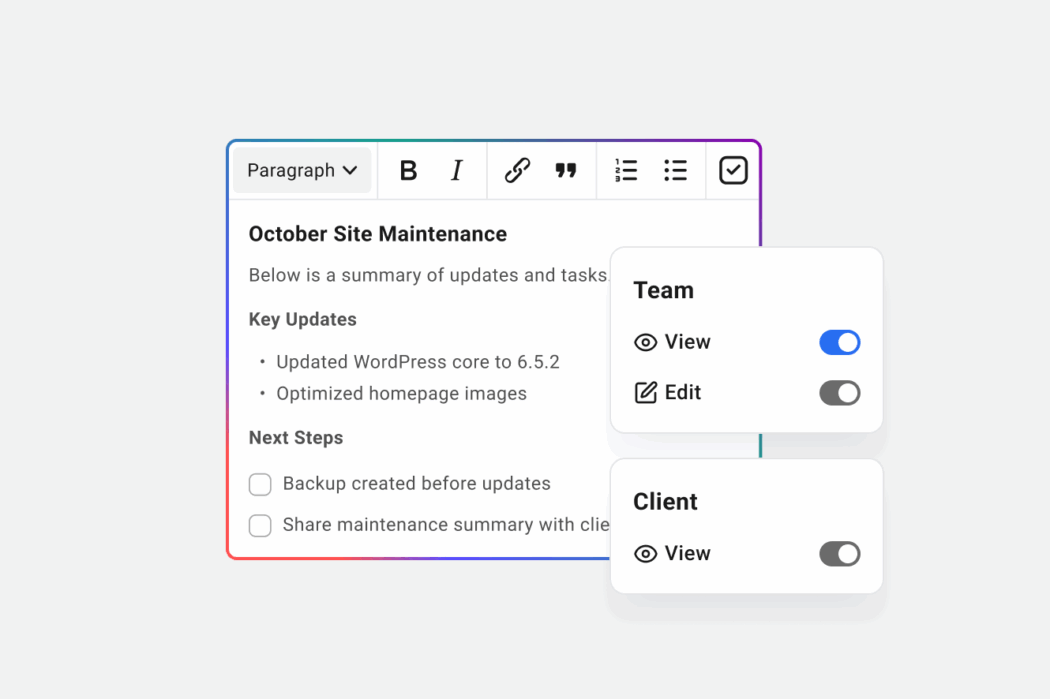
You can choose to give your team members View and Edit access, and your customers View Only access, by simply editing their role under their profile. They will then have access to the notes on the sites they are linked to.
Try Site Notes today
Site Notes are here to make it even easier to keep everything organized in one place without having to rely on external tools, so you can clearly move your projects forward.
Check it out here in the Hub!
#site #notes #smarter #organize #sites #hub