

After Samsung showed off the new Galaxy S26 series in San Francisco on the 25th, the South Korean tech giant hosted a smaller hands-on event in Toronto.
I had the chance to attend the event and try out the new Galaxy S26, S26+ and S26 Ultra. There I got to work with the series’ new Horizon Lock feature for video recording.
The Samsung Galaxy S26 makes moving photos smarter and videos more stable
Two small but important camera improvements
A software powered gimbal
Essentially a stabilization feature found in the Samsung Camera app’s ‘Super Steady’, Horizon Lock is a software feature that mimics the hardware leveling of a gimbal.
It’s available across the S26 range, but in my experience it works best on the top-end S26 Ultra.
Here’s a remote POV of what Horizon Lock looks like on the S26 Ultra:

And this is what the S26 Ultra recorded as I moved it back and forth (violently):

Here’s another example
External POV:

Internal POV:

This is how Horizon Lock works
For starters, Horizon Lock requires sufficient ambient light to function accurately, complete with plenty of light hitting the device’s camera sensors.
According to Samsung, the technology uses an enhanced image signal processor (ISP), complete with high-megapixel sensors as the canvas for the feature, making it more reliable than the existing Super Steady mode.
A higher megapixel count is also primarily why Horizon Lock works better on the S26 Ultra.
There is a trade-off in low light
Here’s a remote POV of what Horizon Lock looks like on the S26+:

And here’s what the S26+ actually recorded as I moved it back and forth (the output is dark thanks to a dimly lit event and GIF compression):

On the S26 Ultra, the feature gets a larger canvas from which a stable video can be cropped. This essentially means that the video output is given spare pixels as a kind of safety margin, which is akin to looking through a small window placed within a larger window.
As long as the movement of the smaller window does not exceed the boundaries of the larger window, the device can shift and rotate the video frame in real time to prevent you from moving the phone.
In low-light scenarios, the feature sometimes just refuses to work. When it does work, it often introduces noticeable artifacts and noise, as seen in the dark example above.
Either way, in good lighting conditions the feature essentially replaces a $150-$200 gimbal, which is great for those looking to get into the action with vlogging, capturing sports content, or just anyone trying to capture their way around a city on foot.
How to enable Horizon Lock
To try out the new feature once you get your hands on your new Galaxy S26 series device, open the Camera app, switch to video and tap the four-dot Quick Controls icon to bring up camera tools.
Tap the Super Steady stabilization icon, which looks like a stick figure with a solid line, and then go to the last (new) icon, as seen in the video above. Your video feed should then indicate that Super Steady with Horizontal Lock is enabled.
The Samsung Galaxy S26 series is now available for pre-order. The new devices will ship on March 6 and are expected in stores on March 11.
Have you pre-ordered a new S26 series device? Or do you wait for in-depth reviews to come out before making a decision? Let us know in the comments below!

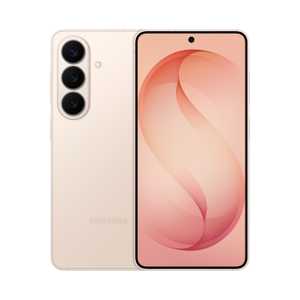
- SoC
-
Snapdragon 8 Elite Gen 5
- RAM
-
12GB
- Storage
-
256 or 512 GB
- Battery
-
4,300mAh
- Operating system
-
Android
- To colour
-
Violet, sky blue, black, white, silver shade, rose gold
-
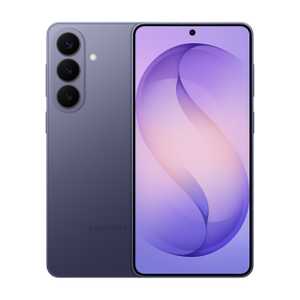
- SoC
-
Snapdragon 8 Elite Gen 5
- RAM
-
12GB
- Storage
-
256 or 512 GB
- Battery
-
4,900mAh
- Operating system
-
Android
- To colour
-
Violet, sky blue, black, white, silver shade, rose gold
-
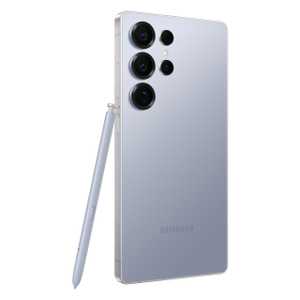
- SoC
-
Qualcomm Snapdragon 8 Elite Gen 5
- RAM
-
12GB / 16GB
- Storage
-
256GB / 512GB / 1TB
- Battery
-
5,000mAh
- Operating system
-
Android 16 / OneUI 8.5
- Front camera
-
12 MP
#shook #Galaxy #S26 #Ultra #vigorously #test #feature #impressive #Privacy #Display