

Over the years, I’ve received a lot of questions about what it’s really like to work from home – from how I stay productive to what kind of desk and chair I use. I’ve been working from home as a full-time freelancer for several years now, and over time I’ve discovered what really…
Over the years, I’ve received a lot of questions about what it’s really like to work from home – from how I stay productive to what kind of desk and chair I use.
I’ve been working from home as a full-time freelancer for several years now and over time I’ve discovered what really works for me and what doesn’t.
I created my dream office for under $800, which includes everything I need to work from home and extra comforts like a cross-legged chair and a curved computer screen.
In today’s post I’m going to share:
- Items I use and recommend for a cozy workspace
- My daily routine of working from home
- Favorite tools and software
- Links to the exact things I bought to create my cozy workspace
- And more!
I decided to write this article today about how I created my dream home office on a budget, because I know so many people are working remotely for the first time or are dreaming of setting up their own home office.
Whether you’re a freelancer or small business owner, or just want to make your workday a little more comfortable, I hope sharing my setup gives you ideas and inspiration to create a space that really suits you.
Recommended reading: 14 free work-from-home courses and tools to earn $1000+
My work from home space
I’ve been working from home for over a decade and only recently decided to create a cozy workspace.
For years I sat on the couch working on my laptop (which I still do occasionally). Once I got a full-time job working for someone else, I decided it was time to create a functional workspace where I could close the door and have meetings.
Actually, I just wanted to look and feel more professional. It makes work more enjoyable when I work in an environment that is beautiful and fun.
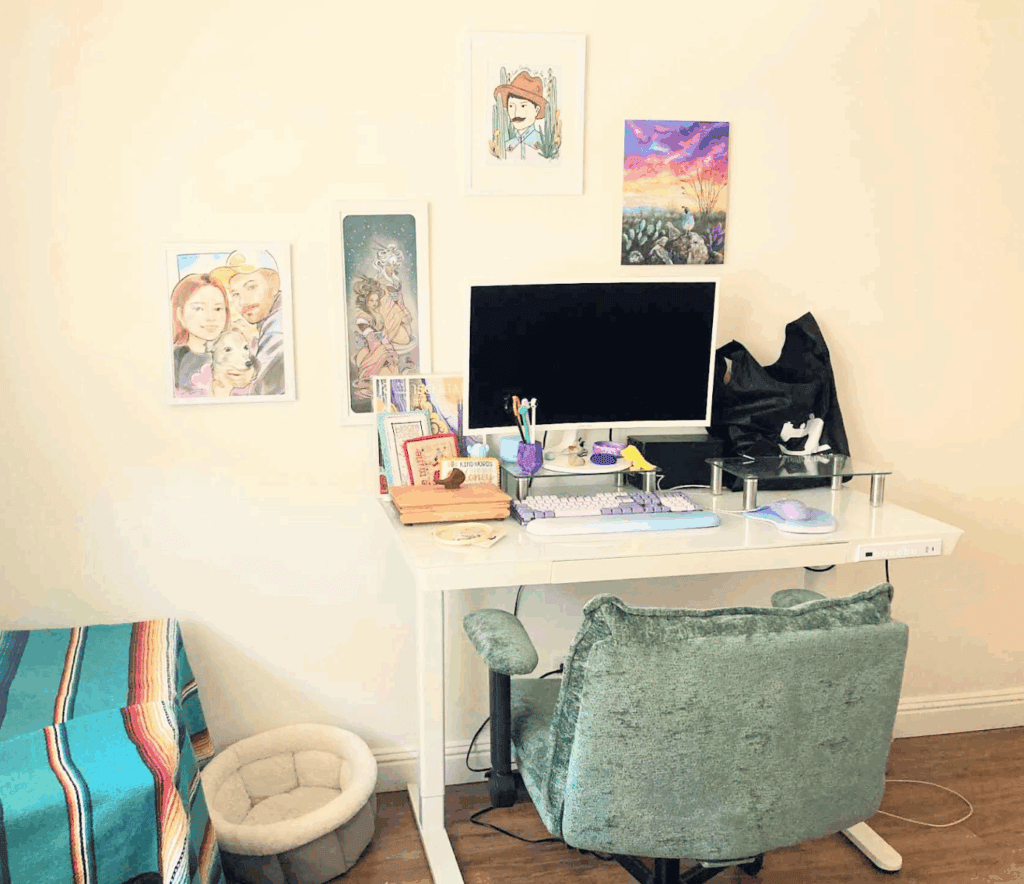
My desk + chair setup
One of the first things I did when figuring out my desk setup was to look for the perfect desk and chair. I knew I wanted my office space to be bright and light with fun colors sprinkled throughout.
That’s why I went with one white glass standing desk that I recommend 100%. It even comes with a charging cable and I can save the standing/sitting settings so I don’t have to spend time manually pressing the up and down buttons to figure out the perfect position. Even if you don’t think you’ll use the standing desk, I recommend it, because you may find that sitting too much for long periods of time doesn’t feel good, and it’s nice to have the option to stand while working.
During my research I also discovered cross-legged chairs, which was a huge win because I often sit cross-legged in office chairs and find that there is barely enough room for that. This is the chair with crossed legs I bought in the color green.
Comfort and posture are key when working from home full-time, so I actively work on that by using my standing desk and a desk. posture corrector I bought from Amazon.
Technology that I use every day
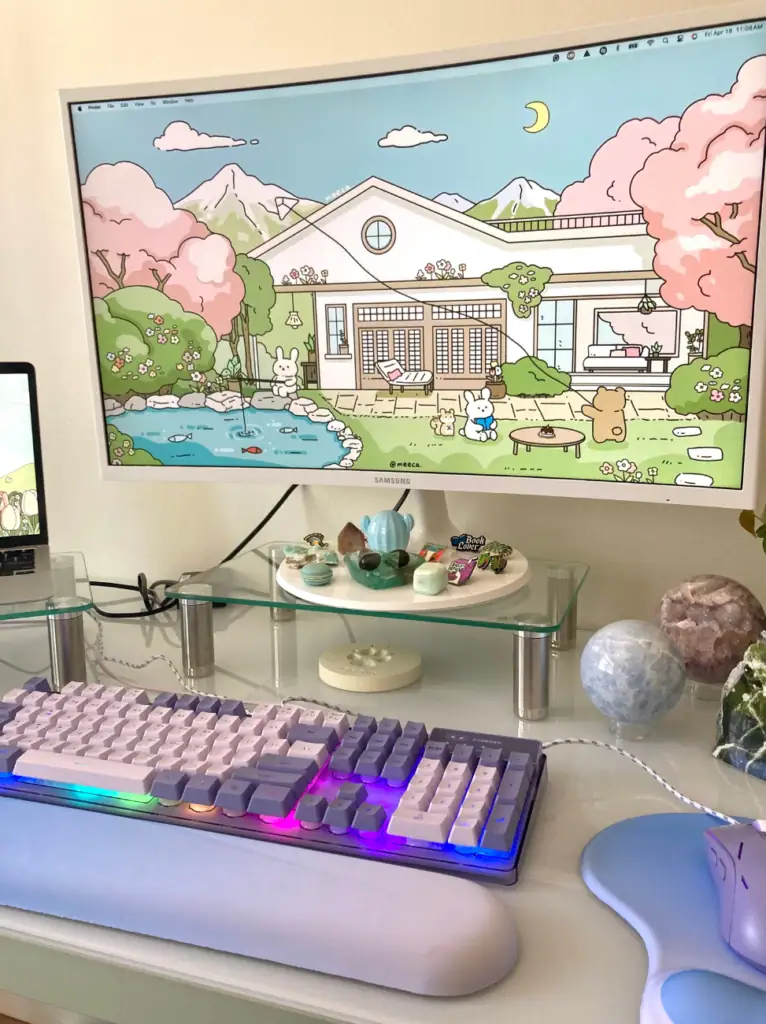
Once I had the desk and chair figured out, I moved on to finding the best monitor, keyboard, mouse, and other gadgets I wanted and needed. I’d heard good things about curved screens and how they can be better on your eyes, so I opted for one Curved screen from Samsung (I bought the refurbished version and saved some money). I also bought it in white, just to increase the brightness of my cozy workspace.
I also bought 2 glass monitor stands for my Samsung screen and Mac laptop, so both screens are at eye level and I’m not staring at either screen. Just for fun I bought one backlit keyboard and mouse because I loved the colors. I bought one too ergonomic wrist rest (I can’t find the exact set I bought, but personally I like this set better).
When I was working at my desk for a while, I noticed that I wanted these kinds of convenience items cord organizers and holders that held my cords in place.
Favorite tools and software
I work from home as a project manager and have a list of tools that I use and recommend every day. Even if you’re not a project manager, these tools can really help you while working from home.
For project management I recommend ClickUp, Trello and Notion.
For communication, I recommend Gmail, Slack, Zoom and Google Meet.
For accounting and money, I use PayPal and QuickBooks.
I recommend playing around with different tools and trying things out with free trials. There are a lot of tools online for freelancers and people who work from home.
Comfort items that make a big difference
This is where you can make your space truly unique and truly your own. For my home workspace, I added my favorite candles, plants, a blanket, crystals, and favorite artwork to the walls.
My daily routine at home
I start my workday promptly at 6am and usually end my workday around 1-2pm
I take my dogs for a half hour walk at 9am and use this time to get some fresh air. I take short lunch breaks because it means I’m out of work the day before. I perform my work tasks in order from highest priority to lowest priority.
To stay productive, I minimize distractions by putting my phone on silent during the workday, keeping my desk clean and organized, and playing background music without lyrics.
Lessons I’ve Learned Working from Home
If I could start all over again and do things differently by working from home, I would:
- Use a standing desk from the start.
- Focus on good posture.
- Never work from bed.
Most of all, I’ve learned that working in an office helps create a workspace mindset and leaves the rest of the house for fun times.
This is something I really struggled with for years because I was constantly working on my laptop throughout the house – including the bedroom, bathroom, patio, couch, and kitchen table.
Frequently asked questions
Below you will find the most frequently asked questions about setting up your own home office.
Do I need a fancy setup to work from home?
No! Like I said before, my entire setup cost less than $800, and I could have been even cheaper by going to the local thrift stores first. I also made sure I bought what I could fix up. Amazon and Best Buy have a lot of great options for refurbished electronics, and they always perform just as well as something brand new.
What is the most important thing to invest in first?
Your desk, chair and screen are the most important parts of a desk setup. I would invest the most money in my desk because it is the foundation for everything else. Desks are really affordable these days, even electronic standing desks. Mine cost less than $200. Amazon and Wayfair have plenty of desk options, so you’re almost guaranteed to find something that suits your style.
What should I do if I don’t have a dedicated space for a home office?
If you don’t have a dedicated space for a home office, you can get creative by finding small corners in your home that can fit a desk. You can also look at Murphy beds/desks that include a desk and a bed. There are even wall desks that fold and unfold depending on when you need them, saving you even more space. If you don’t have a dedicated space for a home office, it’s important to use your space as efficiently as possible. That’s why I personally really like wall desks.
Do you dress up or stay in pajamas while working?
I think changing out of my pajamas while working from home helps me get into a more professional mind space. However, my daily work outfit is very casual, and I certainly wouldn’t wear the clothes I work in at home if I were going to an office job. While working from home I try to make it as comfortable as possible.
How do you stay focused while working from home?
To stay focused while working from home, I recommend:
- Set your phone to Do Not Disturb during working hours
- Set clear working hours if you are a freelancer
- Use time blocks or the Pomodoro Method to structure your day into focused sessions
- Take exercise breaks so you’re not just staring at a desk all day – this is really refreshing for me
Inside my work from home setup (what I use every day) – Summary
I hope I’ve helped you find ways to create your own work-from-home environment.
If you want a quick list, here’s what I have in my home office:
Making your home office space truly yours is the best part. It helps increase productivity and get you excited about going to work. I love that I spent the money on this, and as you can see, it can be done affordably!
What is your favorite item in your work-from-home setup?
Recommended reading:
#created #dream #workfromhome #office #budget