

That’s why we developed Customer Notes. Now you can capture and store customer information directly to their individual profiles in the Hub, keeping everything accessible where you already work.
Notes are searchable, easy to edit, and encrypted for security.
We listen and build. When we released Site Notes to help you organize site-specific tasks and project details, you asked for the same functionality for customer profiles. Client Notes provide the same customer management power, allowing you to track information in one consistent way across your entire Hub workflow.
This is how they help:
Build a reference library for every customer
Click on a customer profile to open the notes panel and start recording information. Whether you document requirements after a discovery call, track pending requests, or maintain a list of customer preferences, your notes stay connected to that specific customer.
The built-in editor supports full text formatting. Structure your notes with headings, emphasize key points with bold or italic text, and add links to relevant resources or documentation.

Do you want to track tasks? Create checklists where you can mark items as completed as you work through them. Or create numbered and bulleted lists to organize action items and priorities.
Navigate your notes efficiently
As you add more notes for different customers, finding specific information remains easy. Use the search function to instantly find details, pin most referenced notes to appear first, and mark favorites for quick reference later.
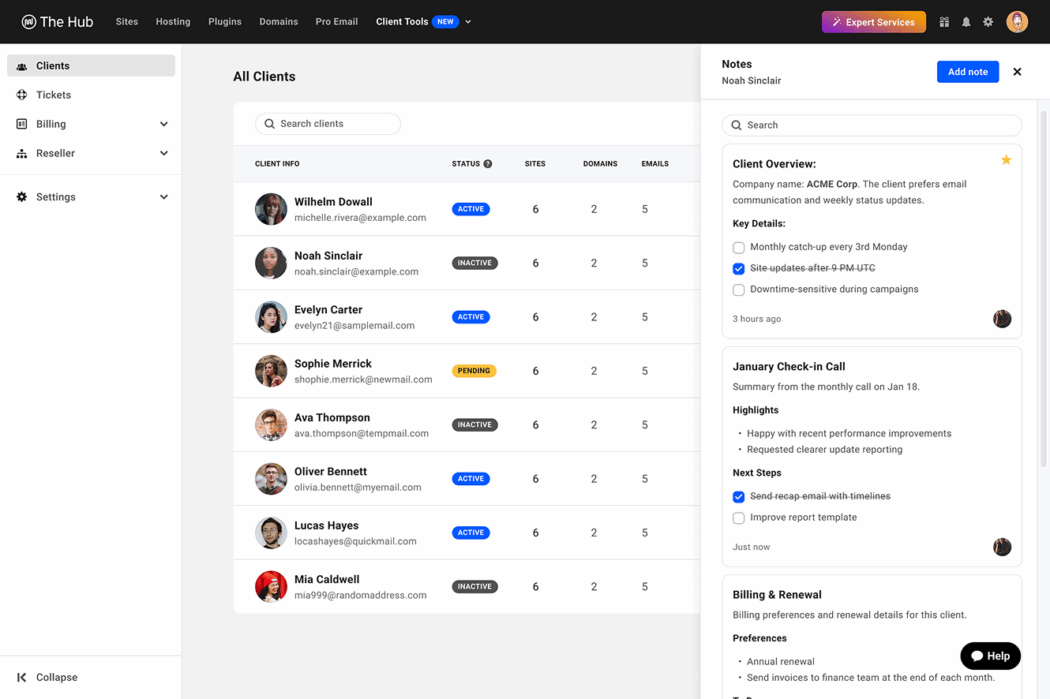
Each customer profile supports up to 10 notes, with each note limited to 5,000 characters. If your workflow needs more capacity, please contact our support team.
Protected as standard
Customer information deserves strong security. Every note you make is encrypted in our database, so sensitive data remains protected.
Choose who sees what
By default, your notes are visible only to you. To notify team members, you can assign them view or edit permissions through their role settings.
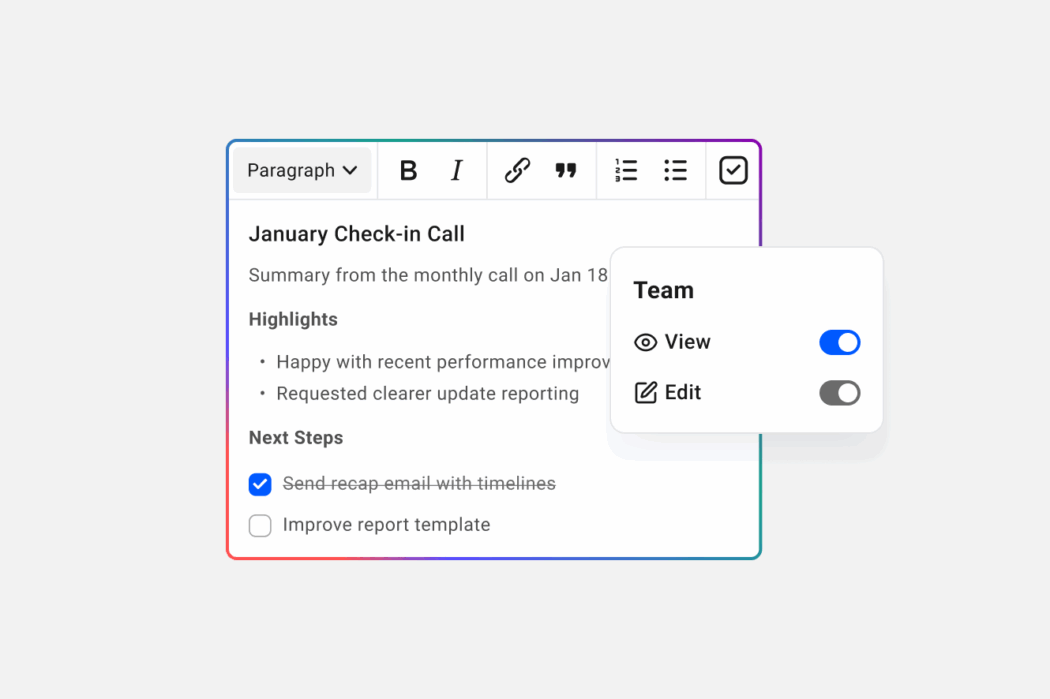
Team members can access notes for customers they are connected to. Your customers cannot view these notes at any time.
Start by better organizing your client’s work
Customer Notes eliminate the need to maintain separate systems for tracking customer data. Everything is in the Hub where you already manage sites and services.
Try Client Notes in your Hub today.
Want to know more about site notes? Check out our other blog post here.
#customer #notes #Hub #capture #profile