

Pop-ups get a bad rap, but that’s only because most websites abuse them. When you build them with purpose and timing in mind, they turn regular browsers into subscribers and window shoppers into buyers.
We’ll show you five ways to use popups that people want to see. As a bonus, we’ll also show you how Divi 5 can build all the popup types we’re going to discuss without installing a plugin or writing code in WordPress. Look!
Popups are overlay windows that appear on top of your website content. They create a separate layer between your visitor and the underlying page, usually with a dark or blurred background that keeps the focus on the pop-up itself.
Subscribe to our YouTube channel
These windows contain forms, messages, images, or interactive elements. Visitors must take some action, whether that’s clicking a button, filling out a field, or closing the window, before they can browse your site again.
The technical side revolves around triggers. You can set pop-ups that appear when someone lands on a specific page or scrolls to a certain depth, among other things. You can even combine multiple conditions.
Pop-ups work because they are visible and timely. Your website content competes online with browser tabs, notifications, and other distractions. A pop-up cuts through that noise by creating a special moment where your visitor has to make a choice.
Mobile users respond even better. The smaller screen makes pop-ups more prevalent, and people browsing on phones tend to stay more focused on what’s directly in front of them.
But these numbers only appear if you build popups that match what your visitor actually wants at that specific moment. Interrupt someone on the first click and you’ll see why pop-ups have a bad reputation.
Interrupting people at the wrong time or asking too much too soon is the main reason why people hate seeing pop-ups on websites. Here are the mistakes that affect conversion rates:
The tactics below target specific pages where visitors arrive at decision points. Some attract attention early, others step in just before someone leaves. Build one, test it and add another. Here’s the first:
1. Offer page-specific resources
A generic offer on every page feels like a sales pitch, while a specific offer feels like a helping hand. This pop-up appears with a resource directly linked to the page someone is viewing.
Someone reading your Instagram growth guide needs templates, not a generic social media ebook. The closer the connection between mail and supply, the better your figures will be.
This works because the offer is immediately valid. You don’t interrupt their thought process. You add something to it.
The visitor gets a valuable resource, and you get a new email contact who is clearly interested in that topic. Keep the form simple: a single email field and button are often sufficient.
People trust what other people do. Use pop-ups to indicate that your website is busy and that others are making purchases. Small notifications in the corner of the screen can announce recent reviews.
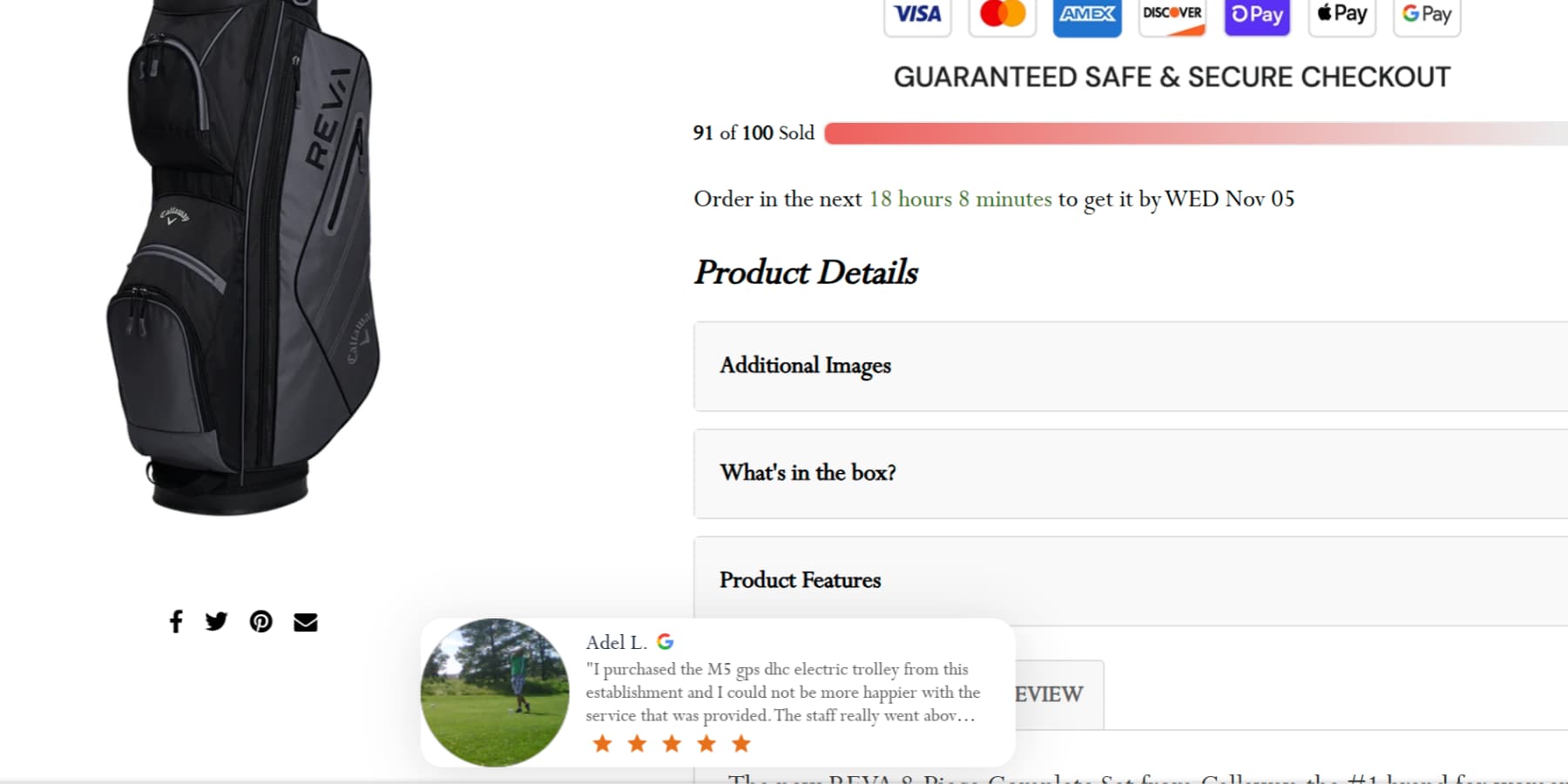
Messages like “John Doe rated this product 5 stars” build confidence and a sense of activity. They tell new visitors that your store is legitimate and that your products are popular.
This can create a gentle sense of urgency, pushing hesitant buyers to make a decision before the item sells out.
3. Promote a giveaway
Everyone loves the chance to win something for free. You can use a popup to announce your next contest or giveaway. This method works well because the exchange is clear. You offer a valuable prize and visitors enter their email address to enter.
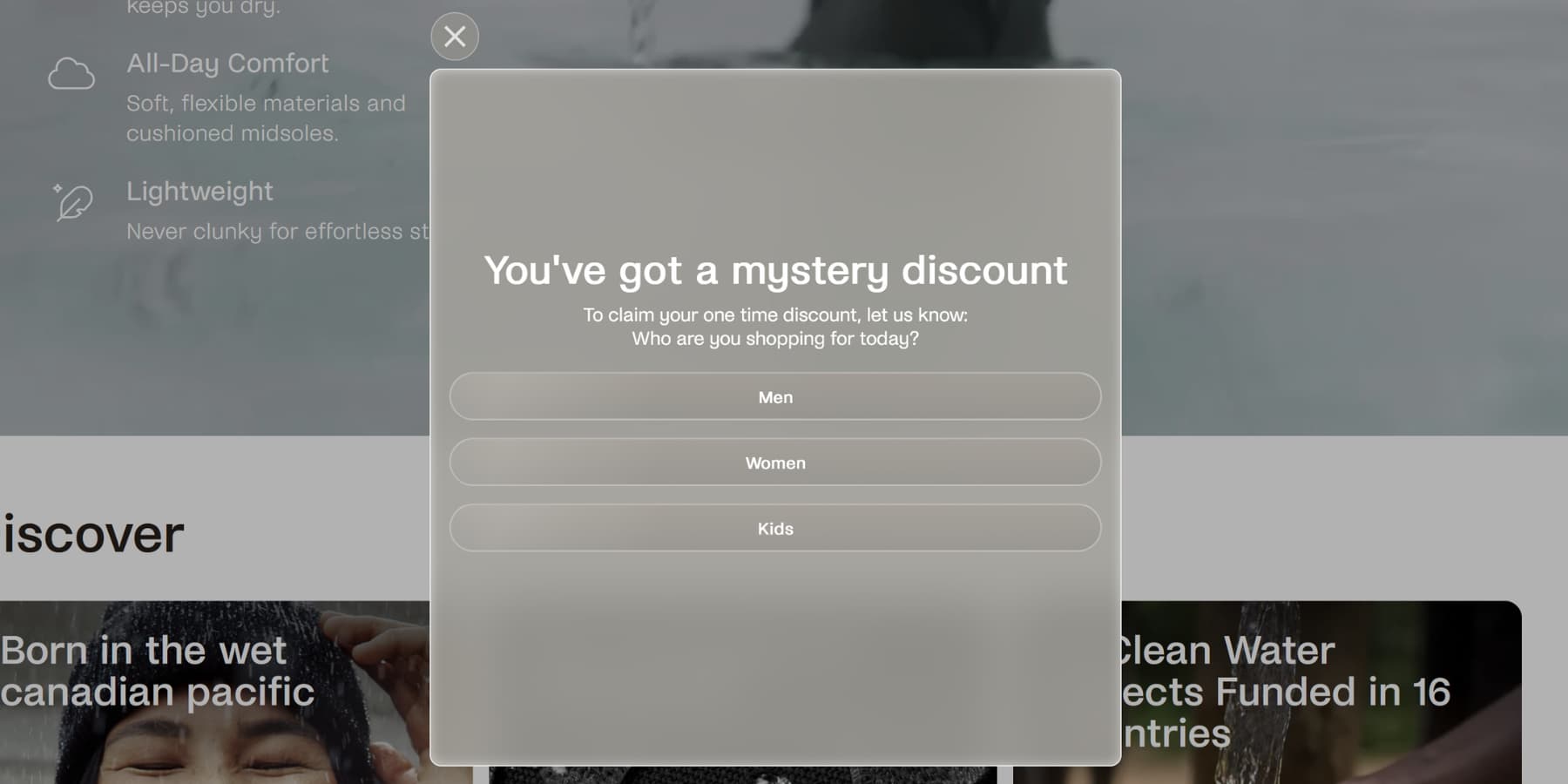
The pop-up itself should be exciting. Use a nice image of the price. Clearly state the price and how you participate. Keep the entry form to one field: their email address. Any additional steps will reduce the number of people who sign up.
The price you choose is important. It should attract the right kind of people to your list. A generic gift card attracts everyone, but a specific product from your store attracts future customers.
4. Port content
Some of your content is too good to give away for free. This is where you close the gate. Blocking content places a premium resource, such as an ebook or video course, behind an email signup form.
When someone clicks to view the source, a pop-up appears. This pop-up blocks the page and presents the offer.
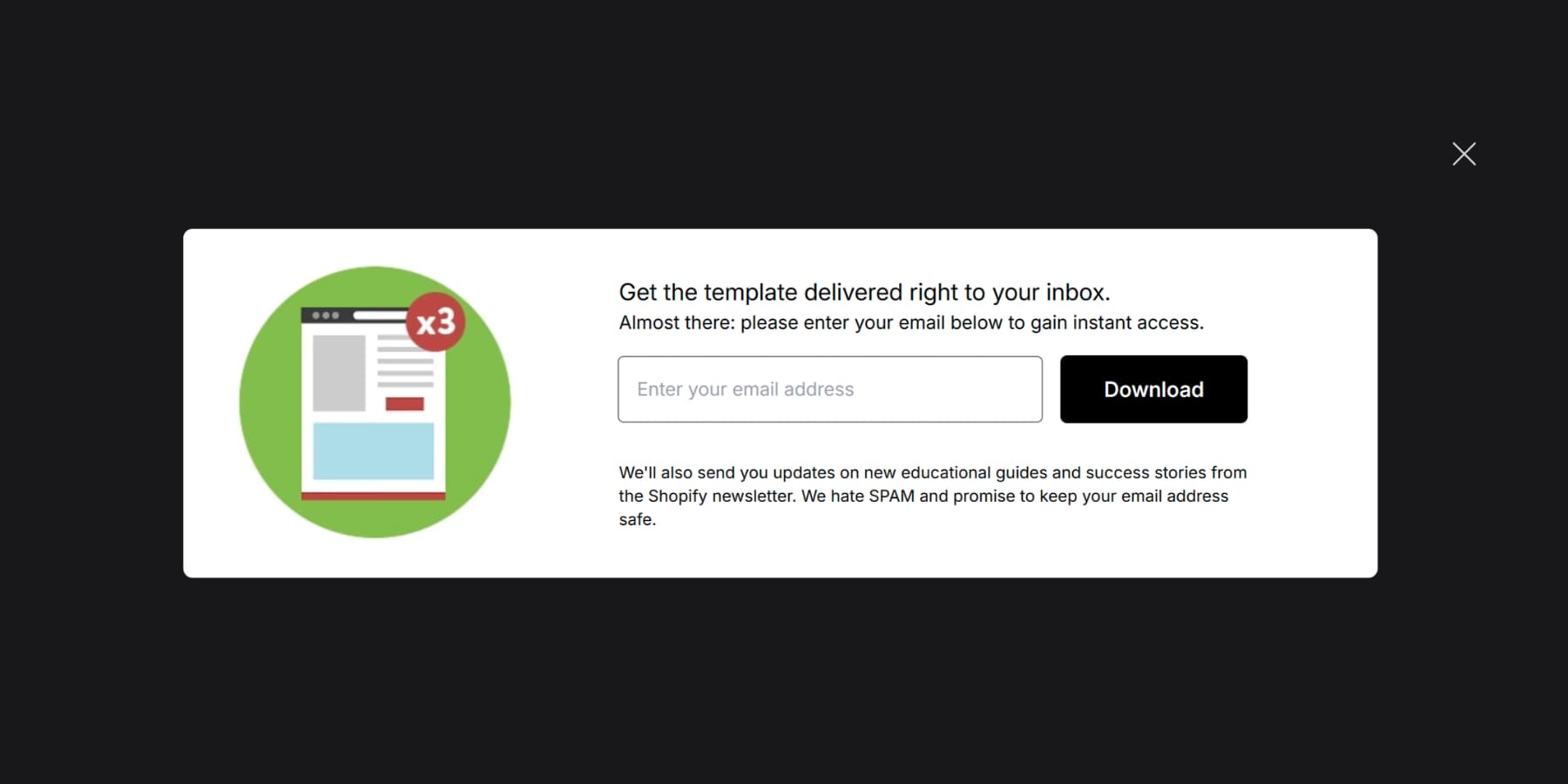
Use it to emphasize the benefits of the resource with a strong headline and a few key points. To keep things simple, the form should only ask for an email.
This method works because the exchange is clear. The visitor understands that he is getting something special. For this to work, the secure asset must feel like a true upgrade to your public content.
However, this is a bold move. It can irritate people if the value is not clear. A visitor expects content and finds a gate instead. You should use this tactic carefully and only for your most special resources.
The page or button leading to the item should indicate that it is a download or an exclusive guide. This manages pre-click expectations.
5. Waitlist registrations
A soon-to-be-available product often means a lost customer. You can turn this situation around with a waitlist popup. Instead of a simple “Coming Soon” message, you can show a pop-up that invites visitors to join a waitlist.
This changes the experience from a dead end to a helpful service. The visitor provides his email address and receives the promise: we will inform him when the item is available. They no longer have to check your site repeatedly.
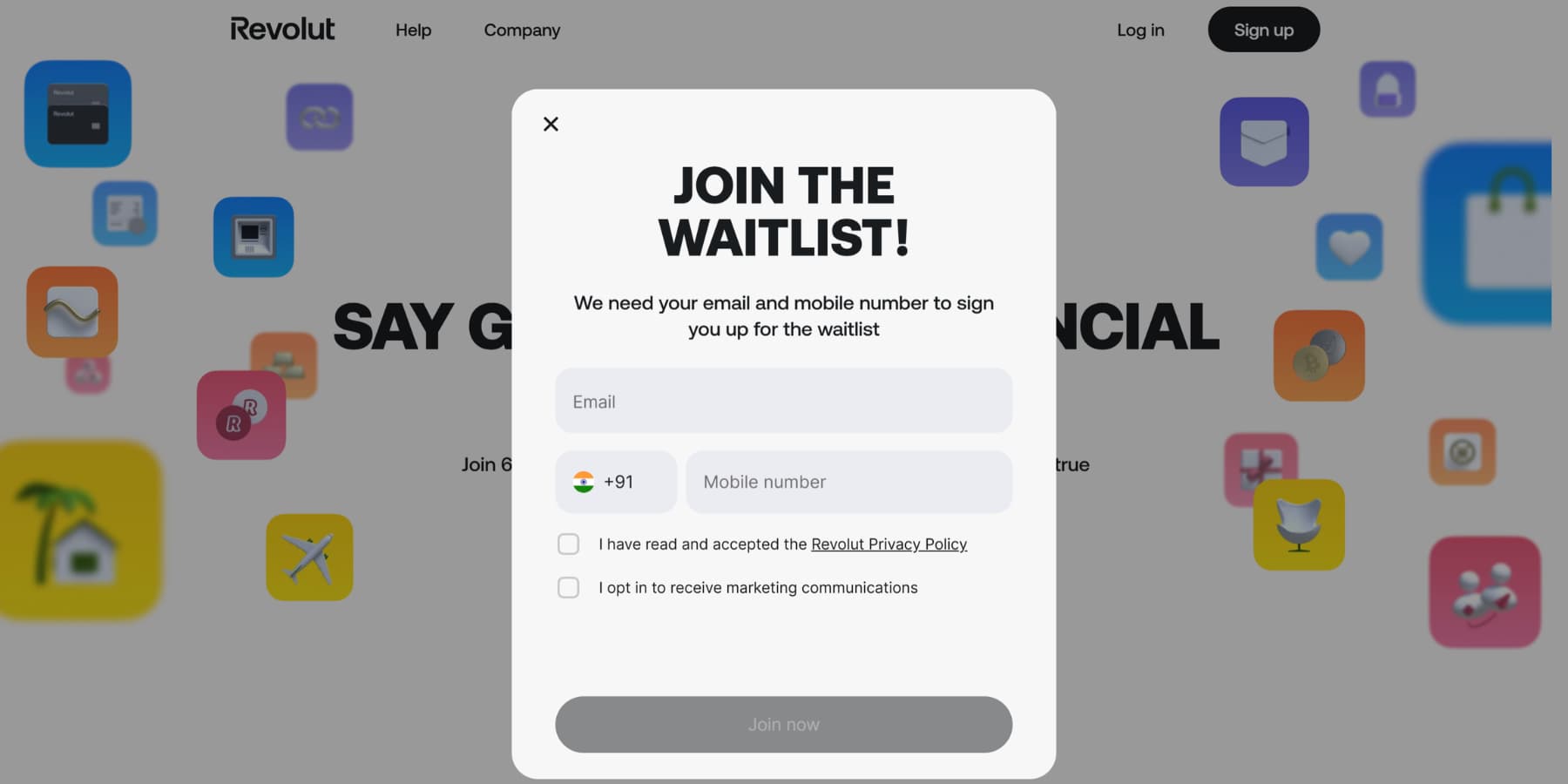
This approach does two things: it helps encourage future sales and provides a clear signal of demand for specific products. The best waitlist popups are simple.
They appear on the product page and only ask for an email address. The message should be direct, such as “Get notified when this launches.” Anything more complicated creates friction and would defeat the purpose.
Divi supports WordPress websites as a theme and as a complete page builder. We built it for people who want professional websites without writing code.
It contains more than 200 content modules ready to place on your pages. Basic text and image blocks sit alongside advanced pricing tables, testimonials and contact forms. Each module gives you control over fonts, colors, spacing, borders, and visual effects.
What makes Divi 5 different
Divi 5 is not just an update. It’s a complete rebuild of the entire website building framework, from scratch. We threw out the old code and started over with modern web standards.
The biggest change is speed. Divi 4 relied on shortcodes, while Divi 5 works with a clean, block-based approach.
We’ve also replaced our old layout system with Flexbox and Grid, giving you control over element alignment, responsive ordering, and complex layouts that were previously impossible.
You can nest rows infinitely deep and create module groups that act as reusable containers.
The Visual Builder itself received a complete makeover. Light and dark modes, dockable panels, keyboard shortcuts, and a breadcrumb layers view make navigation effortless.
Introducing interactions for Divi 5
Interactions are among the other features, such as design variables, support for advanced CSS units, HSL color controls, option group presets, Loop Builder and much more, added to the richness of Divi 5.
It’s Divi 5’s built-in system for creating any kind of interactive element. It’s not a popup builder; it is an all-purpose builder. Triggers start when users click, hover, or scroll to certain points on the page, or after it loads.
Effects control what happens next, such as revealing hidden elements, switching between presets, or creating motion animations. Goals tell the system which element needs to change.
You can build popups, switches, mouse movement effects, scroll animations and more without installing separate plugins. Each module, column, row, and section contains interactions on the Advanced Settings tab.
This means you can make any element interactive or something that responds to user actions.
Let’s imagine how to create a popup in Divi 5. We’ll briefly show you how to create the supply source popups we discussed earlier with Divi 5’s Interactions and show you how easy and intuitive it is.
Start by building a section containing an Email Optin module and tailor it to your needs. Name it “Source Popup” in the Admin Label field.
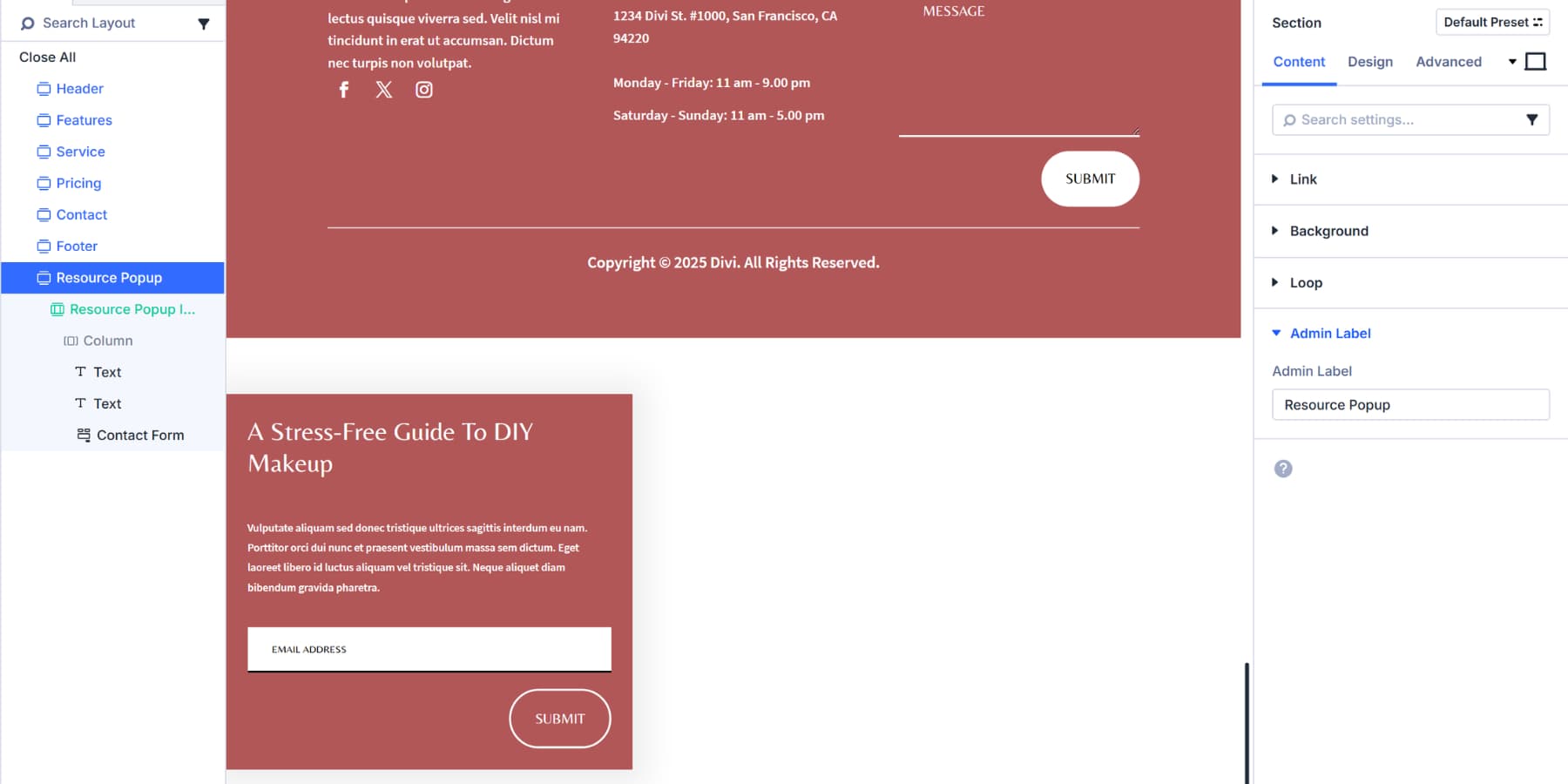
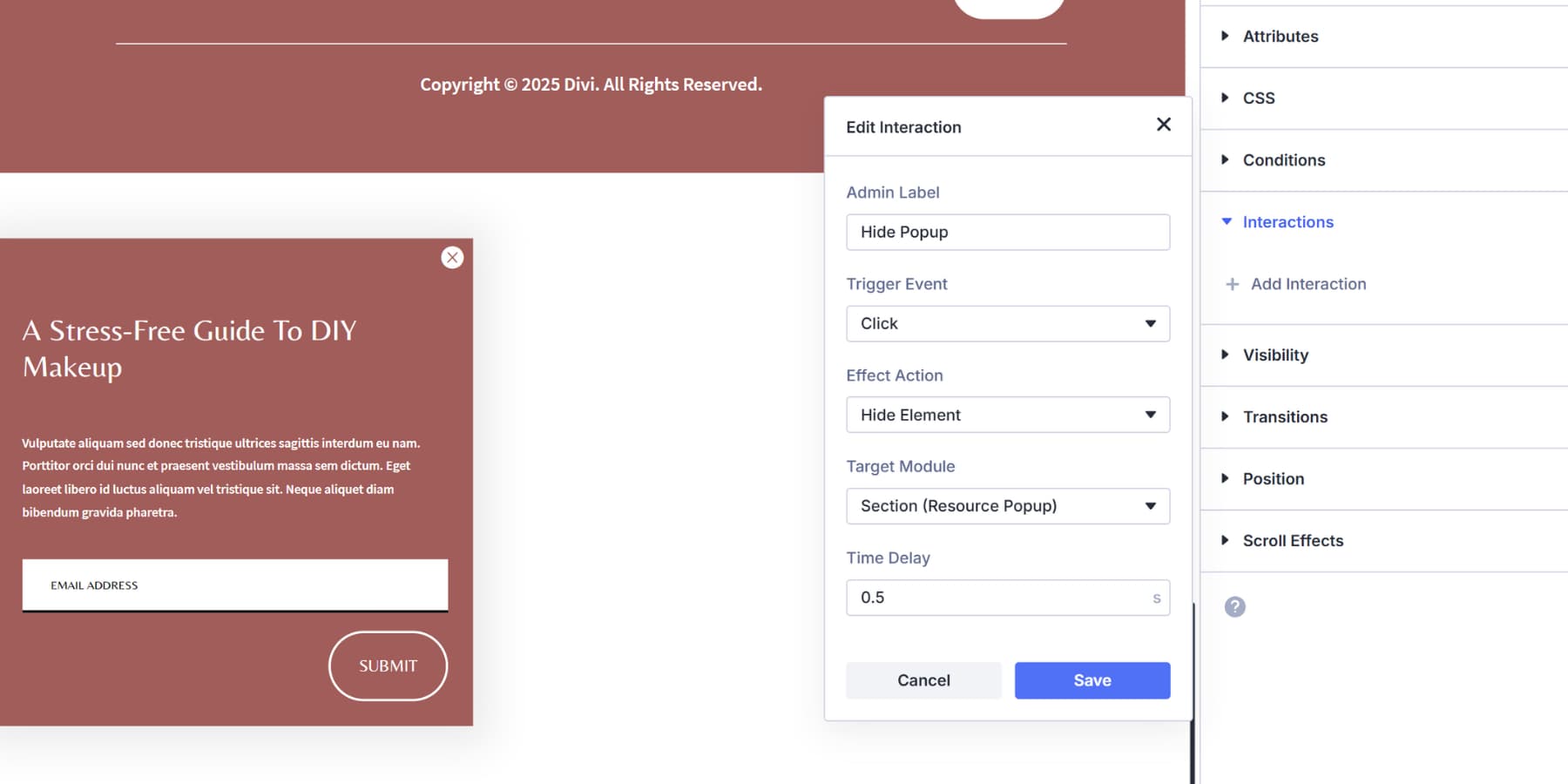
You also need a Close button to make it easier for those who are not interested to close the content. Add an icon module, style it accordingly, then in Interactions:
- Label: Close pop-up
- Trigger event: click
- Effect action: Hide element
- Target: Popup section (referred to as resource popup)
- Delay: 0.75 seconds
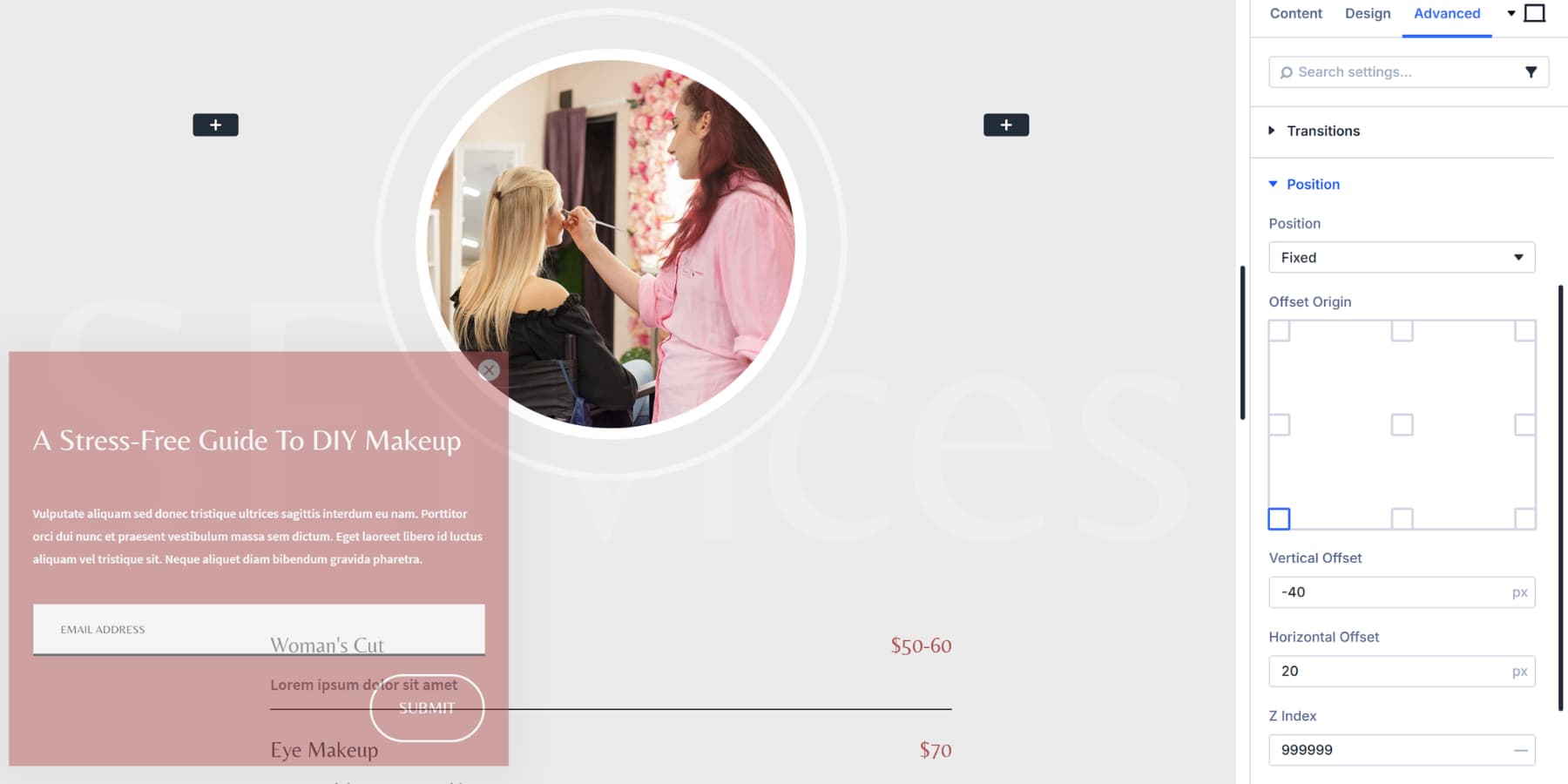
Then in the advanced settings of the pop-up section:
- Visibility: Hidden on all devices
- Position: Fixed (bottom left).
- Adjust the vertical and horizontal offsets according to your needs.
- Z index: 99999
The main trigger would be the content area. You can use the first or second part of the page as a trigger. In the interaction panel:
- Label: Show source popup
- Trigger event: Viewport Enter
- Effect action: Show element
- Target: Resource popup section (referred to as Resource popup)
- Time delay: 2 seconds (adjust as desired)
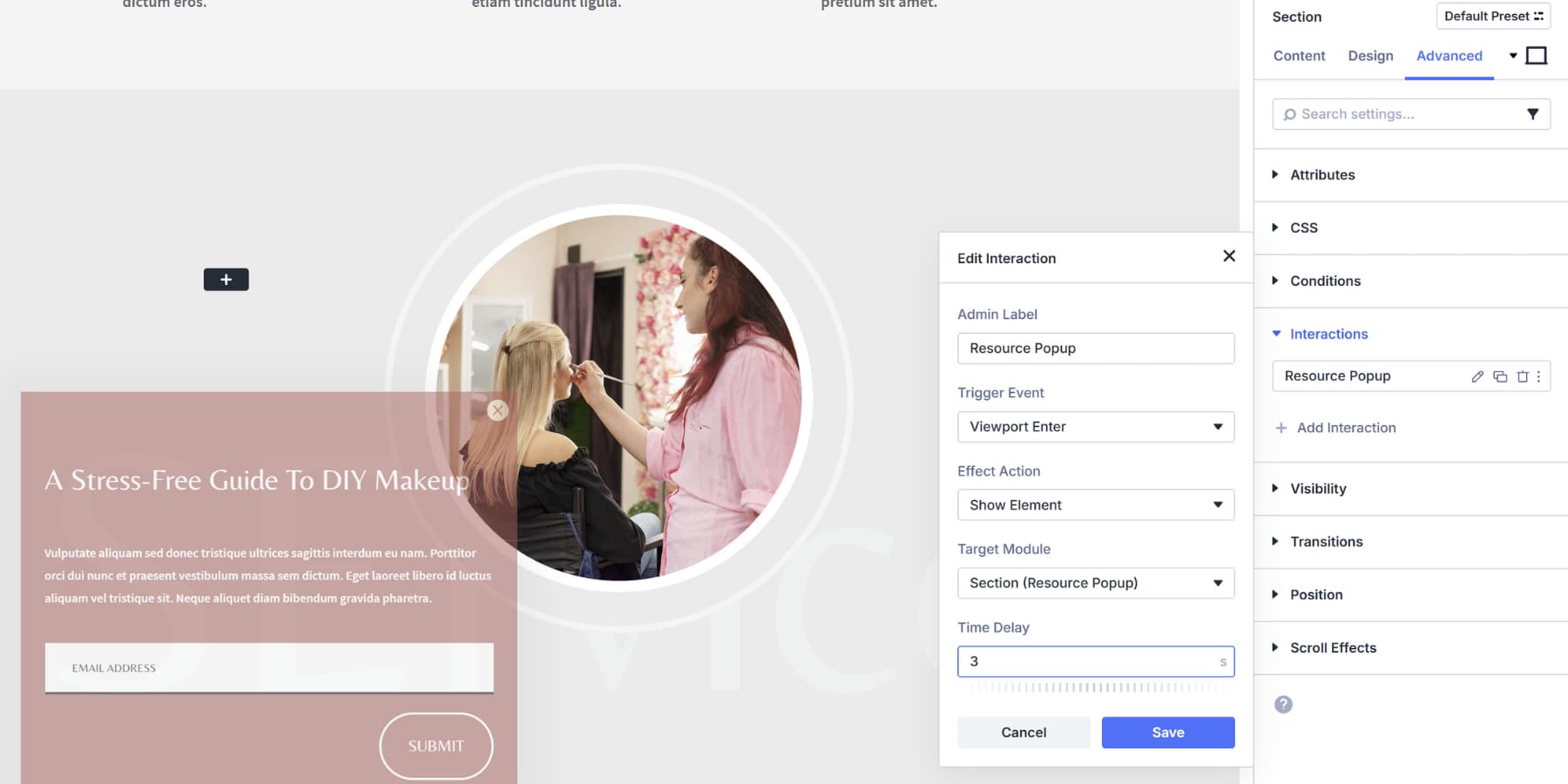
And the pop-up is done!
If you’re looking for a starting point, here are six email pop-up layouts we created! You can also learn about interactions in much more detail here.
Pop-ups are no longer annoying when they match the visitor’s intent. They cover each piece of work because timing and context always take precedence over aggressive tactics. If you use WordPress, Divi 5 is a complete rebuild of the most popular WordPress theme with workflow improvements that other page builders can’t match.
The Interaction system is already in your Visual Builder, ready to handle popups on top of anything else you build. Choose the tactic that best suits your site and start it today.
#Ways #Popup #Website