

Choosing an AI photo editor in 2026 sounds easy, but it honestly isn’t. There are so many apps now that it’s hard to know which one actually works well in real life. Some look great on the website but feel slow once you start using them.
Others do one thing well and the rest. not so much. So it helps to look at these tools as a normal user would, and not as advertisements describe them. AI has changed photo editing a lot. You don’t need long tutorials anymore. Most edits—cleaning up a photo, removing a background, and correcting the light—take just a few clicks.
Even people who have never edited photos before can now do it, which is quite fun. This guide simply shows you the best AI editors, what they can do, and the key features they offer.
It gives you a clear idea of how each tool works without making it complicated. Nothing fancy, just the useful stuff.
Let’s explore it together!
Top 5 AI Photo Editors in 2026
Let’s take a look at some of the selected AI photo editors mentioned below:
1. LightX
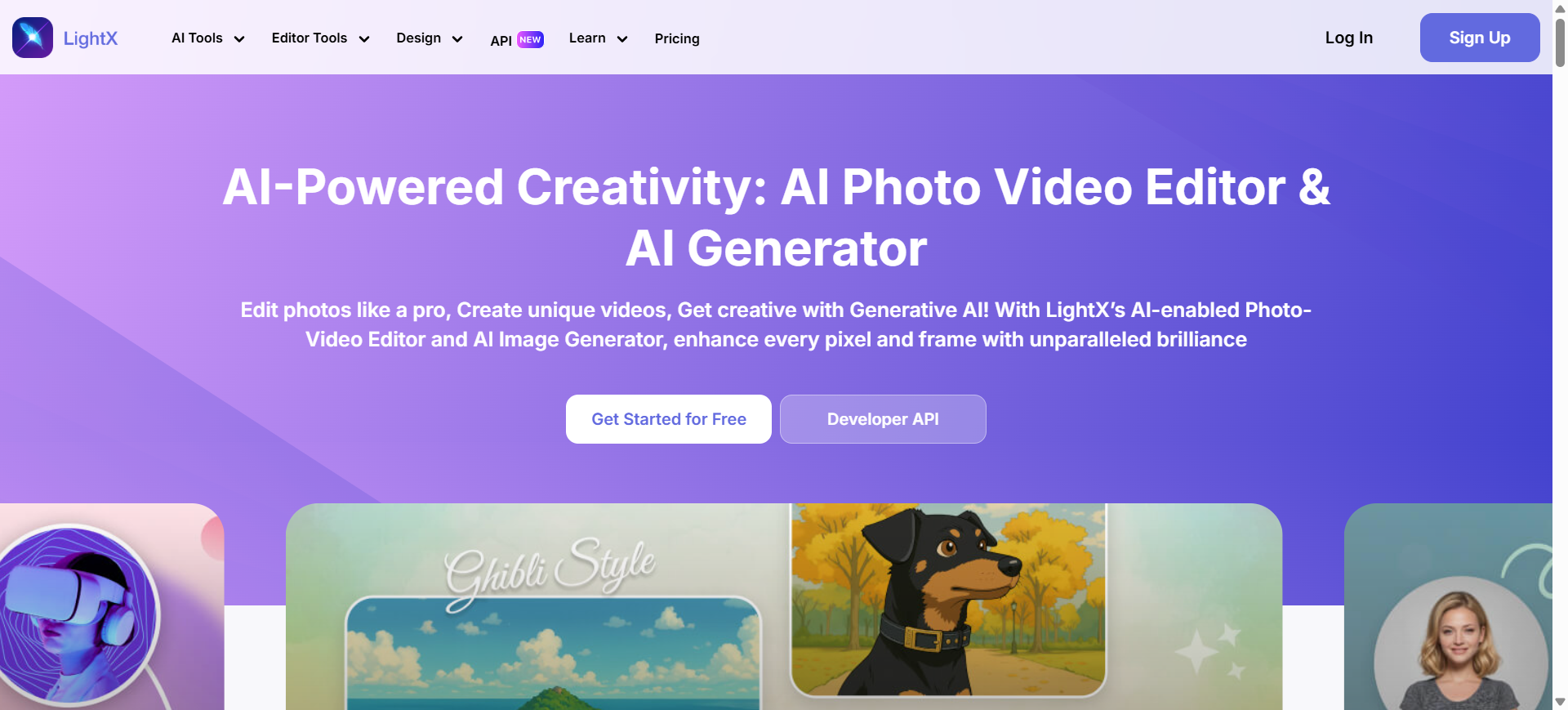
LightX is a simple and strong program AI photo editor. You can use it without much thought because the tools are easy to find. Many people like it because it works quickly and doesn’t feel complicated. If you want quick edits without much learning, this is a good choice.
- Availability: Web, iOS and Android.
- Best for: Users who want quick and clear edits.
- Prices: Free subscription. The Pro plan starts around $5.99 per month.
Main editing tools or features:
- Replace objects with AI
- Remove or create backgrounds
- Change outfits and hairstyles
- Clean unwanted stains
- Text-to-image
- Expand photos
Positives
- It’s easy to get used to, you just figure it out as you go
- AI tools work fast and don’t waste time.
- Also works for small edits or creative edits.
- The prices are light and manageable for most people.
Disadvantages
- Not great for users who want in-depth manual control.
- Works smoother when the internet behaves.
2.Adobe Photoshop
People have been using Adobe Photoshop for a long time. It can perform almost any type of operation.
Although it takes time to give you the best results, many experts still use it because it allows them to work on every detail of the photo.
- Availability: Windows, macOS and iPad.
- Best for: Users who want in-depth editing control.
- Prices: $22.99/month. A photography subscription starts at $19.99/month.
Main editing tools or features:
- AI generative filling
- Replace items
- Correct faces and details
- Layer control
- Color and light fixation
Positives
- Works smoother when the internet behaves.
- Trusted in the industry for years.
- New AI tools save time on tedious repairs.
- Has more tools than most people even need.
Disadvantages
- It can be difficult to learn from scratch.
- Expensive compared to other editors.
3. Kanva
Canva’s AI tools make designing and editing photos quite easy. You can put together great content without much effort. The clean layout also works well for personal use and work projects.
Overall, it’s a good choice if you want something simple that still looks good.
- Availability: Web, iOS and Android.
- Best for: Users who want simple design and photo editing in one place.
- Prices: Free subscription. Pro starts at $12.99/month.
Main editing tools or features:
- Background remover
- Magical operation
- AI image maker
- Ready templates
- Simple social media layouts
Positives
- Super easy, even for total beginners.
- Good for quick messages and light editing.
- A large library of templates that helps a lot.
- Works well for everyday tasks.
Disadvantages
- Not made for heavy or detailed machining.
- Some features require the Pro subscription.
4. Images
Picsart makes it easy to get creative with your photos. The AI tools allow you to transform normal images into eye-catching images.
You can take a regular photo and turn it into something interesting without doing too much.
- Availability: Web, iOS and Android.
- Best for: Creative users and social media people.
- Prices: Free subscription. Paid plans start around $13 per month.
Main editing tools or features:
- AI filters
- Remove objects
- Create new backgrounds
- Stickers and effects
- Simple collages
Positives
- Fun to use for effects or playful editing.
- Lots of stickers, filters and random creative stuff.
- Fluent on mobile, good for quick edits.
- Ideal for informal social content.
Disadvantages
- Not ideal for clean, professional results.
- Some edits can look too flashy when you need something simple.
5. Luminaire Neo
Luminar Neo helps you take clean and more beautiful photos. It’s good for photos where you want better light, color, or less noise. The tools are simple, but sometimes slow on older devices. Yet the end result looks natural.
- Availability: Windows and macOS.
- Best for: Users who want strong photo fixes.
- Prices: Starts around $79/year.
Main editing tools or features:
- Replace the sky
- Repair portraits
- Light and color corrections
- Noise Removal
- Remove unwanted objects
Positives
- Very good at capturing light and color without a lot of work.
- Strong portrait and outdoor tools.
- Makes photos look natural and clean.
- Makes photos look natural and clean.
Disadvantages
- It may run slowly on older systems.
- Doesn’t have design tools like Canva or Picsart.
Usage scenarios:
These editors work for almost everyone: new users who don’t want to learn too much, people posting on social media, business owners trying to make their product photos look decent, and even professionals who just want to save time.
The only real problem these days is choosing one tool because there are too many.
But once you know what each editor can really do, choosing becomes a lot easier and you won’t waste time switching between apps.
1. Save time
Many people use the best AI photo editors mainly because they just don’t want to sit and edit for long periods of time anymore. Honestly, no one wants to spend all the time fixing little things in a photo.
You open the editor, tap a few buttons and the photo looks better without you having to do much. You don’t have to learn big, complicated settings.
This helps all kinds of people: entrepreneurs who need product photos every day, creators who post five times a week, or someone who just wants to quickly fix a photo and get on with their day. It makes the whole thing less stressful.
2. Enjoy enhanced creativity
Sometimes you stare at a photo and really don’t know what to change. That happens a lot. These AI tools nudge you in the right direction by showing you quick ideas or small edits you hadn’t even thought of yet.
And suddenly the photo looks much better.
Students use it, beginners use it, and even regular people who just want their photos to look a little nicer. You don’t need any fancy skills for that.
3. Get professional-quality results
You don’t have to be a trained editor to get a sharp looking photo now. The tools themselves fix the exposure, correct colors and smooth out messy parts.
Even if you have no idea about editing, the result will still look neat.
Small business owners, freelancers, and even someone updating their profile photo can achieve a “professional” look without doing anything complicated.
Get results with precision and accuracy
These tools also catch small errors in a photo that we usually skip. Maybe the light is off, or there’s a spot you didn’t see, or something seems out of place.
The AI will pick it up and fix it for you.
This is useful for creators who want cleaner photos but don’t want to spend hours zooming in, and even for photographers who just want to speed up the small adjustments.
Top 3 picks for the best AI photo editors
- Best for Beginners: Canva – Canva is the one I would choose if you just want something simple. You open it and get it straight away, not a big learning experience. Good for quick messages or small repairs when you really don’t feel like doing much.
- Best for Fast AI Edits: LightX – LightX is nice if you want to quickly sort the photos without fiddling with settings. You tap a few things, most of it gets fixed and you’re done pretty quickly.
- Best for Social Creators: Picsart – Picsart is more for fun stuff… filters, stickers, that kind of loud style that people use online. Works easily on your phone so you can edit and post without interrupting your day.
Conclusion 🙂
Choosing an AI photo editor ultimately depends on what you actually do with your photos. Some people just want a quick fix and that’s it, while others like to try a few styles.
Many people want to tweak every little thing, and these tools all work, but they don’t feel the same when you use them. You can only find out by trying one or two. Go for the one that doesn’t irritate you or feels too heavy.
If something feels natural, you’ll end up editing more and worrying a lot less about the process.
“AI photo editors are not just tools – they are the new creative partners for modern brands.” — Mr. Rahman, CEO Oflox®
Also read:)
Have you tried any AI photo editor from this list? Share your experiences or ask your questions in the comments below. We’d love to hear from you!
#Top #Photo #Editors #AtoZ #Guide #Beginners