

In this post, we’ll take a closer look at how these tools work together to unlock infinite customization options. Let’s dive in!
Understanding the Loop Builder
Divi 5’s Loop Builder gives you ultimate creative freedom, allowing you to unleash the full potential of your site’s database without touching a single line of code. At its core, it allows you to query and go through any content, such as blog posts, products, user profiles, or even custom post types, and display it dynamically using any Divi element.
You can place post titles, featured images, or custom fields like event dates or product prices in a sleek CSS grid, slider, or whatever style you can think of. The Loop Builder enables and transforms static layouts into unique showcases of your content.
Unparalleled flexibility
What sets the Loop Builder apart is its flexibility. You’re not stuck with ready-made blog modules or standard WooCommerce archive templates. You can loop virtually any Divi container and build layouts that match your site’s design. For example, you can create a slider where each slide shows the image and price of a different product, all powered by your site’s data.
Filter, sort and repeat
The Loop Builder lets you fine-tune what content is displayed. For example, if you only want to show featured products or events after a certain date, you can. You can also sort messages by date, title, or a custom field, and add pagination to keep everything tidy. The Loop Builder effortlessly handles dynamic content.
Support for third party plugins
The Loop Builder supports WooCommerce, allowing you to create dynamic store pages, and integrates seamlessly with Advanced Custom Fields (ACF) for retrieving custom data. It also works with plugins like Event Calendar, making it a favorite for specialty sites. The Loop Builder is more than just a feature. It’s a tool for building dynamic, branded content displays that scale with your site.
Combine the Loop Builder with Theme Builder
You already know that Divi’s Theme Builder is perfect for building common templates like headers, footers, posts, and archives. By placing the Loop Builder in your Theme Builder templates, you can turn regular archive pages into dynamic, custom showcases.
The Theme Builder sets the tone and the Loop Builder brings content to life. We’ll go through the steps to create a blog archive page using Divi 5’s Loop Builder and Theme Builder. By the end, you’ll better understand how they work together to create dynamic layouts.
Create a new template
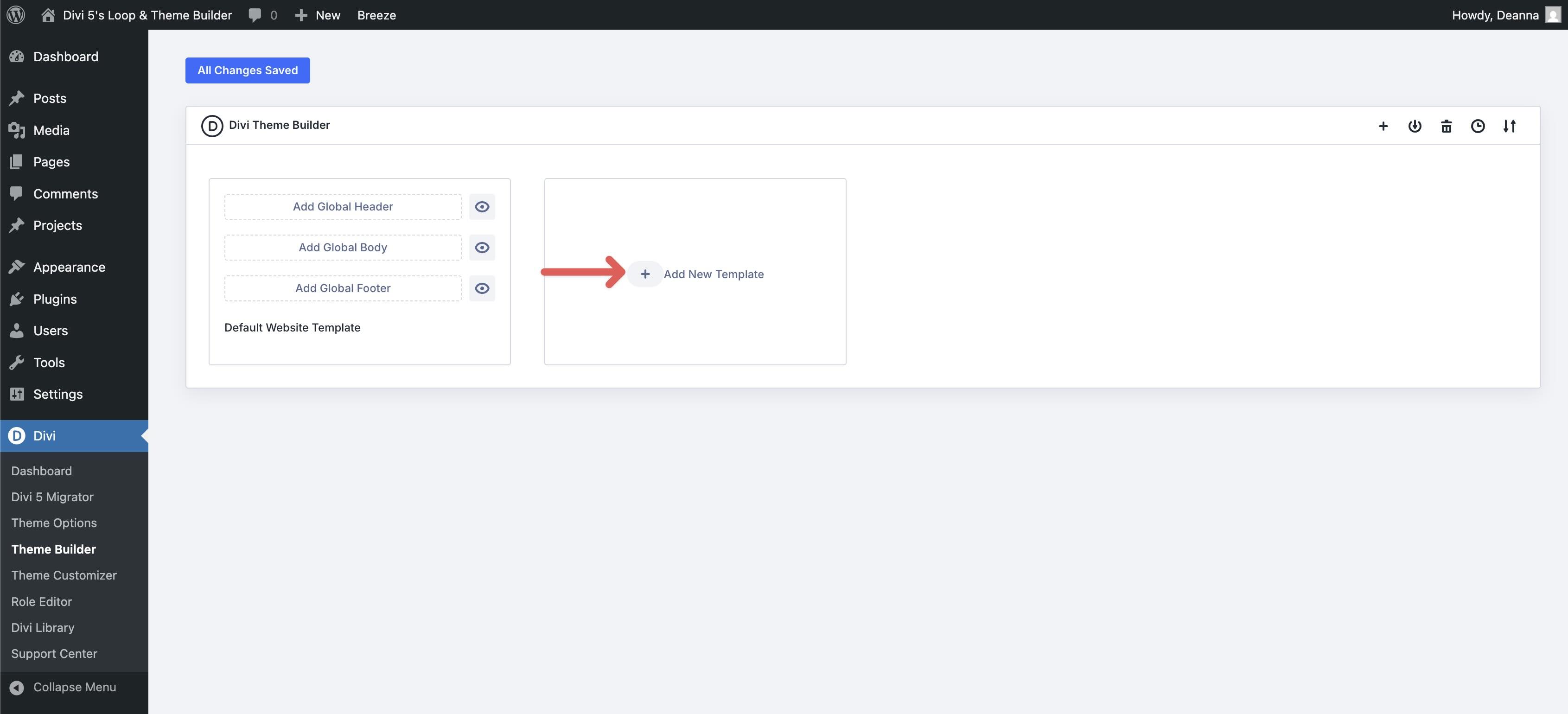
Combining the Loop Builder and Theme Builder is a piece of cake. Navigate to to get started Divi > Theme Builder.
Click on the + Add new template button to create a new template.
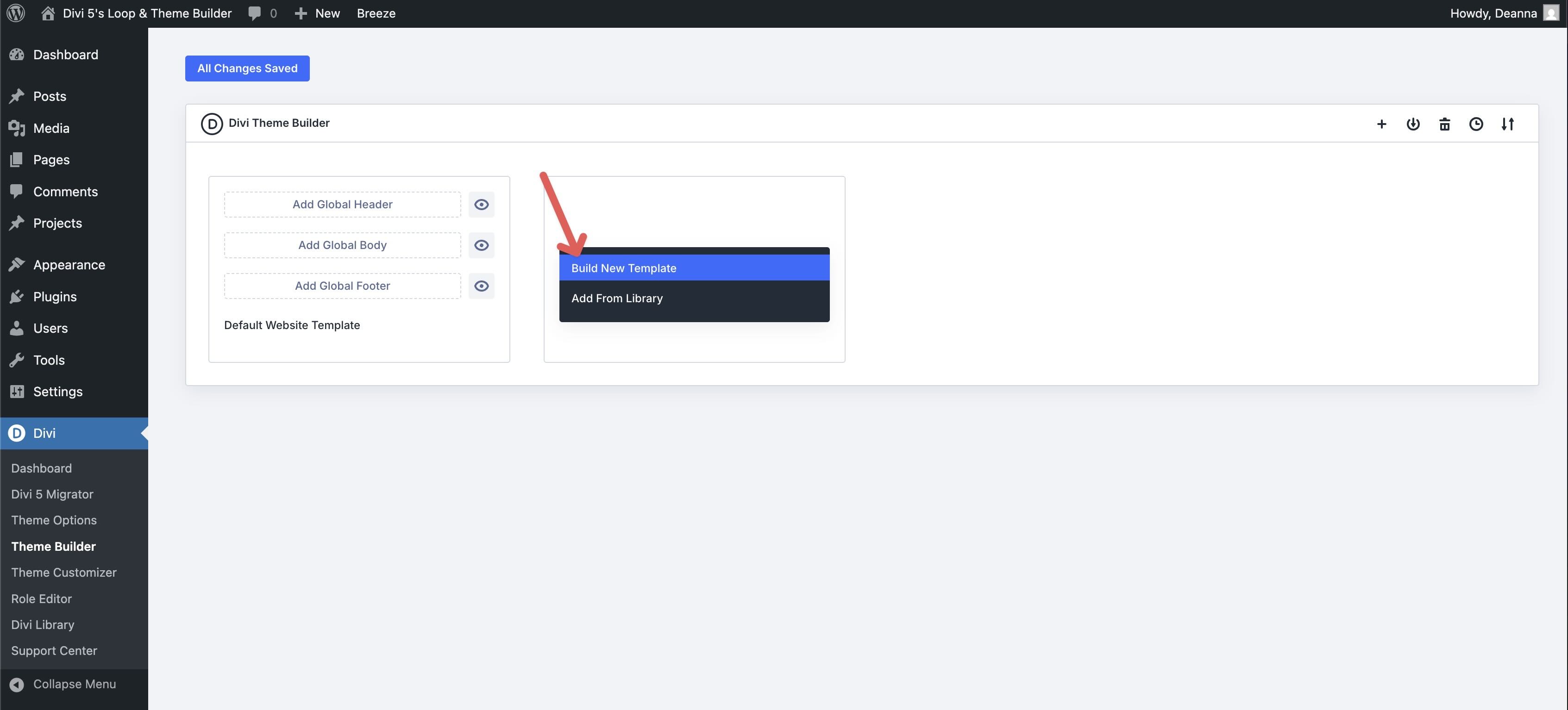
Then click Build a new template.
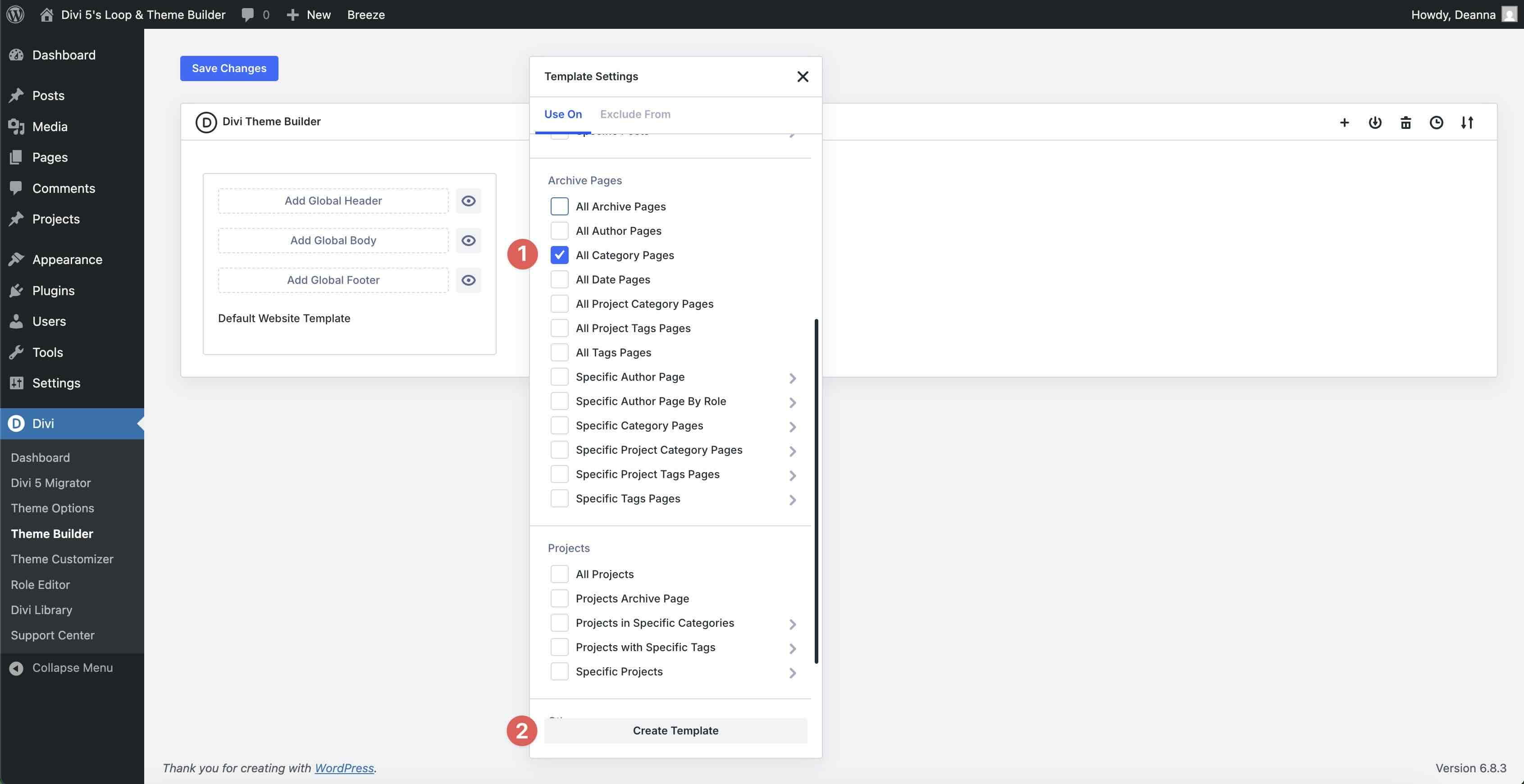
When the Template settings modal appears, scroll to find it Archive pages option. Check it All category pages check box and click Create template continue.
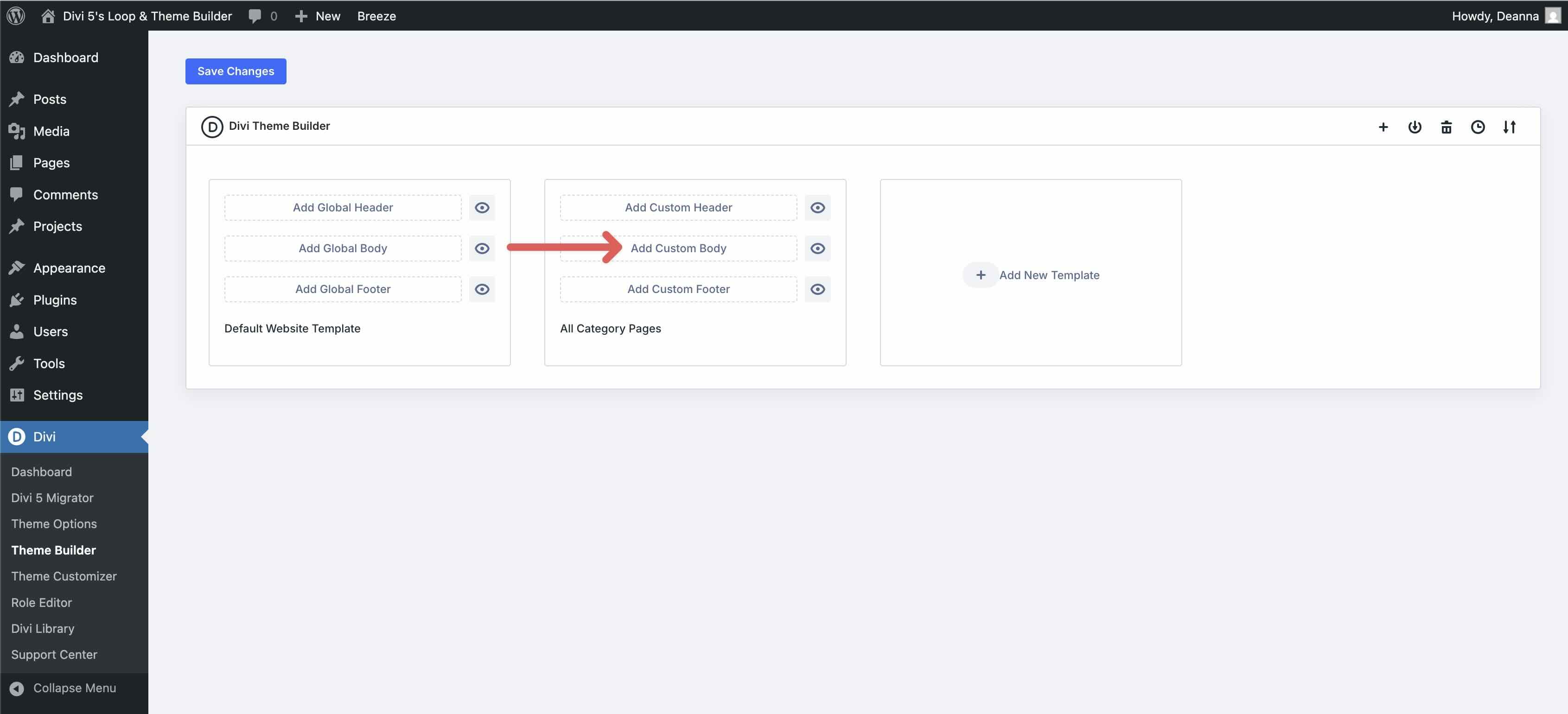
Click Add custom body text.
Create the loop section
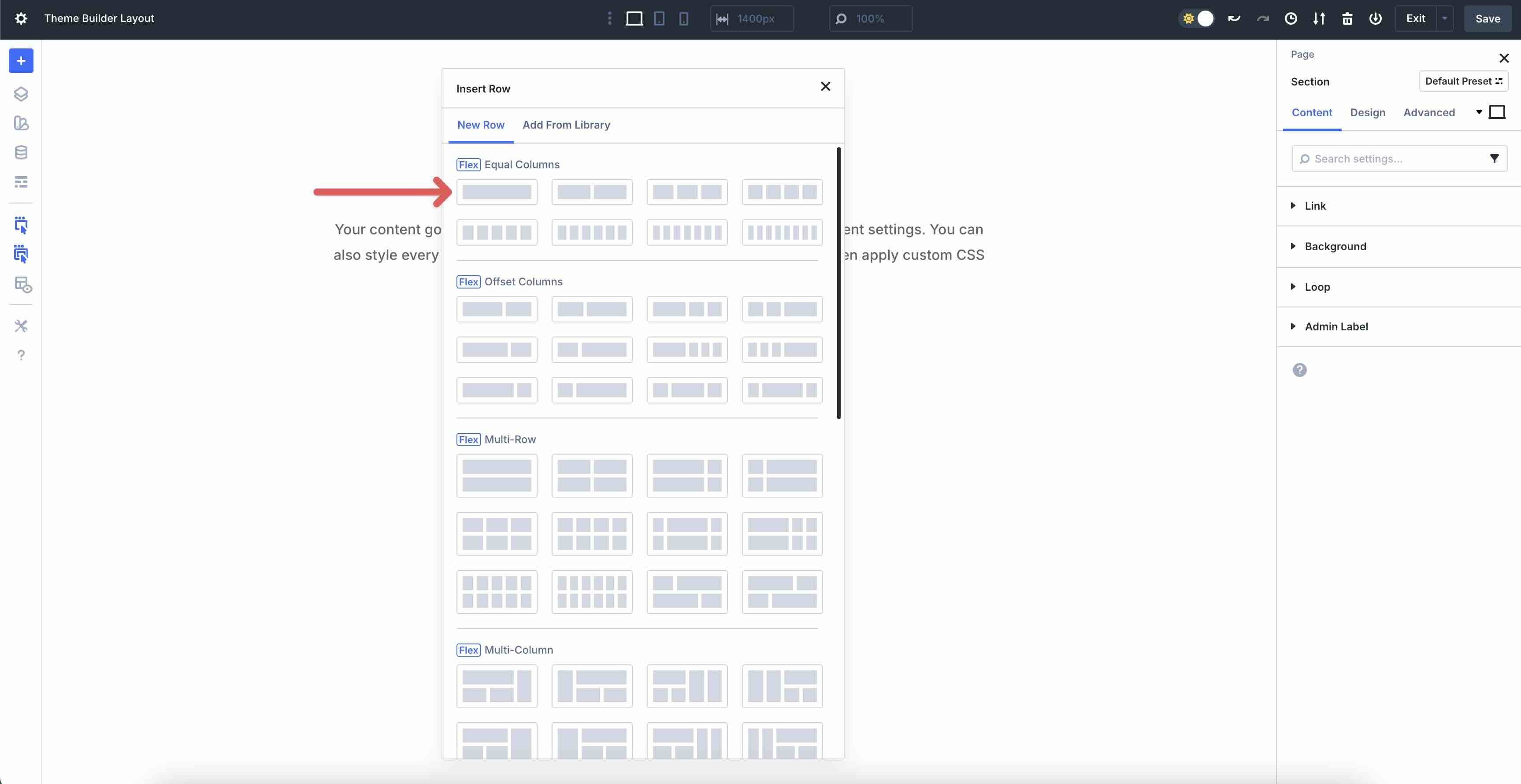
When the Theme Builder loads, add a new section with a row with one column.
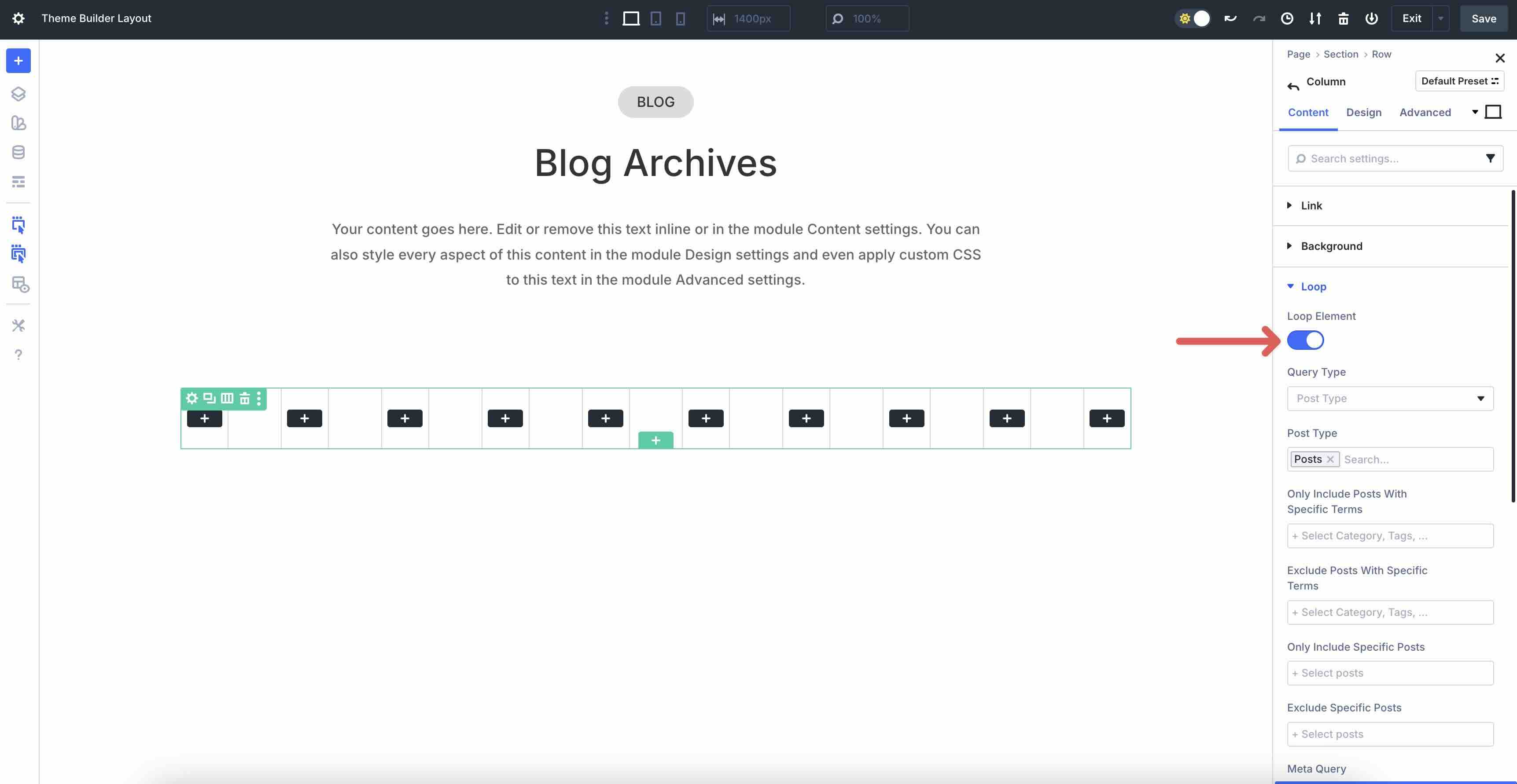
In line Contents tab, click to edit the single column. Fold the Loop menu and switching Loop element on.
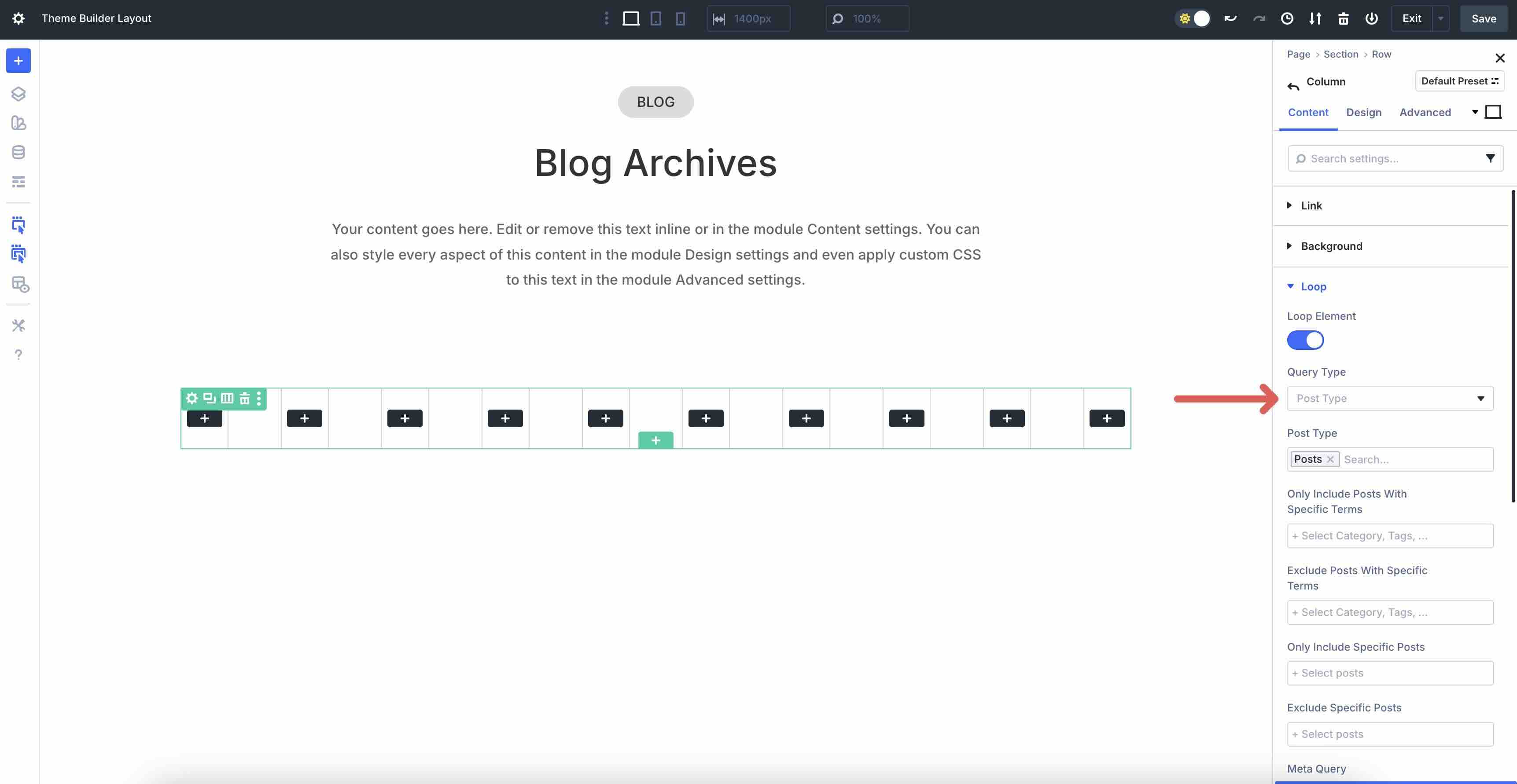
The Search type should be Message type (set as default).
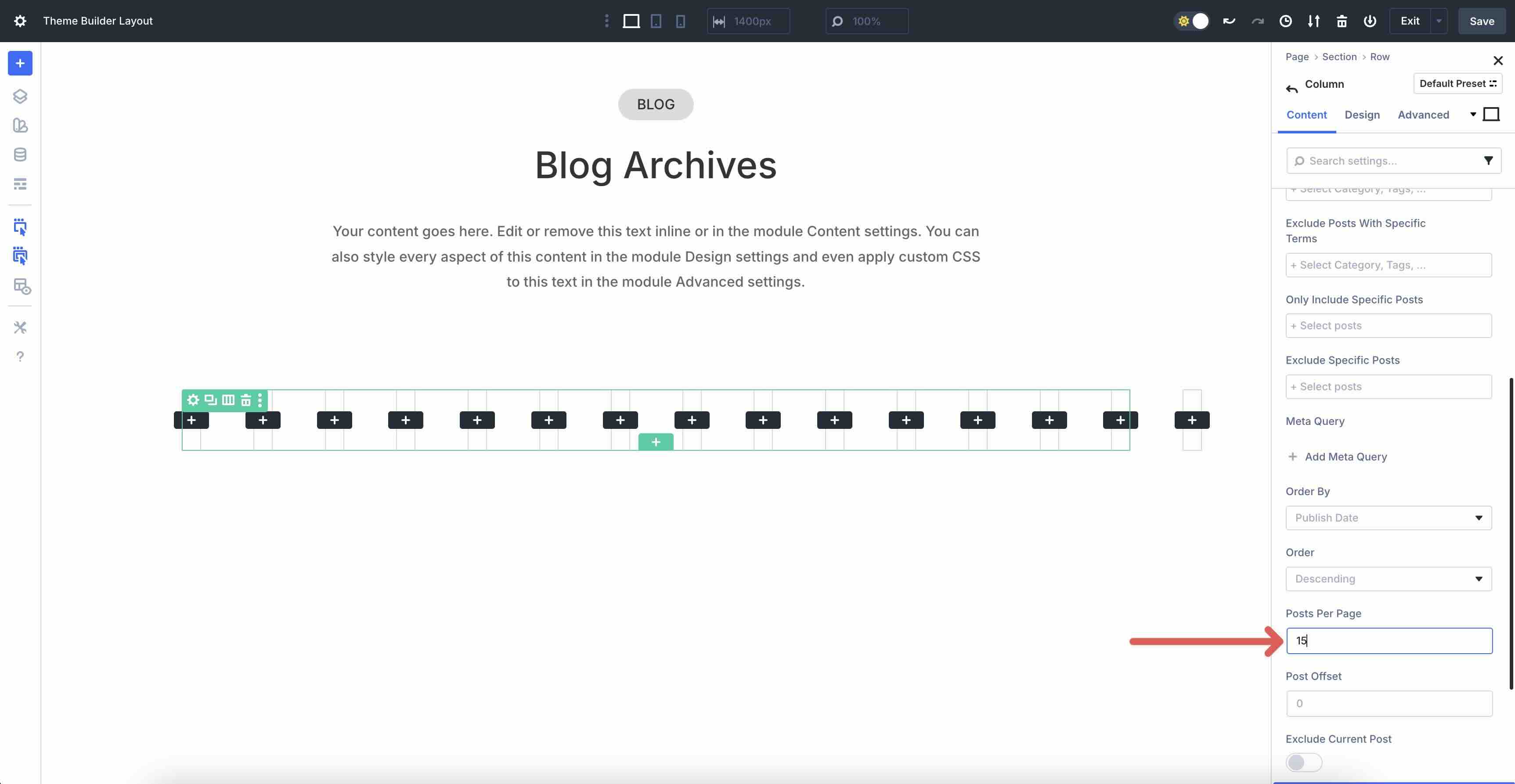
Leave all settings at their default values except Posts per page. Set it to display 15 to inform.
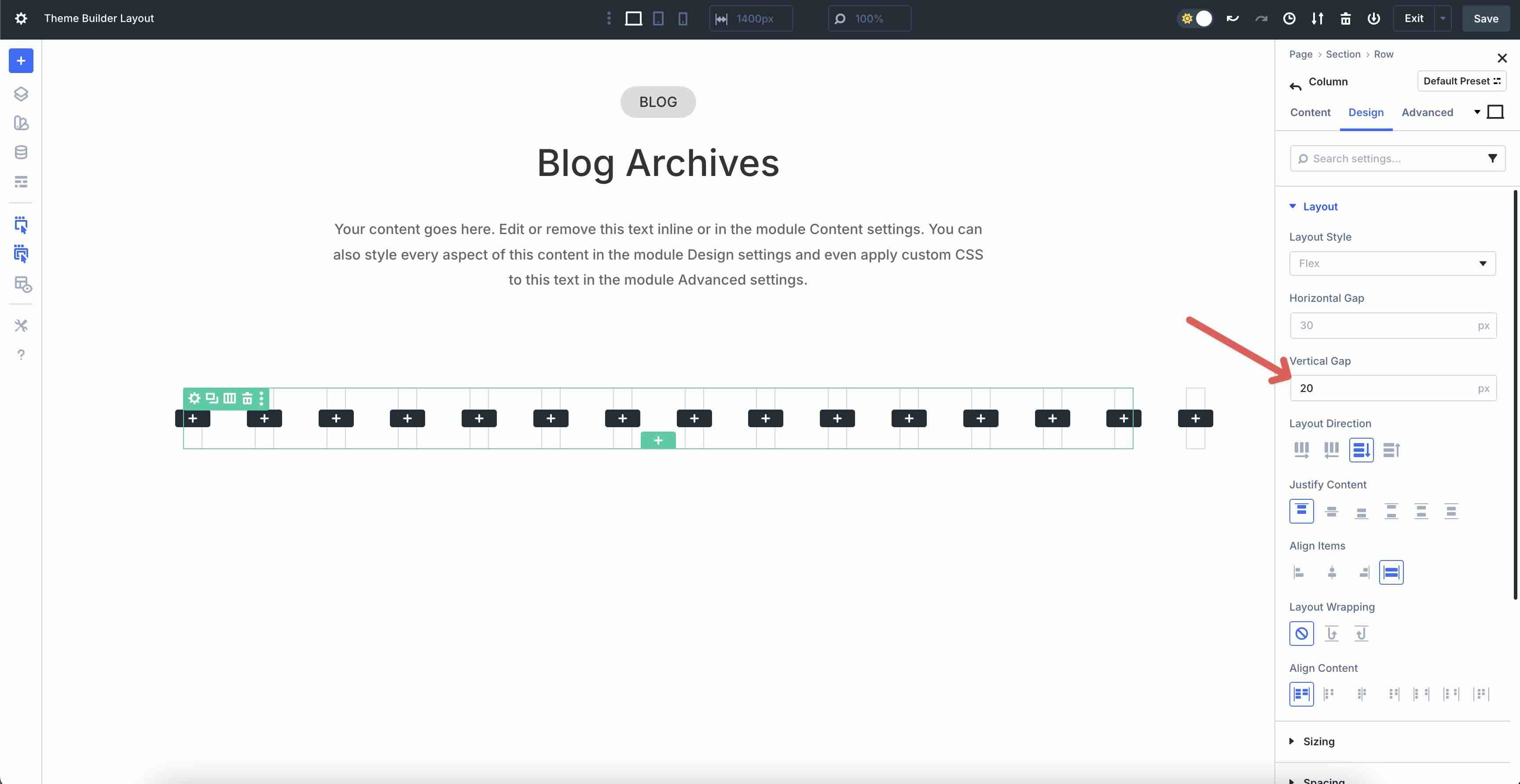
In the Design tab, expand it Layout menu. Enter 20px in the Vertical opening field.
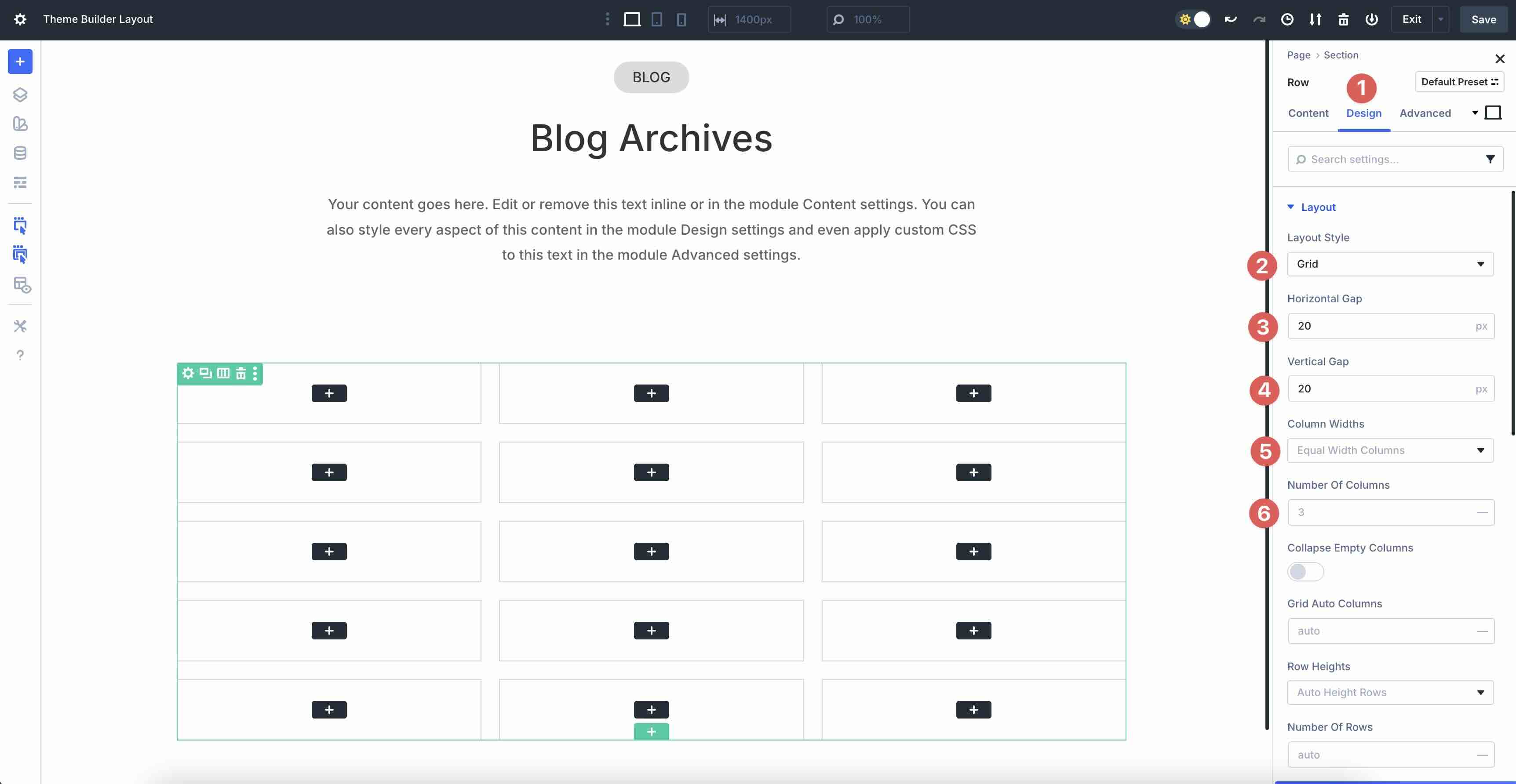
Next we need to adjust some settings in it Row. Go to the Design tab of the row. Fold the Layout menu and swap the Layout style Unpleasant Rooster. Add 20px horizontal And Vertical opening and change the Number of columns Unpleasant 3.
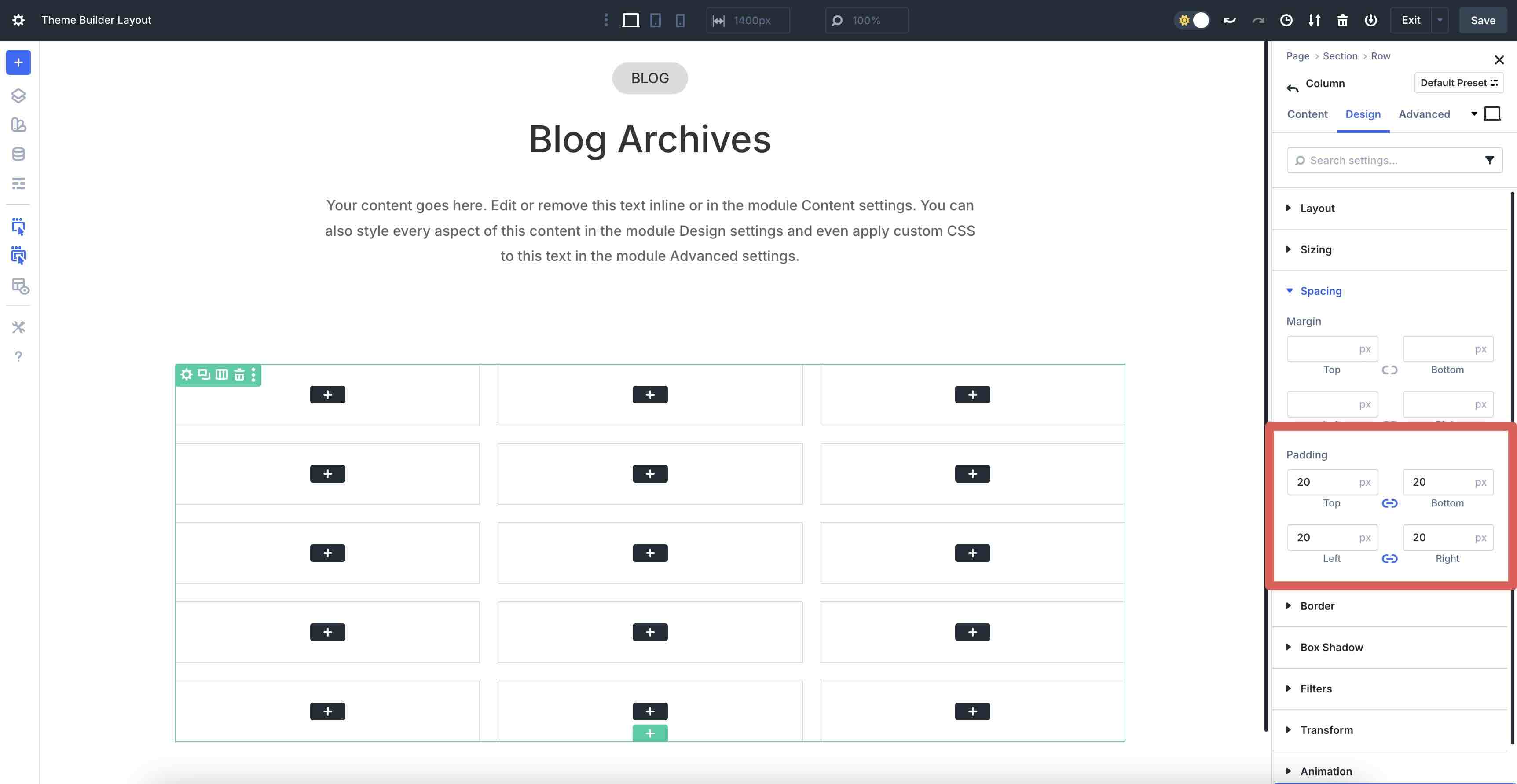
Go back to the Column where we have the Loop. Click on the Design tab and expand it Distance menu. Add 20px padding in all directions.
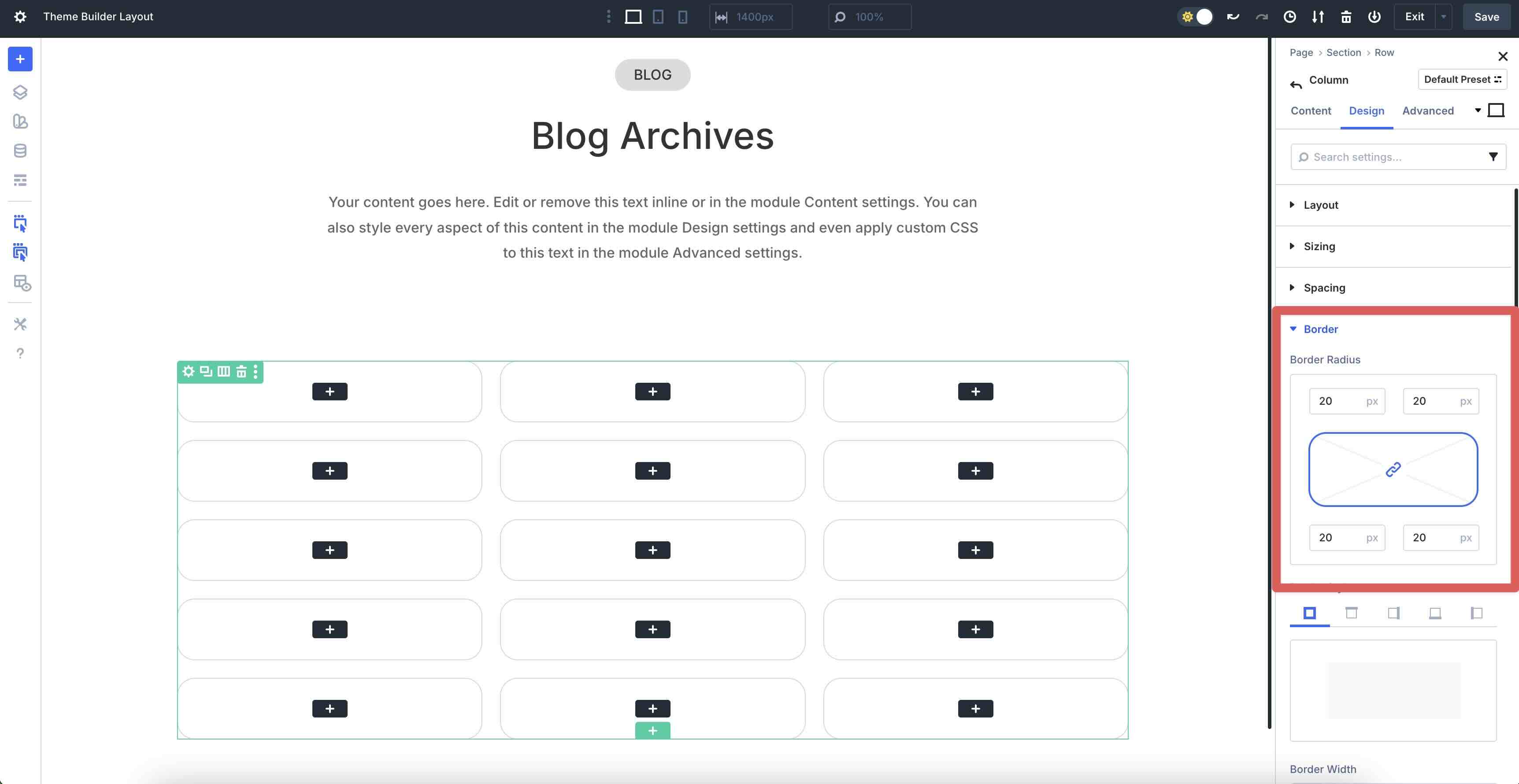
Finally, click to expand it Border menu. Add 20px border radius to the Column.
Add content to the loop
Now that our Loop settings are set, we can start adding content. In the Columns Contents tab, expand it Background menu. Click on the Background image tab and hover over the field to display it Dynamic content icon.
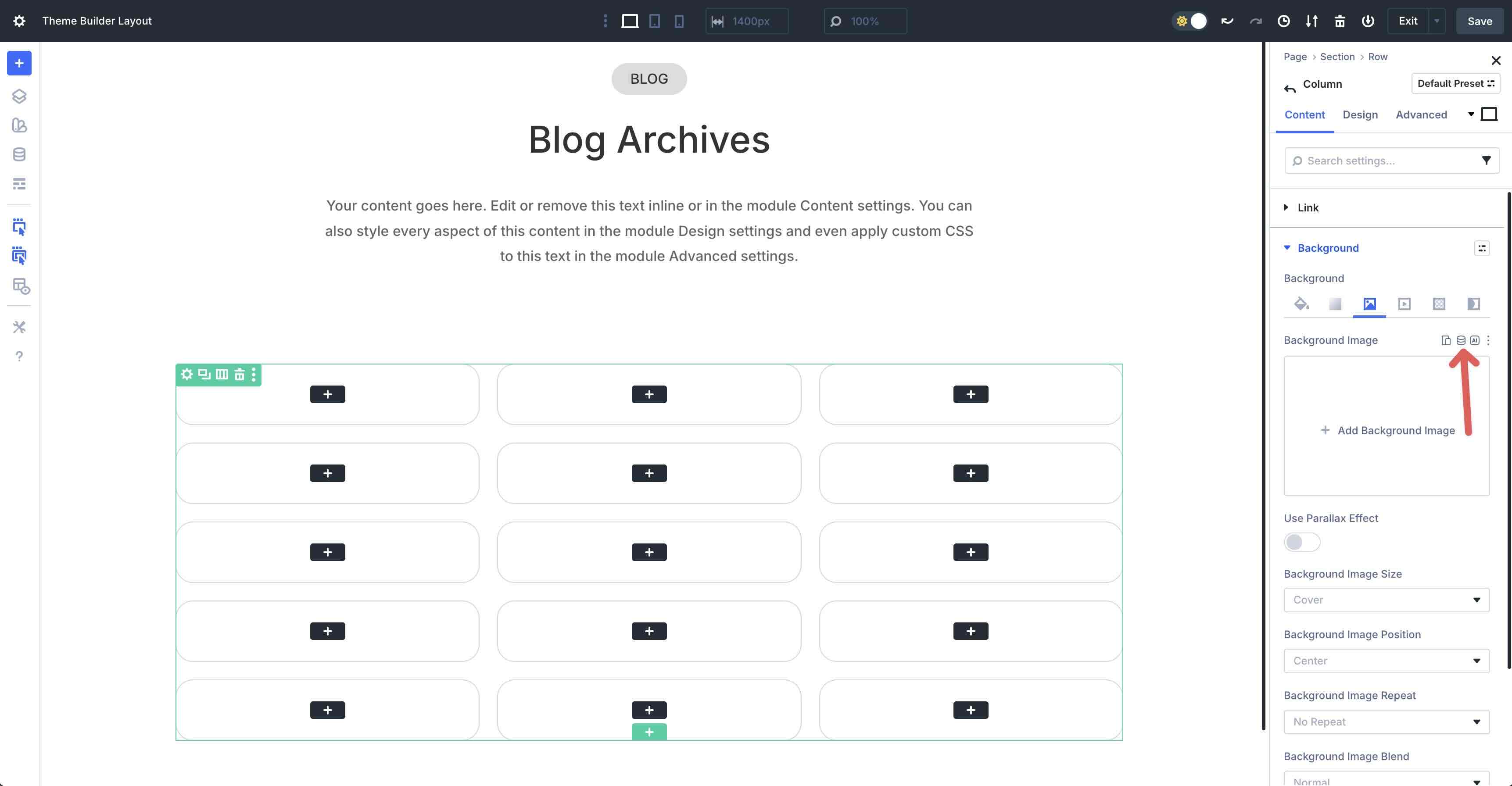
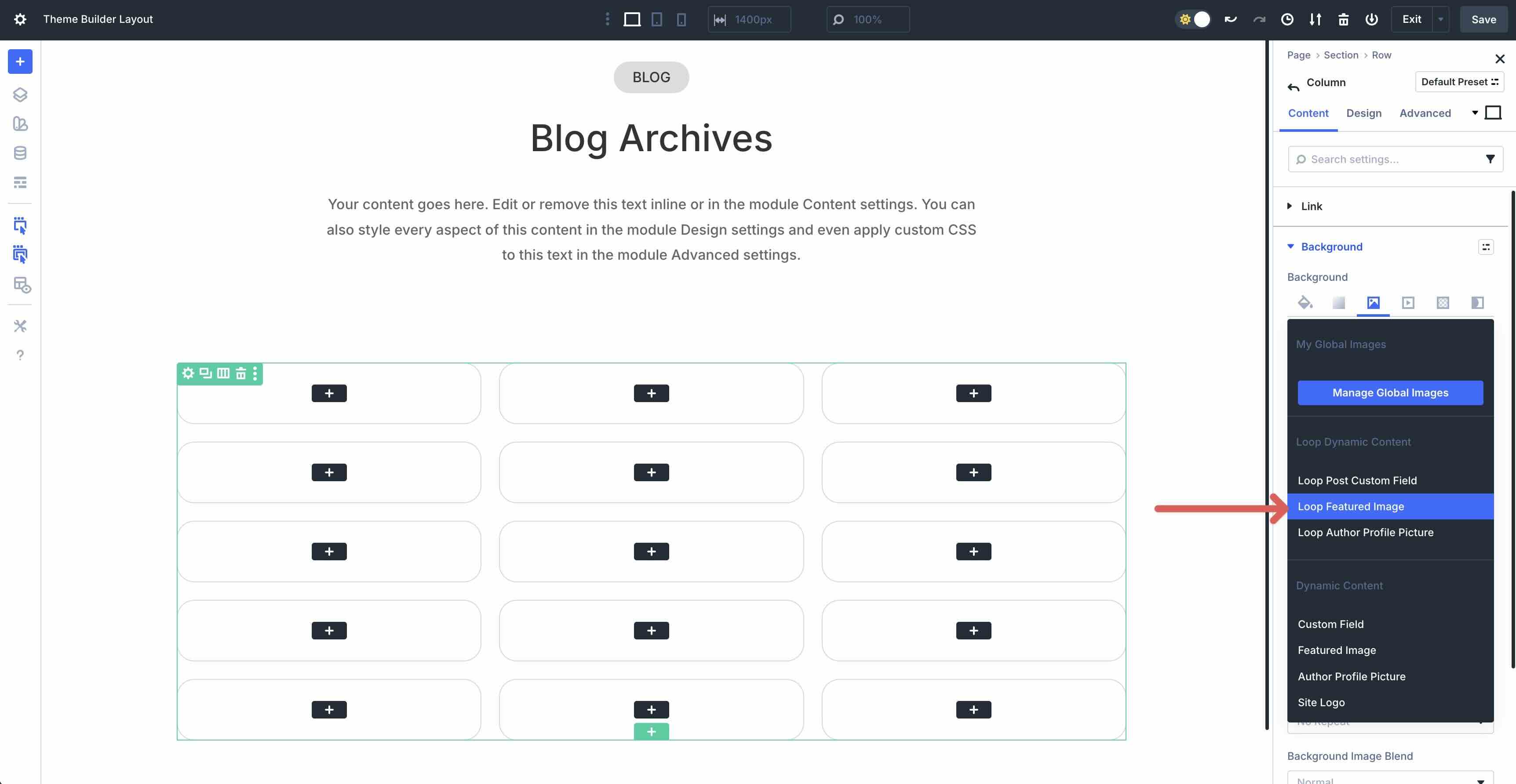
When the custom field options appear, click Featured image of loop. This will add the featured image from each blog post to the loop.
Add a text module
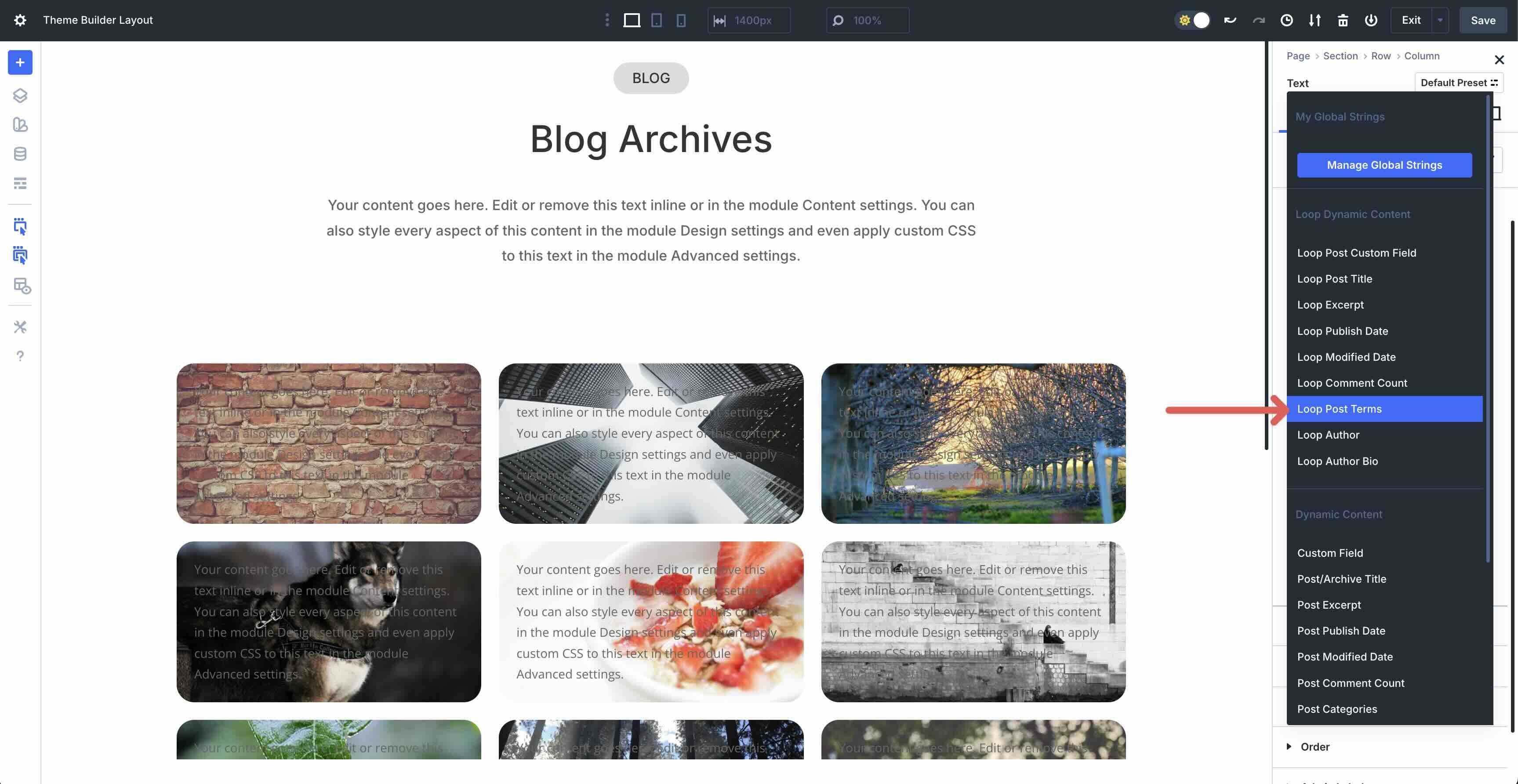
The next step is to add one Text module to the first Column of the Loop. In the Body field, click on the Dynamic content icon and choose Loop Post Terms.
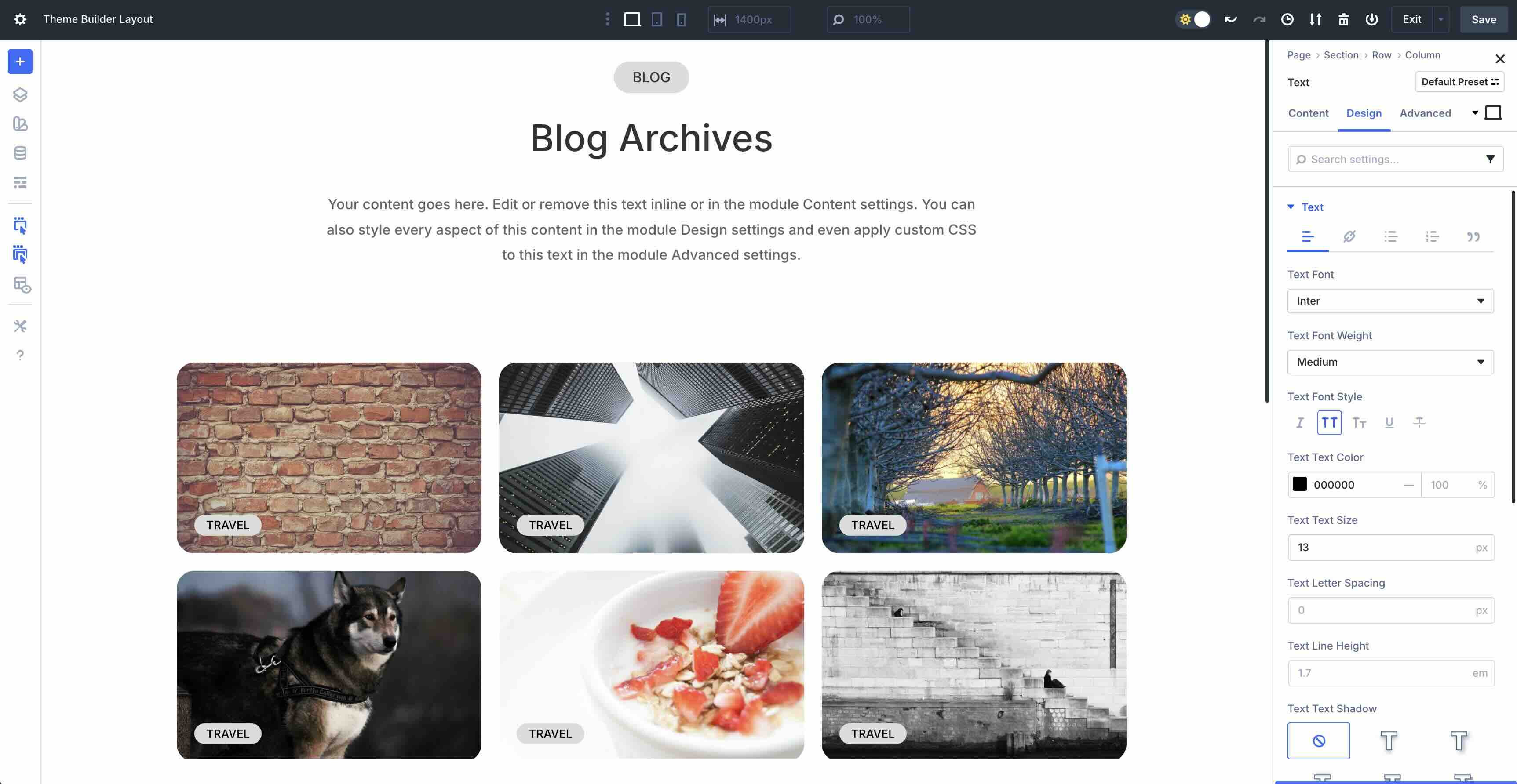
Switch to the Design tab and style the module as desired.
Add a header module
In the first column add one Category module. Click on the Dynamic content icon and choose Title loop post.
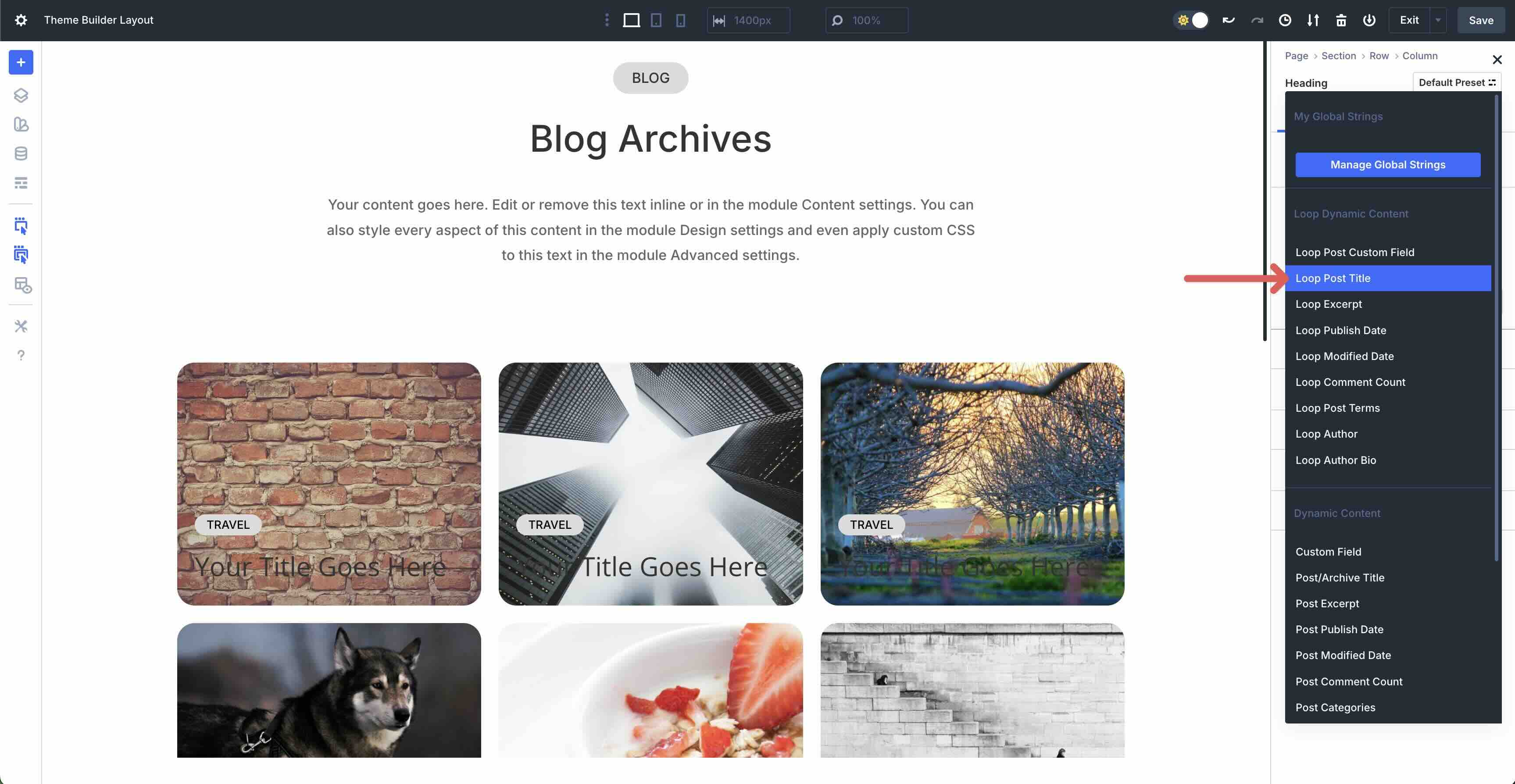
Switch to the Design tab and style the module.
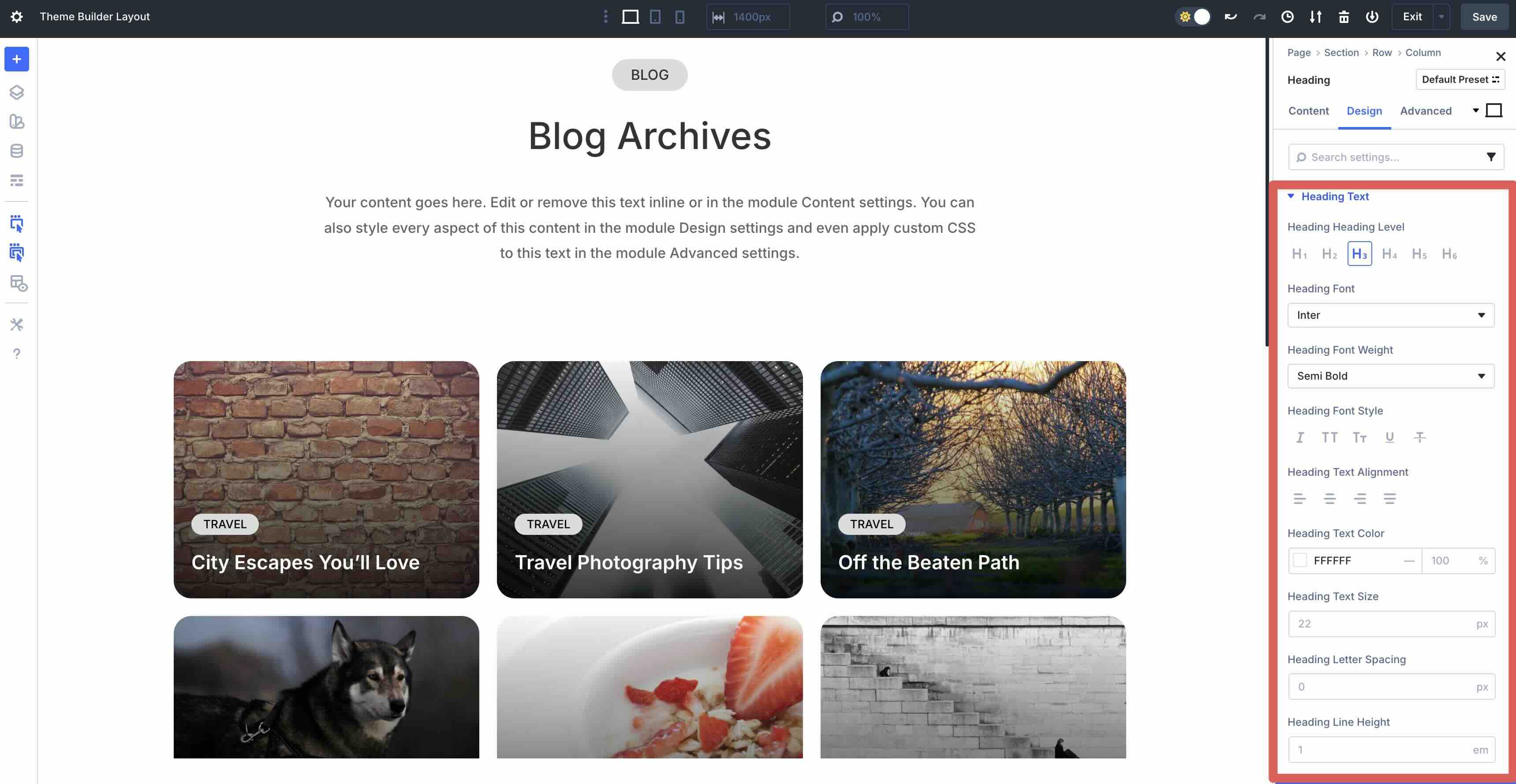
Add a second text module
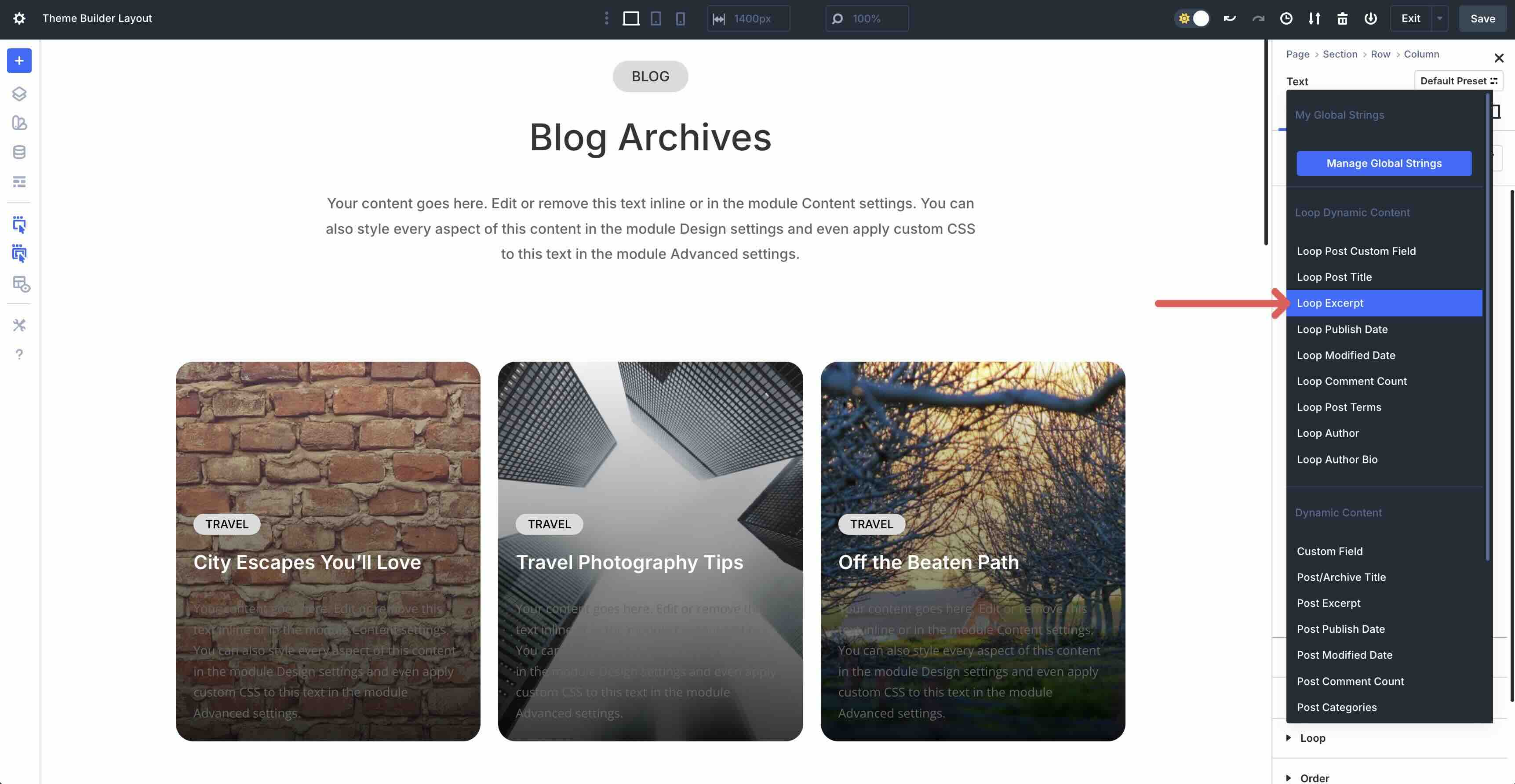
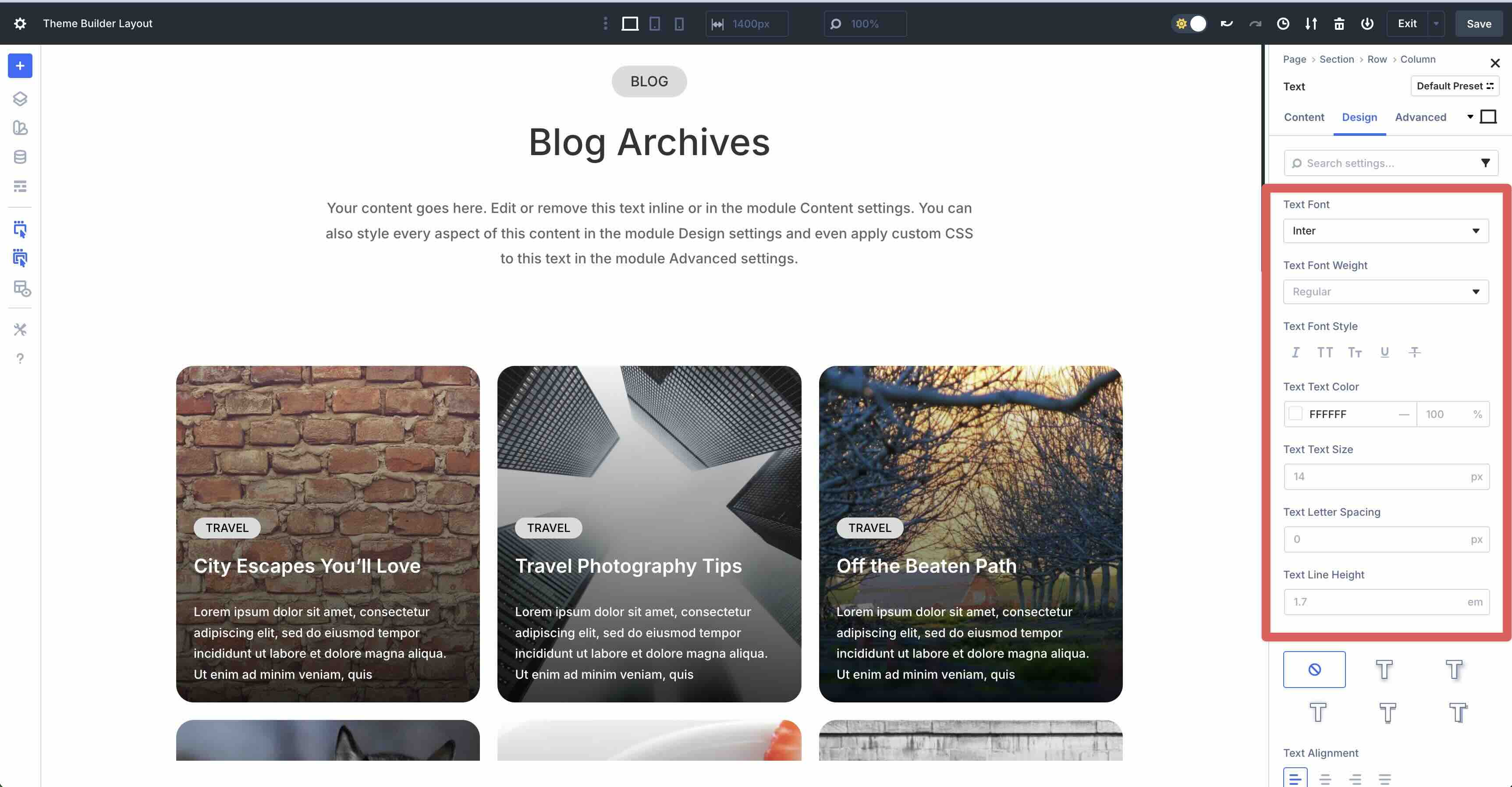
This text module contains our post fragment. Click on the Dynamic content icon and select Loop fragment.
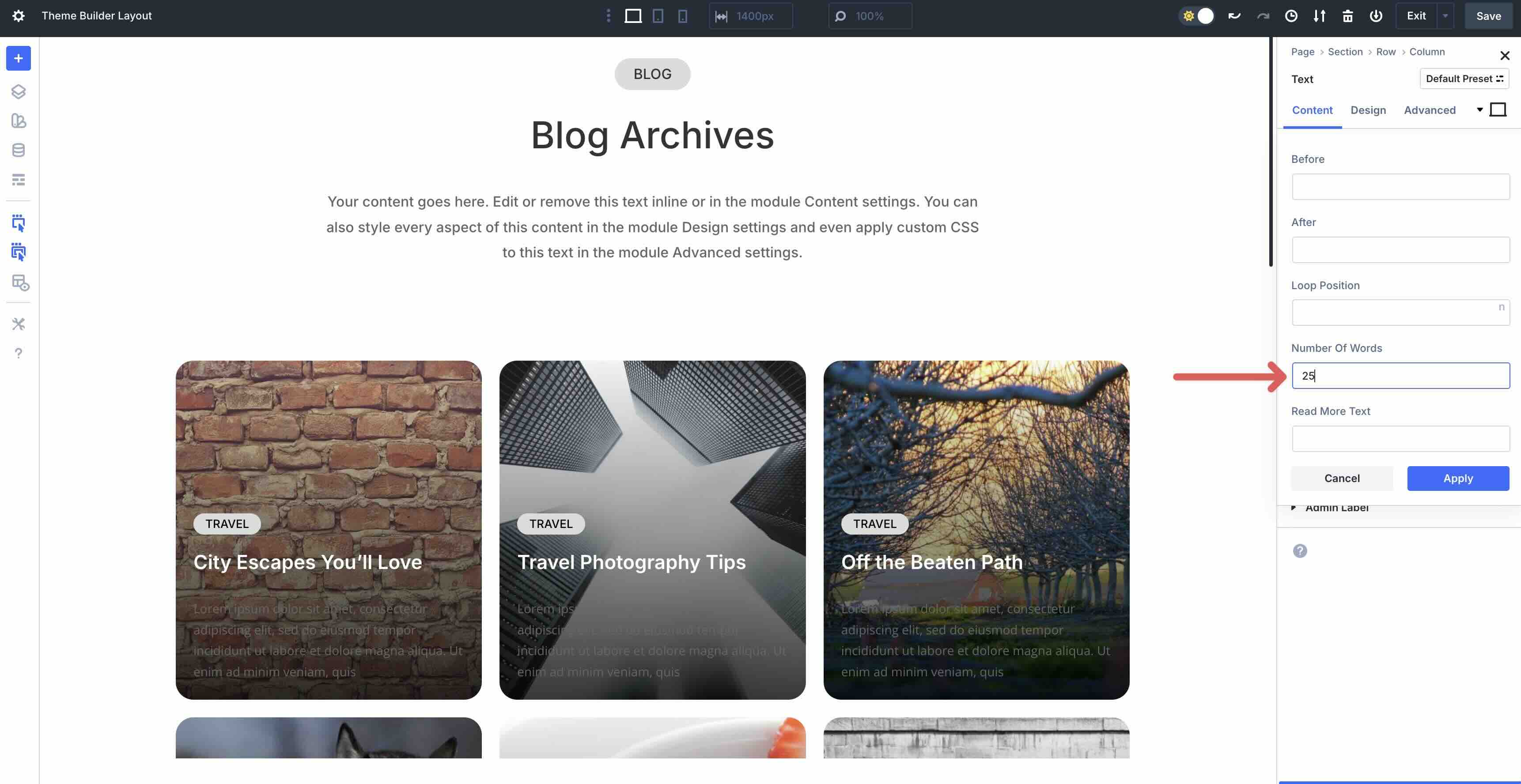
When the modal appears, set the Number of words Unpleasant 25.
Style the snap using the following settings:
Add a button module
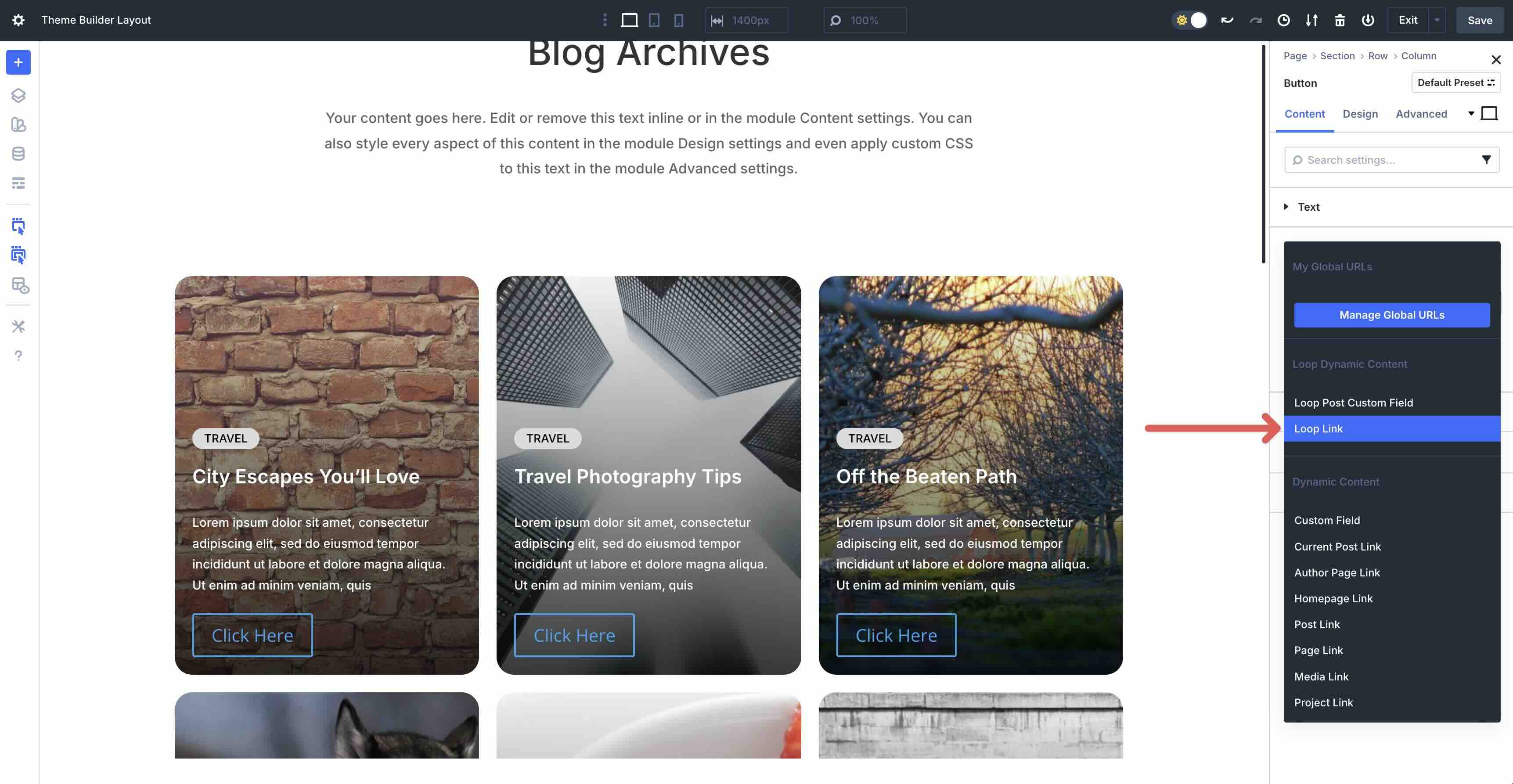
Select and add one Knob module to the Loop column. Fold the Link menu. Click on the Dynamic content icon and select Loop link.
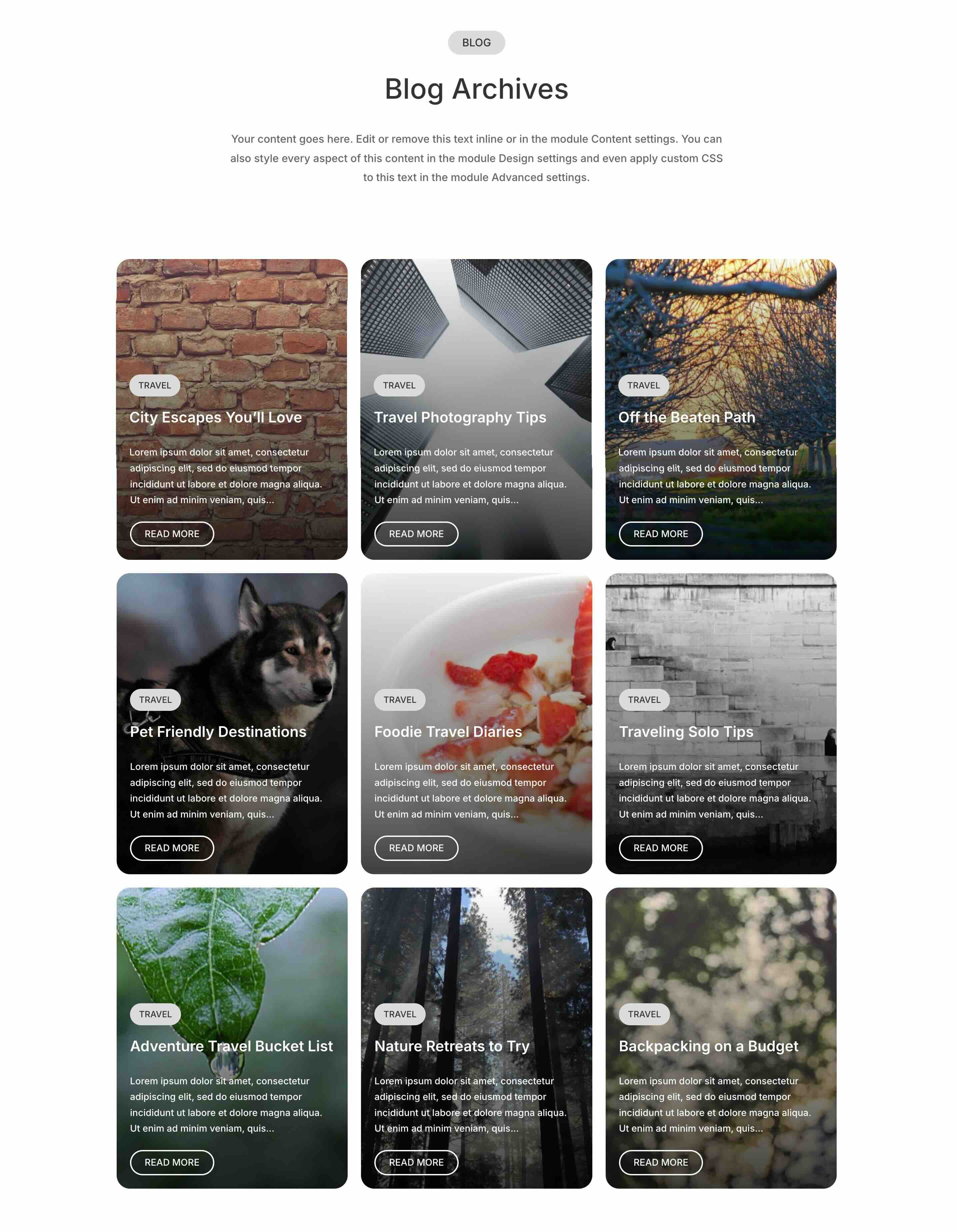
Style the button and save your page. That’s it! As you can see, creating a blog archive page with the Loop Builder and Theme Builder is easy. This allows you to break away from the traditional Divi modules, giving you ultimate creative freedom for your designs.
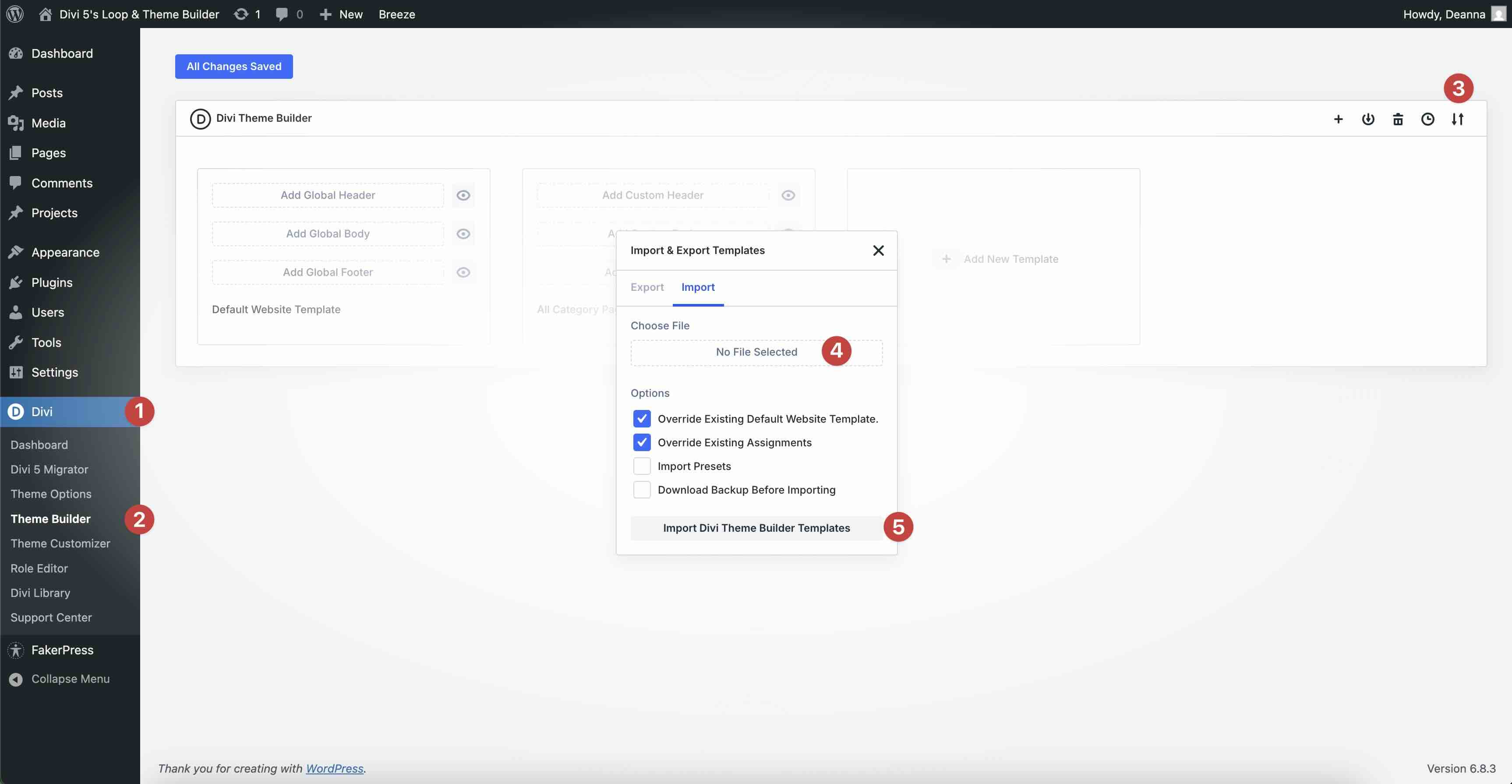
If you would like to see the Loop Builder and Theme Builder in action on your site, fill out the form below to download the files. To install the file, navigate to Divi > Theme Builder, click the Import and Export button and locate the file on your computer. Click Import Divi Theme Builder Layout to load it.
Combine The Loop & Theme Builder in Divi 5 today
Divi 5’s Loop Builder and Theme Builder are more than just features; they are essential tools for building websites. They allow you to create dynamic websites that feel custom, all without the hassle. Whether you’re filtering products, looping users, or creating a custom blog post archive template, this combination offers nearly endless creative possibilities.
Download the latest release of Divi 5, experiment with the Loop Builder and Theme Builder, and let us know your thoughts in the comments!
#power #Divi #loop #theme #builder #combined