

You have put your heart into your business. Your service is impeccable, your product is top notch and your team is second to none. Yet that steady stream of dream clients you hope for feels more like a trickle. The problem may not be like that What You sell, but Where you sell it: your website.
Your website is your storefront, your salesperson, and your credibility badge, all in one. A site that is outdated, confusing, or slow is not just an aesthetic problem, it is also a revenue drain. But how do you know whether a redesign is really necessary, and more importantly: how do you ensure that the new thing actually works?
The answer lies in moving away from subjective opinions (“I think we should use more blue”) and embracing data-driven redesign. This method replaces guesswork with proof, so your new website is an investment that pays for itself.
Step 1: Diagnose the problem. Is it really time for a redesign?
Before you start choosing fonts and color palettes, diagnose the health of the current site. Don’t rely on a gut feeling; let the data tell the story. Here are the key metrics you should investigate:
- High bounce rate (>70%): If visitors land on your page and immediately leave, it’s a clear sign that your site isn’t meeting their expectations or capturing their interest. This could be due to slow loading times, poor mobile experience, or unclear messages.
- Low conversion rate (<2%): This is the ultimate benchmark. Do visitors take the desired action: fill out a contact form, sign up for a demo or make a purchase? If not, your calls to actions (CTAs) may be weak, the user journey may be confusing, or there may be a lack of trust.
- High attrition rate on important pages: Use analytics to see where people are leaving. If 80% of users are leaving your pricing page, it may be too complicated, or you’re not effectively communicating your value.
- Poor mobile performance: With more than half of all web traffic coming from mobile devices, you’re alienating a huge audience if your site isn’t fast and fluid on a phone. Check your mobile bounce rate and loading speed.
For the tip: Use tools like Google Analytics 4 And Google Search Console for these insights. Try it for qualitative data hotjar or Microsoft clarity To see session recordings and heatmaps, you might discover that users are constantly clicking on an image that isn’t a link, which is a clear sign of a UX problem.
Step 2: Define success. What are your redesign goals?
A redesign without purpose is just a new coat of paint. Before a single pixel is designed, you must answer the following: What do we want this new website to achieve?
Be specific and link your goals to measurable Key Performance Indicators (KPIs):
- Bad aim: “Make the website look better.”
- Data-driven goal: “Increase contact form conversion rate from 1.5% to 4% within six months of launch.”
- Bad aim: “Generate more traffic.”
- Data-driven goal: “Increase organic traffic from relevant keywords by 25% and reduce the bounce rate for that traffic by 15%.”
These clear goals will guide every decision, from information architecture to visual design.
Step 3: The data-driven redesign blueprint
With your diagnosis and goals in hand, you can now develop a strategy that addresses the core issues.
1. Architect for users, not for egos.
Use your analytics to understand your audience’s journey. What are they looking for? Structure your sitemap and navigation so that they can get to that information in as few clicks as possible. If the data shows that users are interested in “case studies,” don’t bury them three levels deep.
2. Design for conversion.
Every design element must serve a purpose.
- CTAs: Make them action-oriented, high-contrast and strategically placed. Test the colors and texts of the buttons (e.g. ‘Get a free quote’ versus ‘Schedule your consultation’).
- Trust signals: Prominently integrate logos, testimonials and customer case studies. Data shows that social proof significantly increases conversion.
- Page speed: A one-second delay in page load time can lead to a 7% reduction in conversions. Optimize images, use caching and choose a performance-oriented hosting provider.
3. Write copy that converts.
Your copy should not only describe what you do; it must match your client’s pain points and ambitions. Use data from customer surveys or support chats to understand their language. Replace jargon with clear, benefit-oriented headlines.
4. Don’t forget SEO (the pre-launch checklist!).
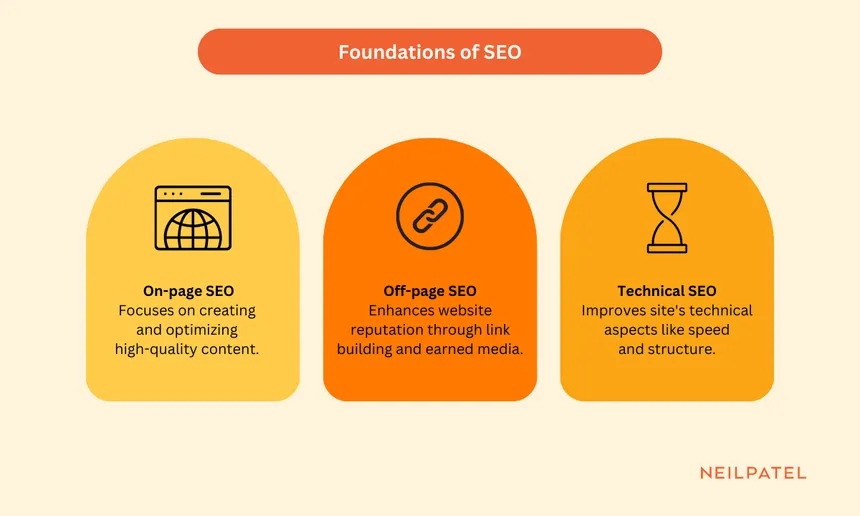
A nice website is useless if no one can find it. Before you start, make sure all SEO elements are present on the page: title tags, meta descriptions, header tags, and alt text for images. A data-driven redesign is a perfect opportunity to improve your search visibility by targeting keywords that you now know your audience uses.
Step 4: start, learn and repeat
Your work isn’t done when the site goes live. A data-driven website is a living thing.
- A/B test: Does the green button perform better than the red one? Does a new headline increase time on page? Use A/B testing to make incremental, evidence-based improvements.
- Continue monitoring: Closely monitor the KPIs you set in step 2. Does the redesign move the needle?
- Collect feedback: Use simple post-contact surveys: “What almost stopped you from completing this form?” The answers could be gold.
Conclusion: Your website is your hardest working employee
Redesigning a website is not a cosmetic vanity project. It is a strategic business investment. By putting data at the forefront, from diagnosing the problem to measuring post-launch success, you go from hoping your website works to know it does.
You no longer have to wonder whether your website is costing you customers. Start researching. The data is waiting to tell you exactly how to turn your largest digital asset into your most powerful customer-generating machine.
About the author

#website #costing #customers #datadriven #guide #highconverting #website #redesign