

When it comes to console gaming, both PlayStation and Xbox deliver high-fidelity titles like “Red Dead Redemption 2” and “Arc Raiders” at a price that’s hard to match with a gaming PC with similar specs. You also get controllers with your console, which will undoubtedly provide a more relaxing gaming experience. The Xbox Elite Controller Series 2 and the PlayStation 5 DualSense are considered some of the best gaming controllers of all time.
Both game controllers can also be used when gaming on the PC, but did you know that you can also play games on your smart TV, even without the console connected? Thanks to advances in cloud gaming, you can stream your favorite titles on supported smart TVs using the Xbox app. This can be useful if you have a television in another room, away from your console.
There are more creative ways to use an Xbox controller, but connecting one to your TV is a more practical application. A wide range of Xbox controllers are supported, including the Xbox 360 wired controller. You can connect your Xbox controller via USB or Bluetooth, but the latter offers more convenience and freedom of movement.
Steps to connect an Xbox controller to your TV
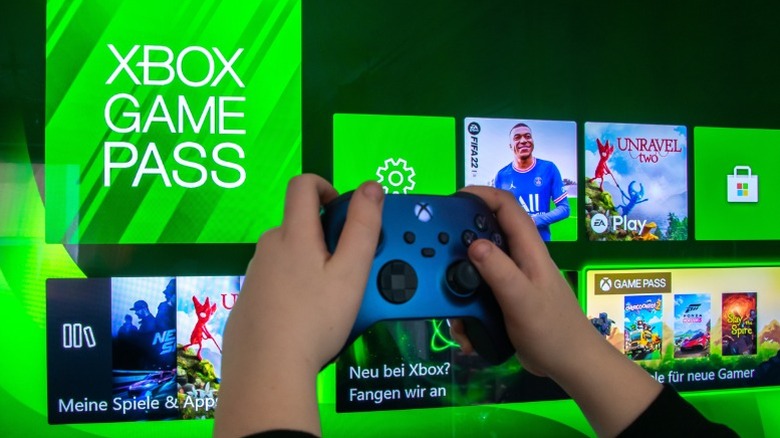
- Launch the Xbox app on your TV using the remote. If this is your first time using the app, you’ll need to sign in to your Xbox account.
- Select the controller icon at the top of the screen and choose the ‘Pair a controller’ option.
- A list of supported controllers is displayed. Select “Xbox” from these options.
- Now turn on your Xbox controller and enter pairing mode by pressing and holding the Pair button for three seconds. The Xbox button on your controller should start flashing.
- Using your TV remote, select ‘Pair with TV’. This will open the Bluetooth device list.
- Select your controller. This should connect to your TV in a few seconds.
The Xbox app will then display optional instructions on how to use the controller to use the app on your TV. Outside of the Xbox app, you can also use the paired controller to navigate your smart TV’s user interface. If you don’t have the dedicated Xbox app on your smart TV, you can still pair your controller the traditional way by going to Bluetooth settings.
#Install #Xbox #Controller #Bluetooth #SlashGear