

Apply a background gradient from one preset, the alignment from another, and the distance from a third, all seamlessly merged into one preset. This new addition to Divi 5’s Preset System allows for faster workflows, more creative freedom, and easier site maintenance.
In this post, we’ll provide a deeper look at what stacked presets are and how you can use them. Let’s get started.
What are stacked presets?
Stacked presets extend Divi 5’s Preset system by allowing multiple presets to be applied and layered to a single element or group. Each preset contributes the defined styles, and Divi intelligently merges them into a unified design. For example, you can create stacked presets that control the alignment and colors in Blurb modules.
Subscribe to our YouTube channel
While a single preset can define both color and alignment, stacking special presets keeps interactive styles modular and reusable. Apply the same typography, padding, or color shift to buttons, background images, graphics, or any module, then update it once in the preset for instant site-wide consistency. No customizations per element, no custom CSS classes.
Key features of stacked presets
- Multi-layer application on elements or groups: Apply as many presets as needed to each module. Stacking works wherever the preset system is supported.
- Automatic inheritance and merging of styles: Divi 5 combines settings seamlessly. If Preset A sets the text color to white and Preset B defines the top margin and floating image, both settings apply in harmony. Where styles overlap, the last preset applied wins, creating predictable control.
- Compatibility with Divi 5 design variables: Stacked presets fully respect global design variables, such as primary color or base font. Update a variable once and any stacked preset that uses it will be updated immediately on your site.
Evolution of traditional presets
Before Divi 5, you were limited to one preset per element. Individual presets can bundle multiple settings, such as a button with a 100px border radius and a hover glow. Previously, combining separate presets for modular reuse, such as one for borders and another for hovers, was not possible, making Divi’s new preset system even stronger.
In the past, editing elements were tedious and error-prone for complex site-wide designs. Stacked presets eliminate that bottleneck. It allows you to build modular, reusable design blocks and combine them like LEGO bricks. This enables complex designs that can be completed faster, easier to maintain, and scale effortlessly – all within the Visual Builder.
How to use stacked presets in Divi 5
Below we’ll walk through creating a few simple presets and stacking them onto a Blurb module.
You might wonder why you would stack presets on top of an abstract when you could just create one Element Preset for the whole thing – but the difference is this: when you create targeted Option Group Presets (like one for borders or box shadows) and stack them on top of a module, you can reuse those same presets and stack them on top of any other module. That means quick design experiments, site-wide updates with one operation, and no more bloated, one-off presets that clutter your library.
Step 1: Create individual presets for specific styles
Before you start stacking, you need the building blocks. Go to the Visual Builder and add a Blurb to the page. Design it the way you want and create Option Group Presets for the Blurb.
Next we need to create an Element Preset for the Blurb. This preserves all styles and nests the option group presets within them.
Then add another Blurb to the page. This time use Divi 5’s Classification Direction settings to set the direction Row instead of Column. This will place the image to the left of the text in the Blurb.
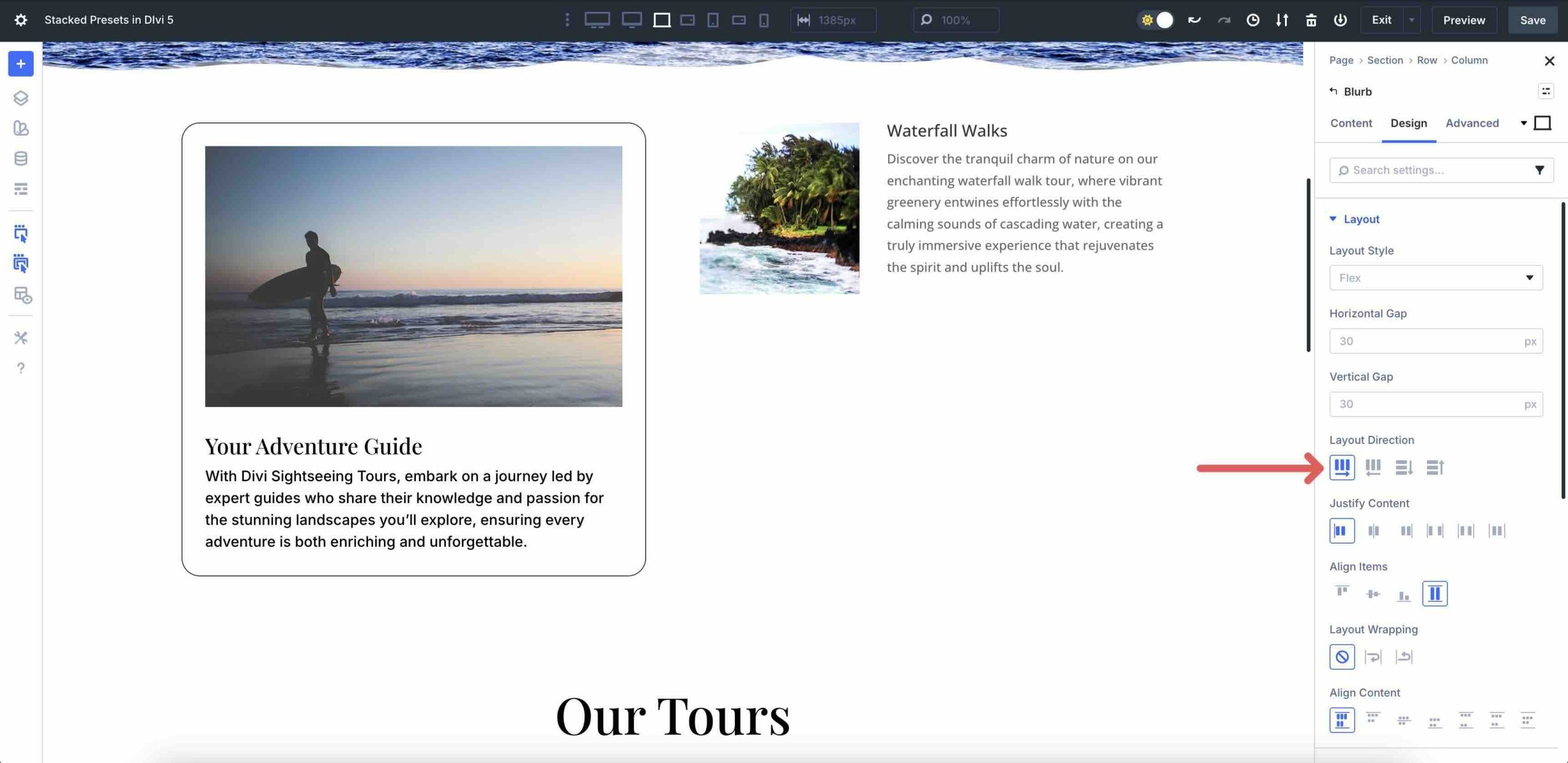
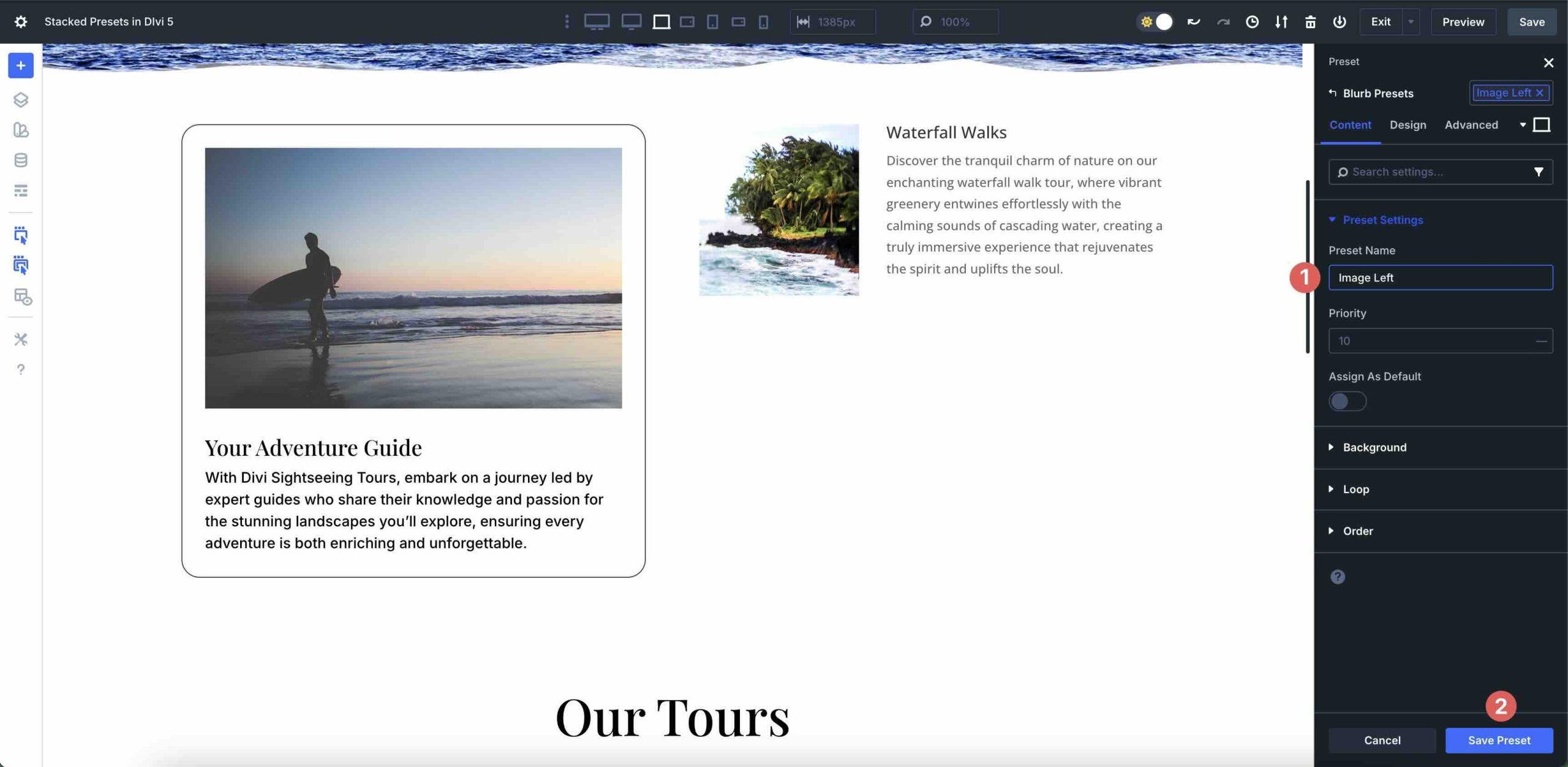
Now, with only the layout direction changed, give it a name, for example Image leftand click on the Save preset knob. Give it a recognizable name so you can apply the preset to any Blurb for left alignment.
Then you apply the layer Image left preset. Click in the Preset field again. Select the first preset you created. In our case Slight confusion.
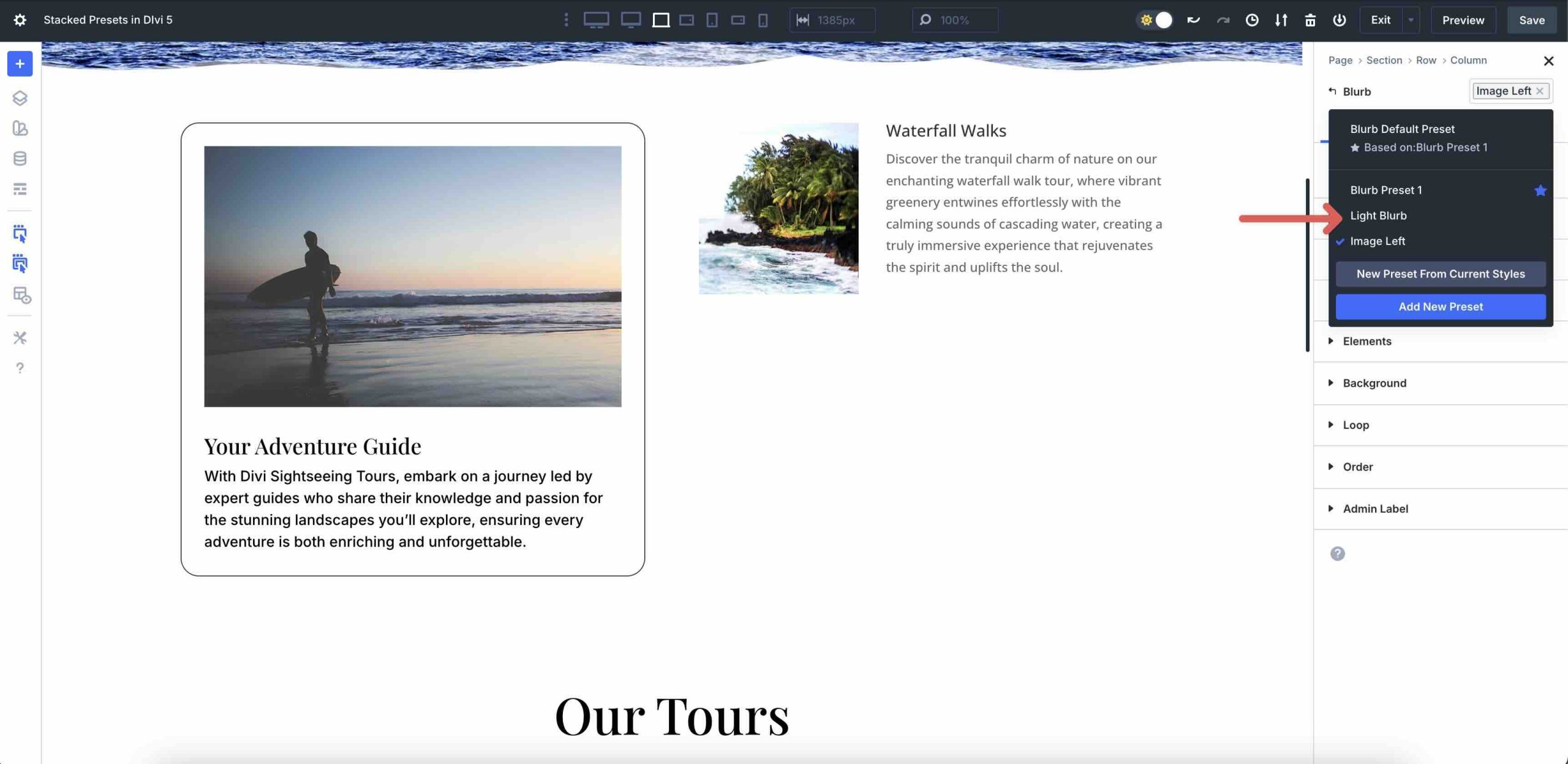
Now Divi 5 stacks the two Blurb presets on top of each other and applies the styles of both to a single module.
You can even create a dark Blurb preset and quickly apply it to change the look of the Blurb with just a few clicks.
Benefits of using stacked presets
Stacked presets fundamentally change the way you build and maintain designs in Divi 5. By allowing you to stack single-purpose modular presets onto any element, they create a highly flexible and efficient design system.
This modular approach delivers three key benefits: efficiency by turning repetitive tasks into one-click actions; creative flexibility through endless mix-and-match combinations; and easier maintenance by centralizing style updates. The result is a faster, more scalable, and more consistent workflow for any website or design team, regardless of size.
They are efficient
Stacked presets turn repetitive design tasks into one-click actions by allowing you to combine multiple presets for a single purpose at the module level. This eliminates the need to create a new, single preset for each design variation, because the power is in the stack.
For example, you can create separate, reusable presets for a border radius, a box shadow, and a zoom-on-hover effect, then stack them on any button, Blurb, or pricing module across your site.
Creative flexibility
Layering unlocks endless combinations without writing code or compromising reusability. Each preset serves as an ingredient in the bigger design picture. Mix and match them freely to create unique looks, while keeping each piece globally editable.
You can easily create cards with background gradient settings from one module and background image settings from another. Want the same hover effect on hero buttons, footer CTAs, and product cards? Simple. If you want to change your mind later, updating a preset will make the setting go site-wide in seconds.
Easier maintenance and consistency
Because styles are applied to reusable presets rather than to individual elements, maintaining brand consistency across multiple pages becomes effortless. Update a single preset and all stacked instances will be updated automatically.
No search and replace, no global CSS overrides, no missed modules. This is powerful when working with design systems, client sites, or large teams. Developers and designers stay perfectly aligned without meetings or style guide documents.
Future-proof scaling
As your website grows, stacked presets maintain performance and organization. No need to manage dozens of element presets. Your library stays organized, targeted, and easy to monitor, making it perfect for agencies delivering sites for multiple clients or for designers building template packages.
In short, Stacked Presets transforms Divi’s already powerful preset system into a true modular design engine with faster workflows, bolder creativity, and rock-solid consistency.
Stacked presets take design efficiency to the next level
Stacked Presets are a leap forward for Divi 5, evolving the preset system from simple Element or Option Group Presets to a powerful, modular design engine. They give you the tools to break down complex designs into reusable pieces: an alignment preset, a hover preset, or a simple background color change that can be applied with a single click. This saves design time and effort for those who want to build consistent, professional websites in a fraction of the time.
We encourage you to dive into the latest Divi 5 Beta right now. Download it, start experimenting with nested and stacked presets and experience the benefits for yourself. The future of building faster, more creative, and more robust Divi sites has arrived.
Let us know your thoughts in the comments or on our social media channels. Your thoughts help us shape Divi’s future.
#stacked #presets #Divi