

There’s something about isometric projections that evokes a cozy, nostalgic feeling. Most likely the culprit is the wave of classic ’90s pixel art games that cemented the aesthetic in our collective memory, from Populous to Transport Tycoon.
In this article, we explore how to recreate that same charm with modern CSS. More specifically, we look under the hood of the newly released version Layoutit terrain generator to learn how to combine stacked grids and 3D transformations to create a fully addressable 3D space in the browser.
(If you want to dive deeper into how the 3D grid structure works under the hood, the CSS Voxel Editor article explores this in detail.)
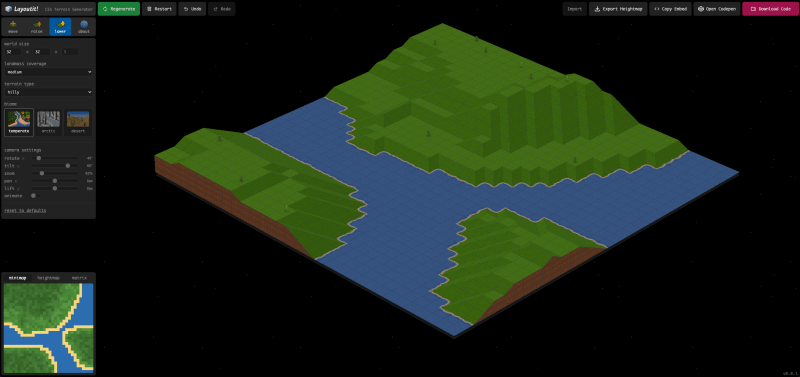
See! A 3D terrain built entirely with stacked grids and transformed HTML elements: no canvas, no WebGL, just CSS doing its magic.

Setting the scene
After packing the CSS Voxel editorI wanted a new challenge, something that pushed the boundaries of stacked raster technology. That’s how I ended up with a terrain generator, mainly because it means expanding the shape grammar: to make this possible, we need to build corners and slopes. But before all that can happen, we need to set the stage properly.
The .scene element acts as our camera mount: that’s where the depth starts with the perspective property. By assigning a generous value (of 8000px), we get an almost isometric look with a slight, natural distortion. Each child of this parent container inherits transform-style: preserve-3dwhich basically ensures that the 3D transformations work as expected.
The .floor element defines the tilt of the world. By applying transformation: rotateX(65deg) rotate(45deg), we bring the entire space into view, which determines the orientation of the camera. Several on top of this base .z elements are stacked vertically translateZ(25px * level). That way, each layer acts as a grid segment at a specific height (a unique Z level), while the rows and columns define the X and Y coordinates.
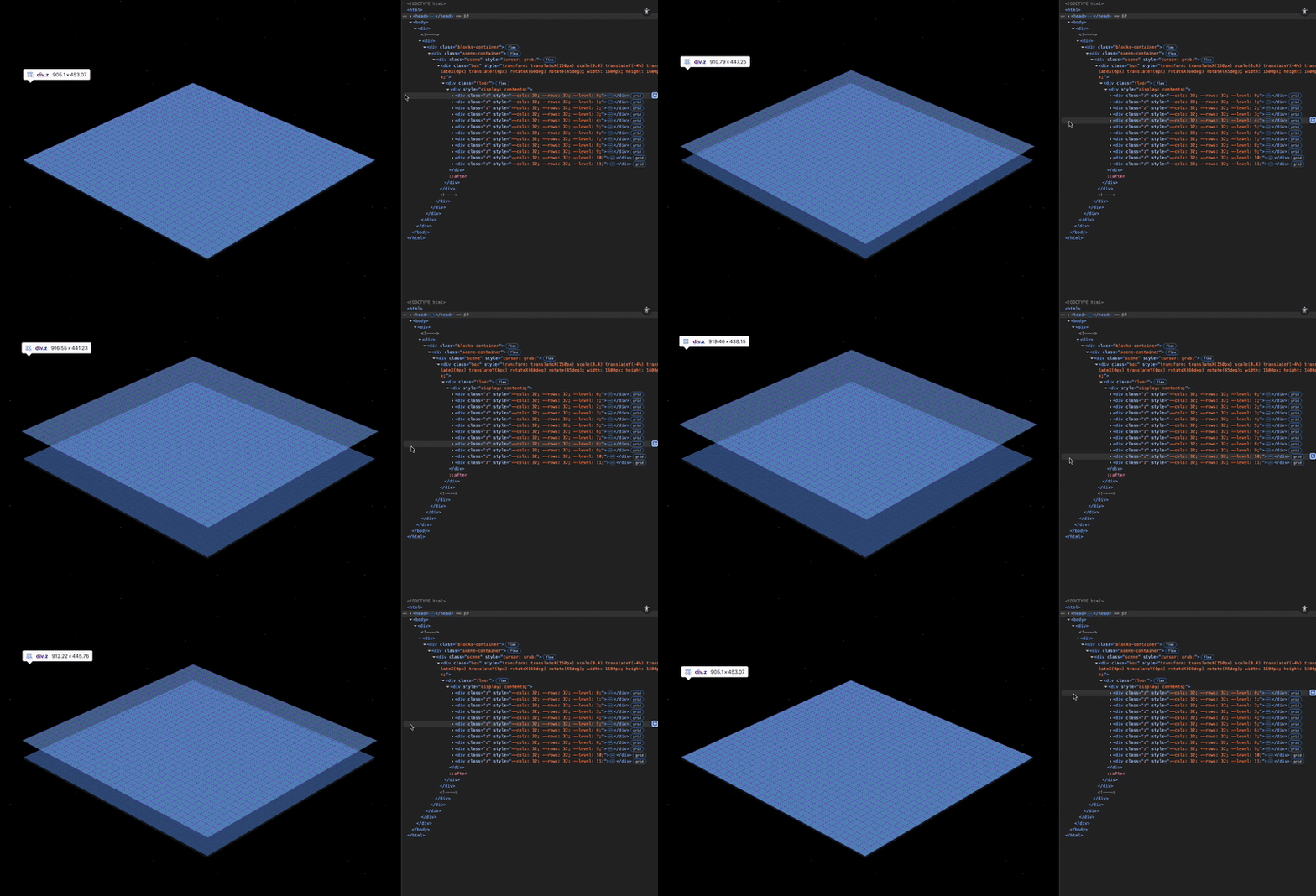
Exploring the stacked grids in devtools highlights the coordinate system that powers our 3D layout.
Together these elements create the 3D grid in which we will position our shapes. From this base our terrain can start to rise!
.scene { perspective: 8000px; }

.scene * { transform-style: preserve-3d; }

.floor { transform: rotateX(65deg) rotate(45deg); }

.z {
  display: grid;
  grid-template-columns: repeat(32, 50px);
  grid-template-rows: repeat(32, 50px);
}
Extending the shape grammar
Besides simple cubes, our world needs new primitives: we call them flats, ramps, wedges and spikes, and they are the minimal units of our terrain generation.
Each shape tilts one or two planes to define its shape. They follow a 2:1 dimetric system, where each unit of height is equal to two units of depth. In practice this results in cell measurements 50×50×25px. The usual facial tilt of arctan(0.5) ≈ 26.565° keeps the geometry consistent across the tiles, ensuring clean shadow transitions and seamless gradients between adjacent cells.
Let's take a closer look at how each shape comes together:
Flat shape
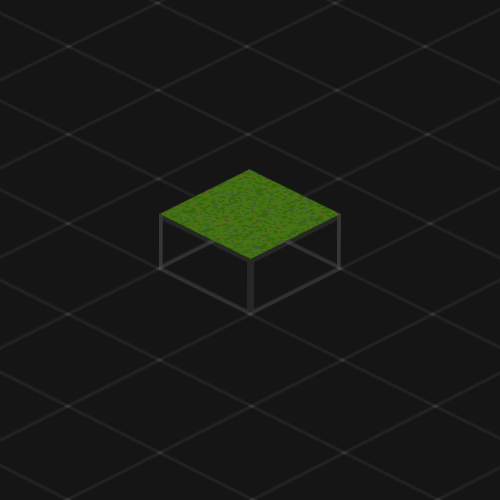
.tile.flat {
  transform: translateZ(25px) rotate(0deg);
}
Shape of a slope
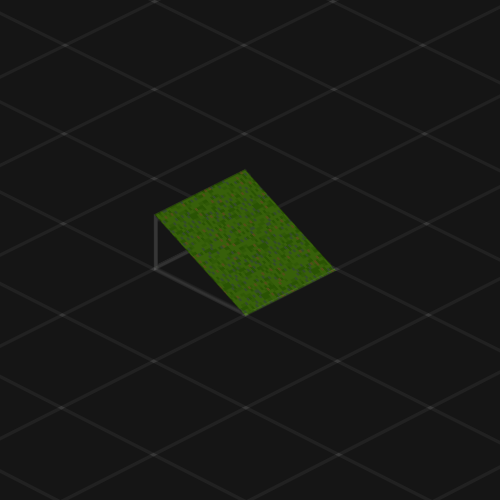
.tile.ramp {
  transform: translateZ(25px) rotate(0deg);
}

.tile.ramp::before {
  content: "";
  position: absolute;
  inset: 0;
  transform-origin: top left;
  transform: rotateY(26.565deg);
}
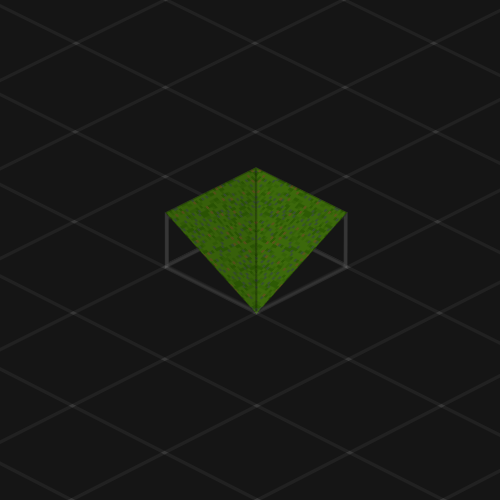
Wedge shape
.tile.wedge {
  transform: translateZ(25px) rotate(0deg);
}

.tile.wedge::before,
.tile.wedge::after {
  content: "";
  position: absolute;
  inset: 0;
  transform-origin: top left;
}

.tile.wedge::before {
  transform: rotateY(26.565deg);
}

.tile.wedge::after {
  transform: rotate(-90deg) scaleX(-1) rotateY(26.565deg);
}
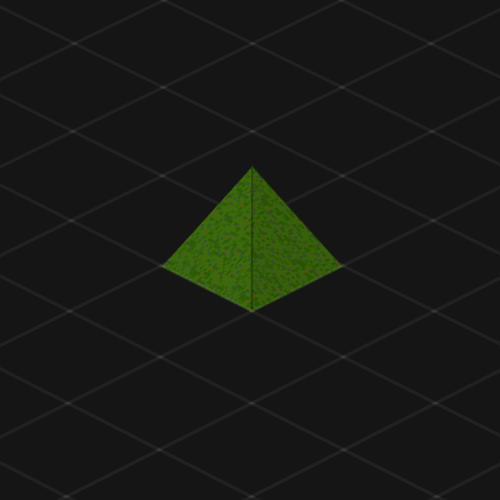
Spike shape
.tile.spike {
  transform: translateZ(25px) rotate(0deg);
}
.tile.spike::before,
.tile.spike::after {
  content: "";
  position: absolute;
  inset: 0;
  transform-origin: top left;
}

.tile.spike::before {
  transform: rotateY(26.565deg);
  transform-origin: bottom left;
}

.tile.spike::after {
  transform: translateZ(-25px) rotateX(26.565deg);
}
Textures and lighting
Since our shapes are just normal DOM elements, we can easily format them with CSS. Used in this case background-image or background-color is the best choice, because then there are no new nodes (such as would). As a workaround, adding inline SVGs to selected shapes can make sense when animations or interactions are needed.
The lighting in this engine is directional and baked into the textures. We place a light source facing west (180°) and classify each visible surface into one of four brightness bands based on its angle relative to that light. Each shape is given a light level class (.l-1 Unpleasant .l-4) based on the orientation relative to the light source. The result is believable shading that remains consistent even as the scene rotates.
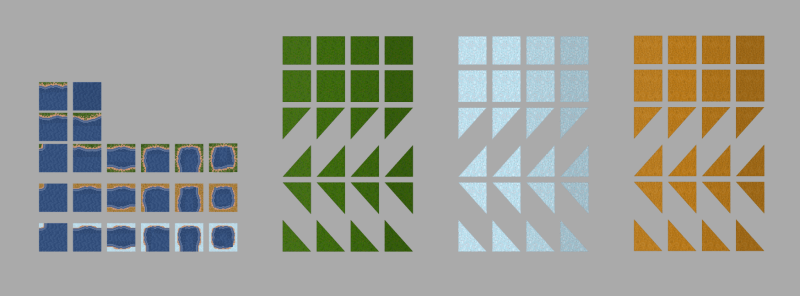
A closer look at Layoutit Terra's sprites for different shapes, biomes, and lighting levels.
Make some noise
A terrain is a height map: a series of 2D matrices of height values constructed from noise and formed into a rough landmass. The initial raw field comes from a library such as simplex-noise, followed by many refinement passes. This smooths out speckles, smooths out steep areas, and limits the extent to which the steepness can vary. One of the golden rules of this world is that tiles should not differ by more than one height level from each other, which keeps the slopes consistent and prevents the formation of cliffs.
On the user side, two main buttons are visible: landmass opacity, which controls the percentage of water filling the map, and terrain type, which sets the height ceiling in the scene.
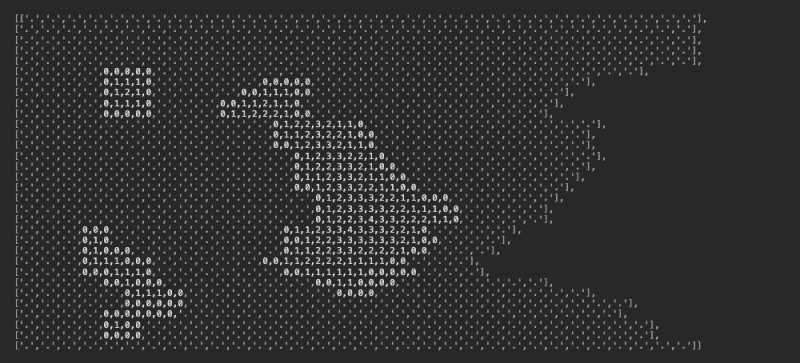
A raw look at the elevation map array, where points mark water and indicate land height.
Once the height map is built, a classifier decides which shape fits each cell. Tiles can have up to eight possible neighbors, each with four rotation states, quickly creating hundreds of combinations. To handle all that complexity, a rulebook defines how shapes should come together at each cardinal point. And if those rules still aren't compliant (such as at sharp intersections or extreme inclines), a series of manually curated overrides step in to clean things up and keep the terrain stable.
Performance notes
One of the main sticking points with stacked grids is how many DOM elements they can hold. Every tile, plane, and layer adds up, and by the time we render a large terrain, the browser is already busy with thousands of nodes. A 32×32×12 grid is roughly the safe limit for most modern systems; in addition, the display becomes unpredictable, frame rates decrease, and tiles may flicker or disappear altogether.
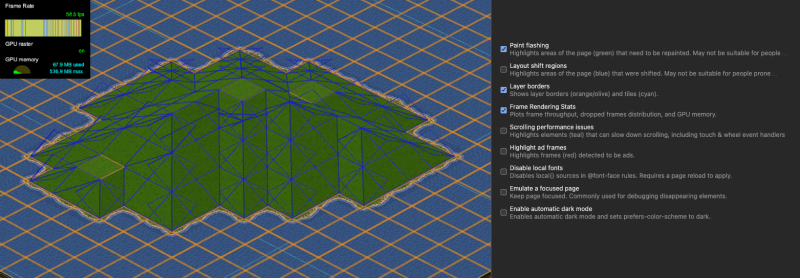
The Rendering panel in DevTools can reveal layer edges, paint flashes, and frame rendering statistics, an invaluable toolkit for working on 3D CSS scenes.
The real pain point came from usage clip-path to draw the triangular faces for wedges and nails. It looked clean and pure CSS, but it forced the browser to repaint every time the scene ran, degrading performance. The solution was to switch to pre-cut PNG sprites with transparent backgrounds. To properly optimize browsers clip-path in 3D contexts, sprites remain the most reliable choice.
Next steps
This project was not only a major technical challenge, but also proved that stacked grid technology can go far beyond cubes. Adding slopes and angles opens up a new kind of depth: 3D volumes that actually appear formed by light and shape, even though everything is still just CSS.
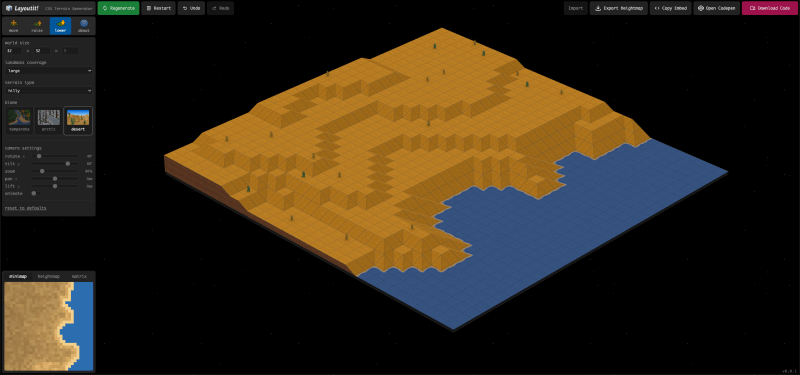
Swapping a single class in the .scene container immediately changes the biome, updating the background image textures for each voxel shape.
From here there are plenty of trails to explore. Isometric web games are an obvious, yet lightweight, interactive experience that lives directly in the browser. The goal is not to replace WebGL, but to explore another way to build 3D projects that remain simple, readable, and inspectable.
As for my next 3D grid project, it could involve turning the terrain inside out: mirroring two vertical grids, using dual elevation maps to form one continuous volume. Maybe this way we can achieve a real CSS atmosphere.
#Creating #Generative #CSS #Worlds #Codrops