

Example
Here’s a quick look at all 8 404 Section designs included in the pack. The download is later in the message.
Download eight 404 designs for Divi 5
Get all 8 sections for free. Import them into your Divi library and add them to any page or Theme Builder template in Visual Builder.
What’s included (18 exports)
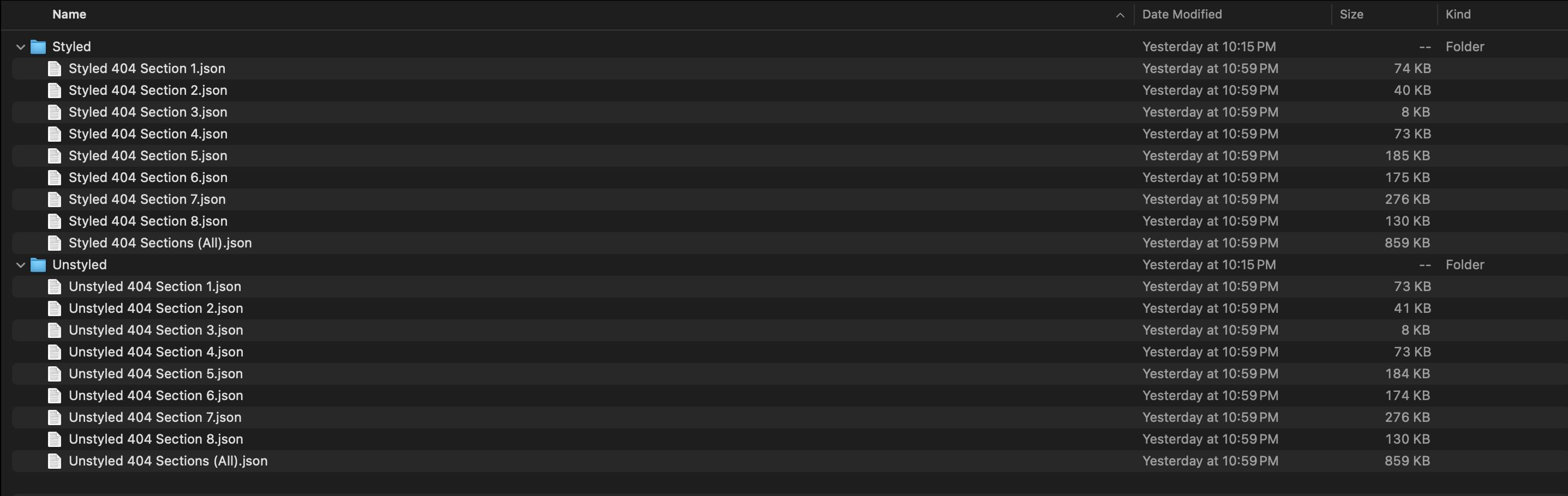
After you download and unzip the file, you will find two folders, each with 8 individual exports, plus one file containing all the designs.
Stylized 404 Sections (8) → Fully designed 404 layouts with typography, spacing and images already in place. Use them as is, or quickly customize them with your own presets and design variables.
Styled 404 section (all) → Imports all styled designs to your Divi library at once.
Unstyled 404 Sections (8) → Clean 404 layouts with structure and content blocks so you can apply your own style system.
Unstyled 404 Section (All) → Imports all unstyled designs into your Divi library at once.
How to use the 404 sections
Have your download folder handy. We import the JSON files and then add a 404 section to a page or template.
1. Import sections into the Divi library
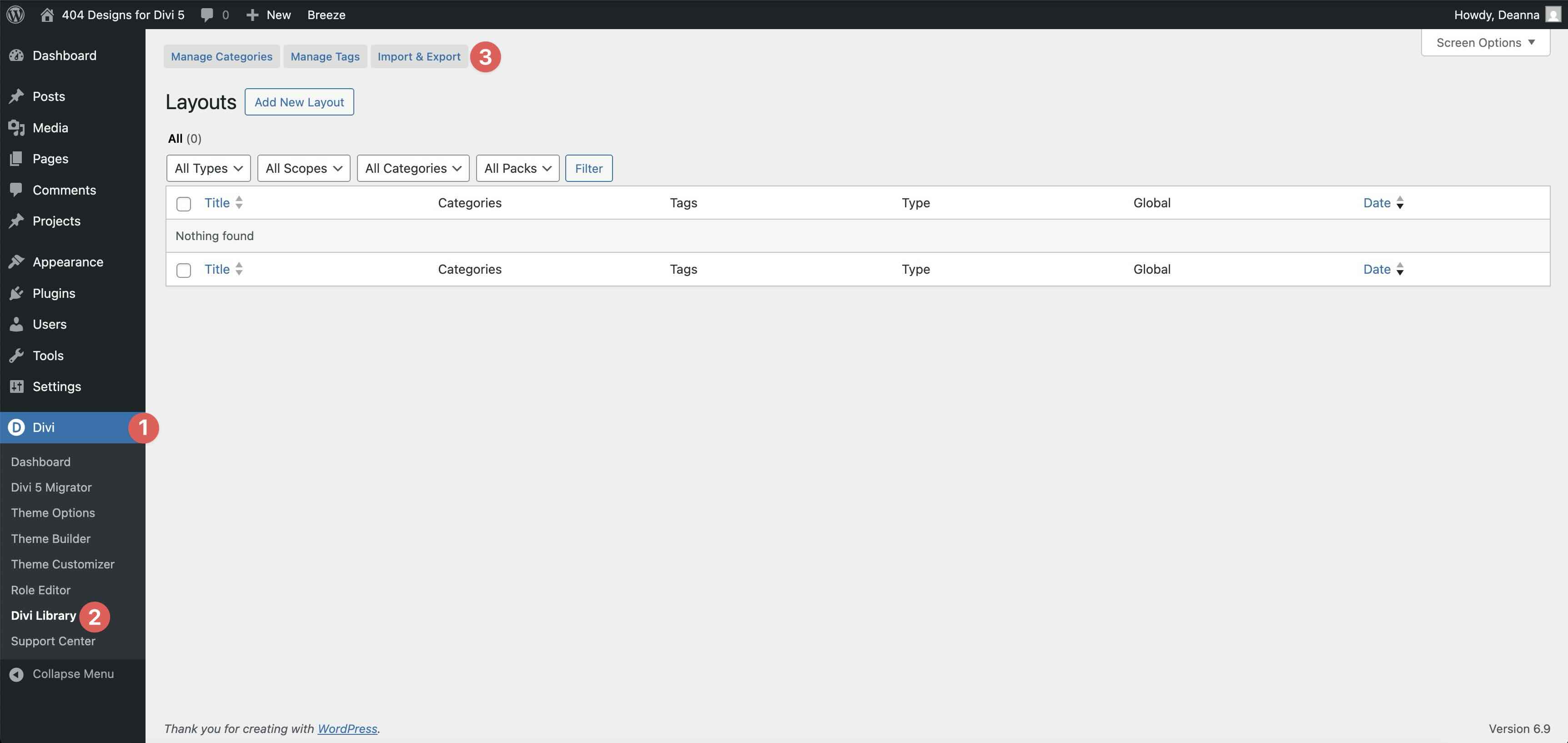
Go to Divi → Divi Library. Click Import and export at the top of your screen.
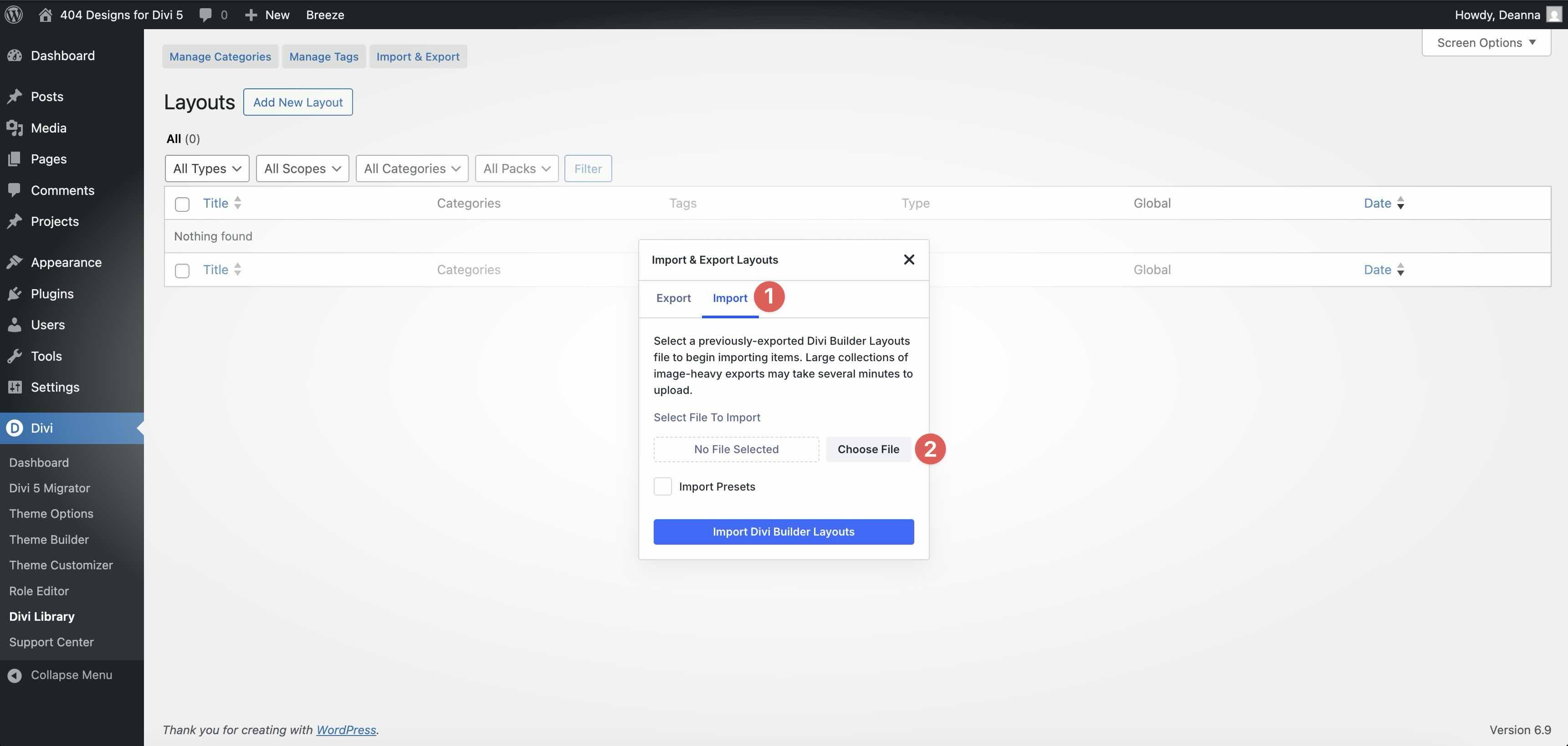
In the Import and export layouts modal, switch to the Import tab and then click Choose File and select your JSON.
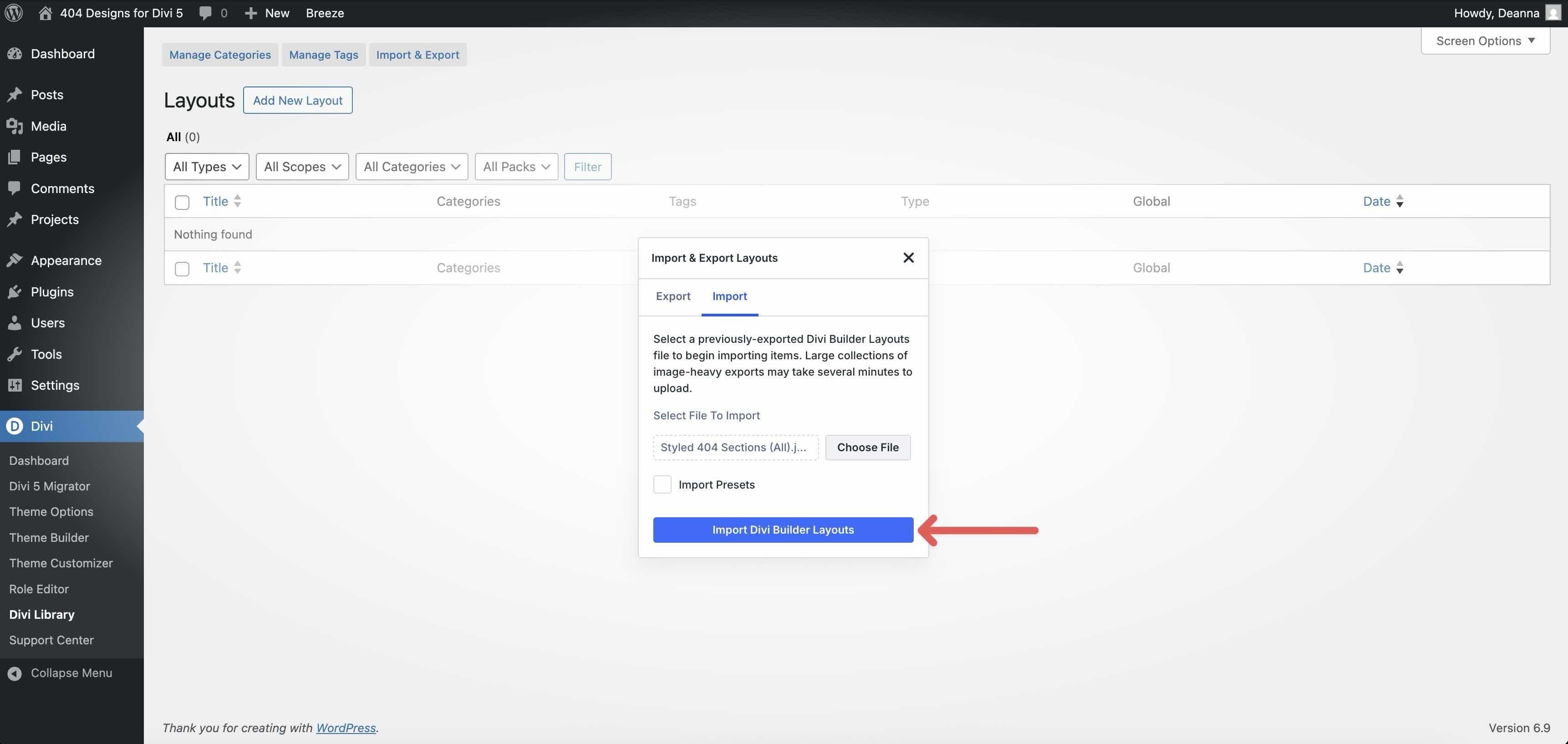
Choose a 404-formatted JSON you want to use, then click Import Divi Builder layouts.
2. Create a new template in the Theme Builder
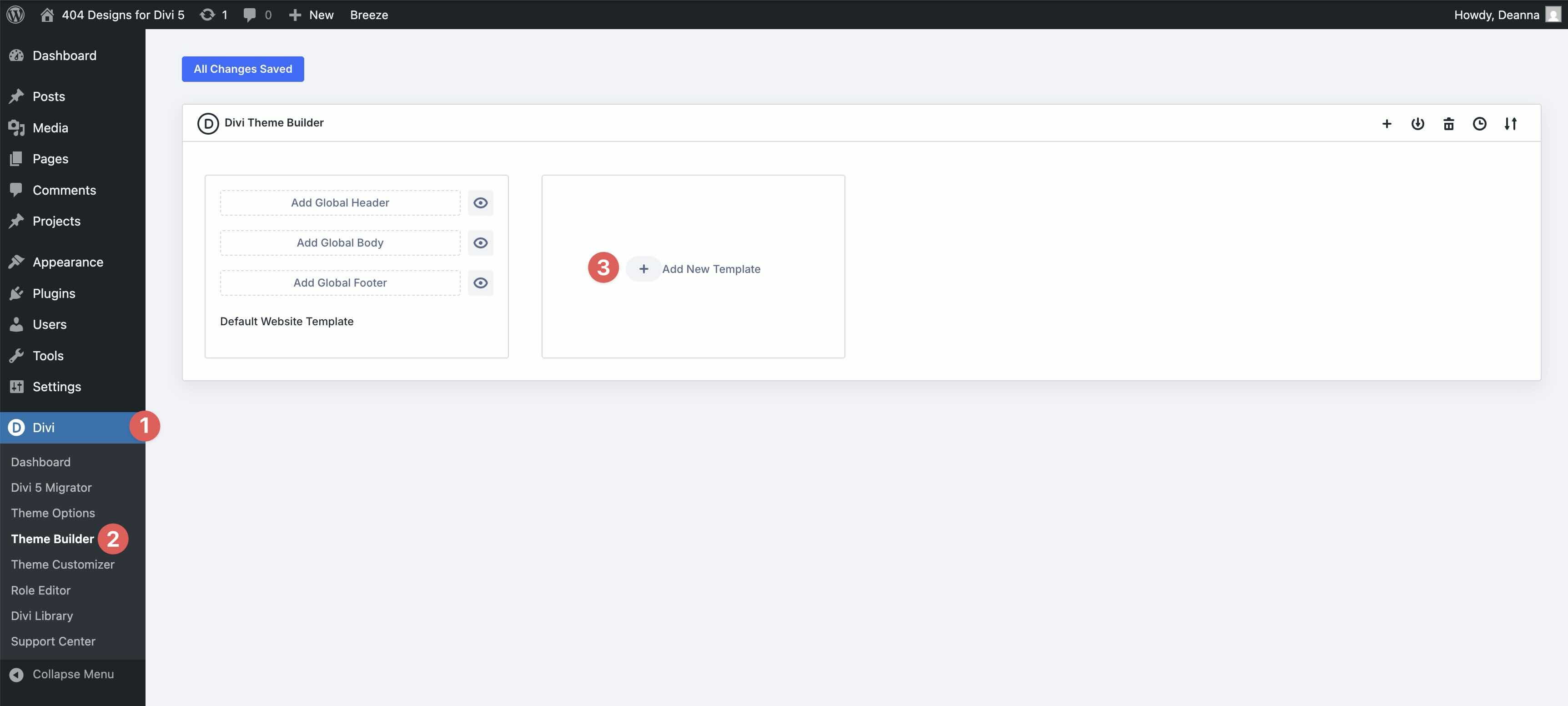
Navigate to the Divi Theme builder. Click + Add new template to create a new 404 template.
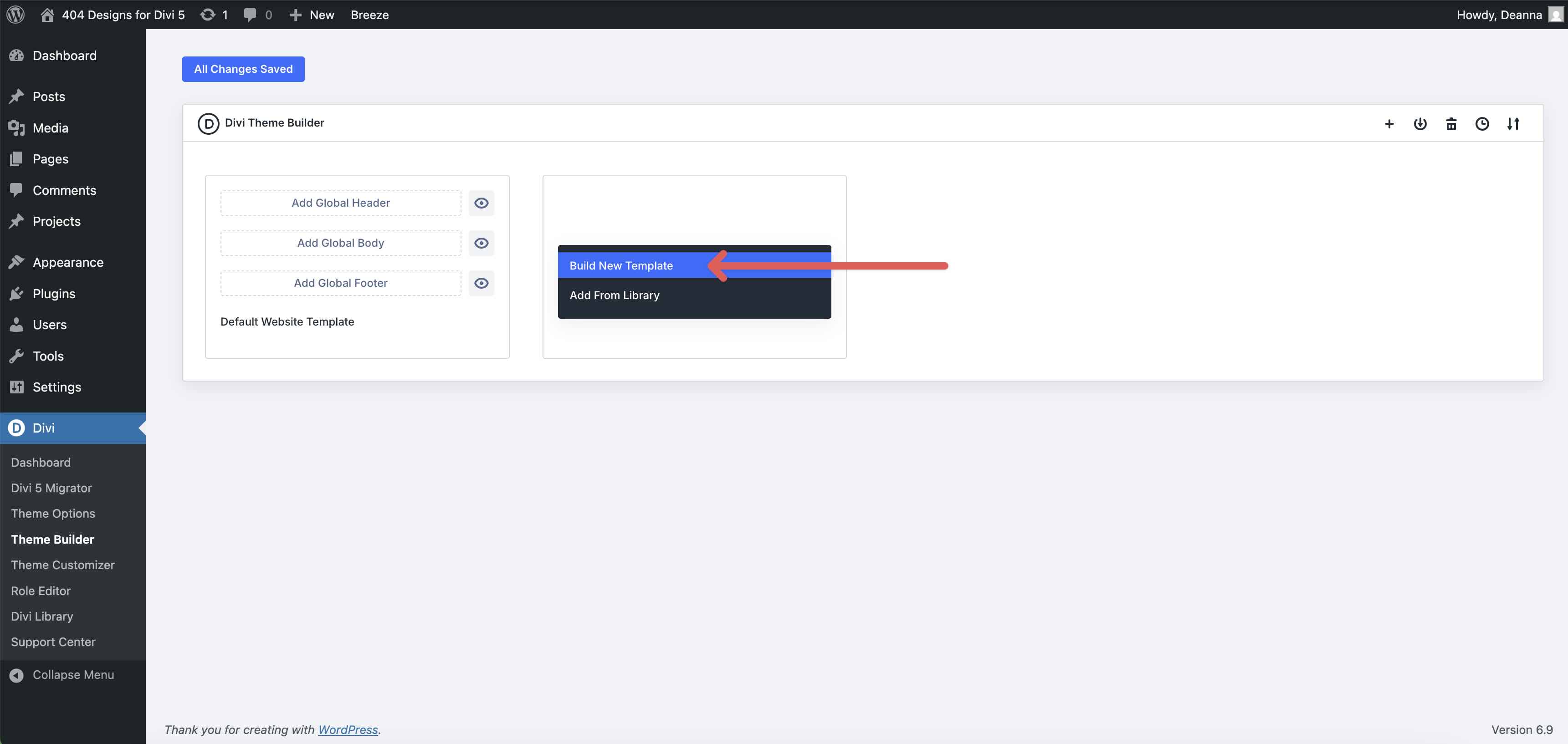
Select Build a new template.
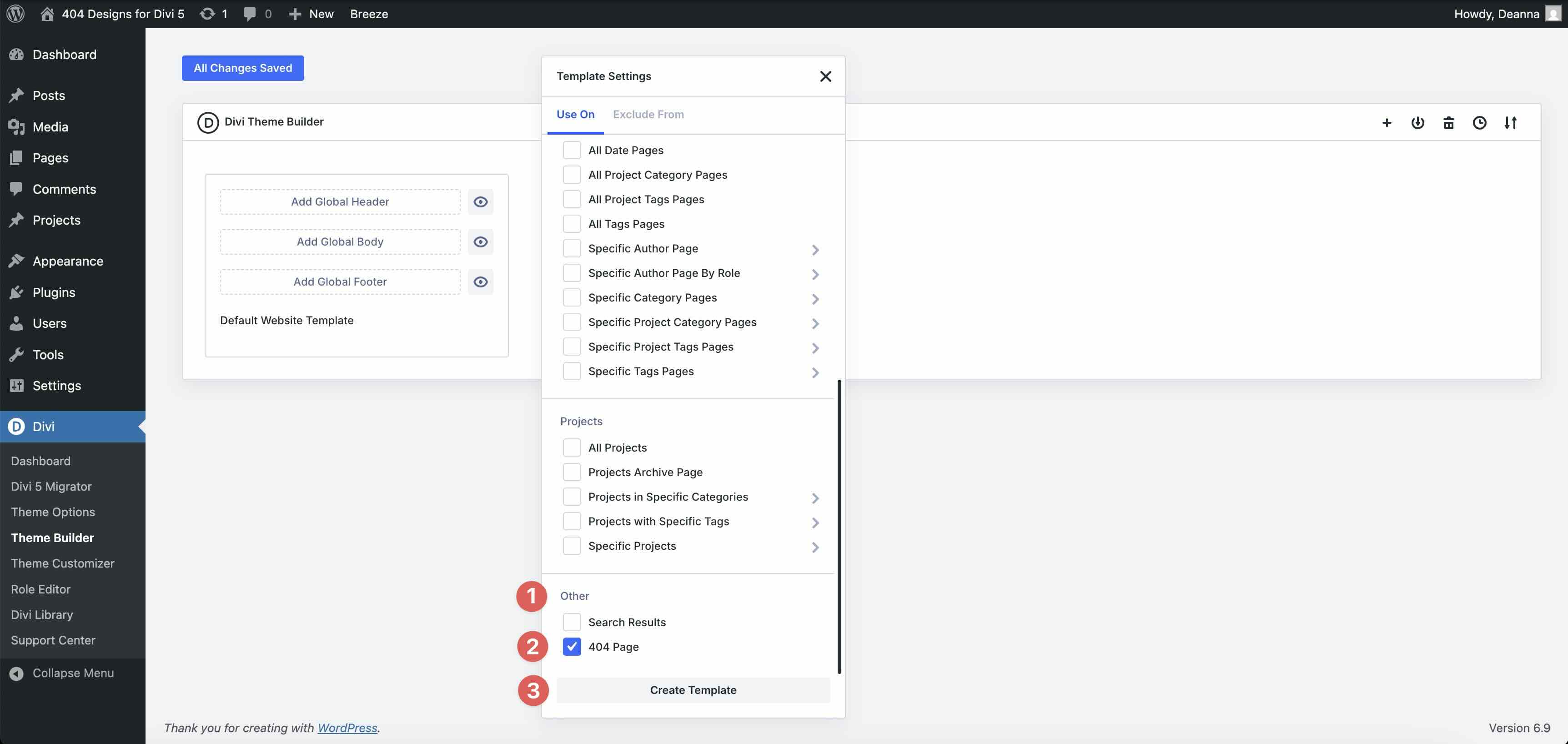
When the Template settings modal appears, scroll down and select 404 Page of the Other category. Click on the Create template to assign the category in the Theme Builder.
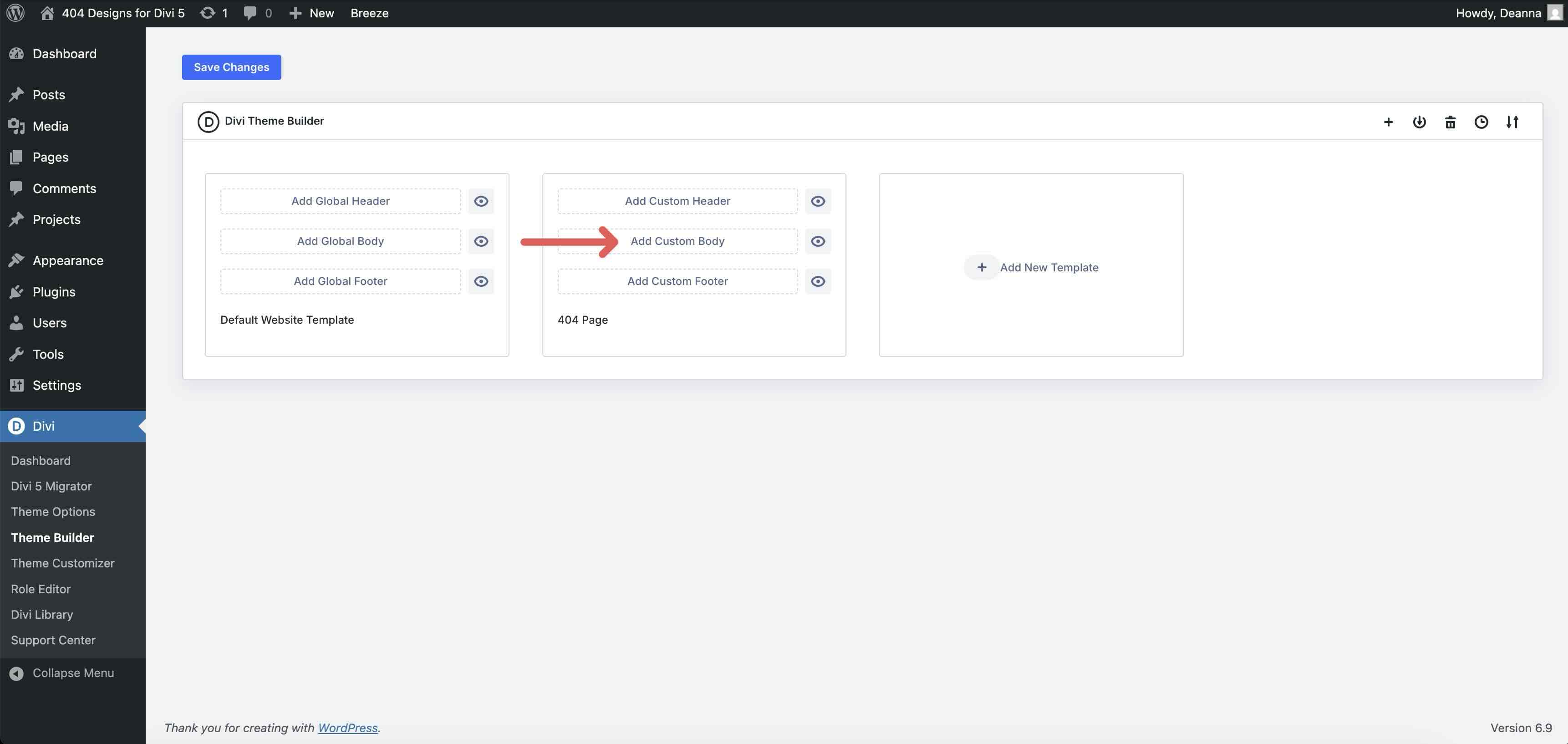
Finally, click Add custom body text to start building your template.
3. Add a 404 section to the template
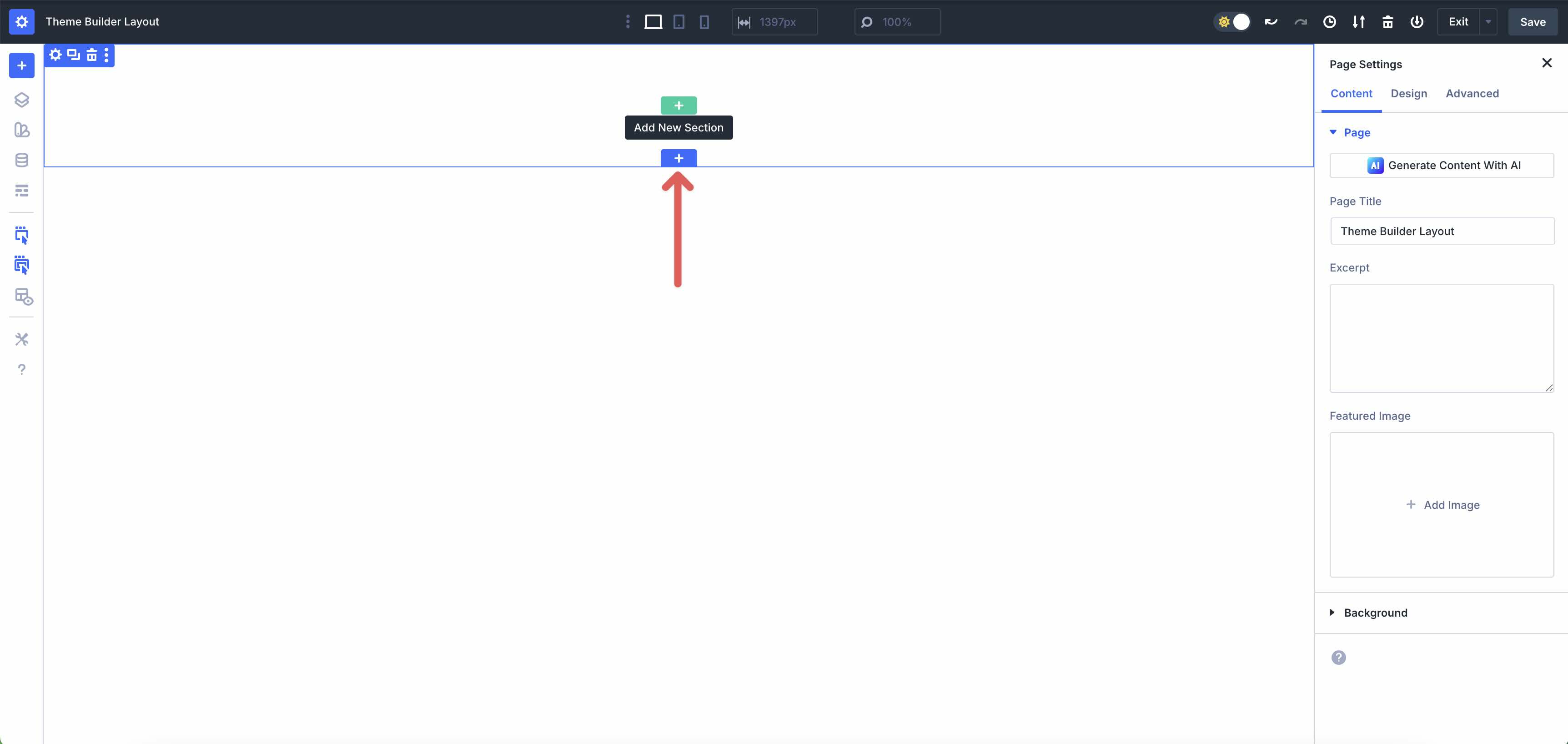
When the Theme Builder loads, click the blue + icon to add a new section to the page.
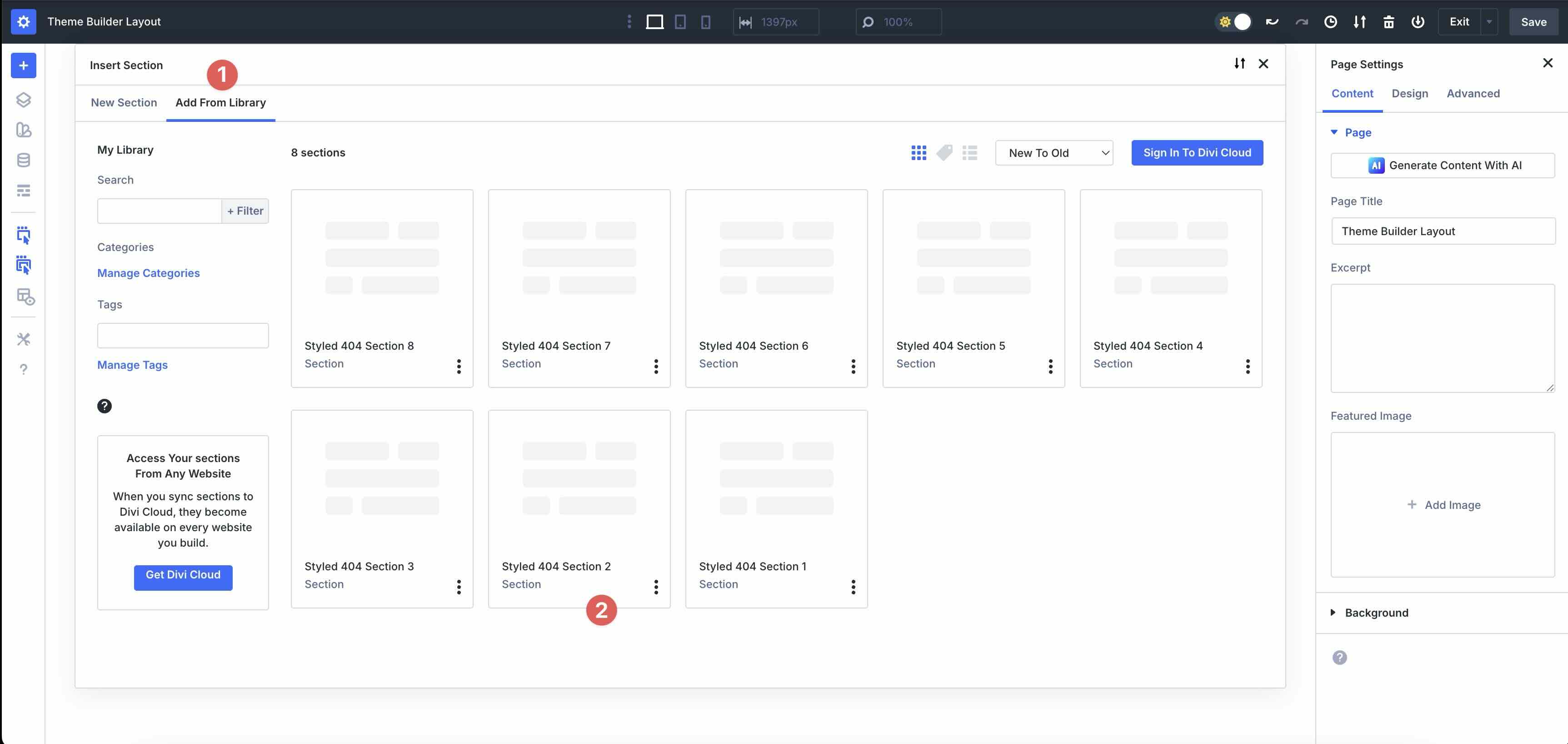
Select the Add from library tab and choose a layout to import.
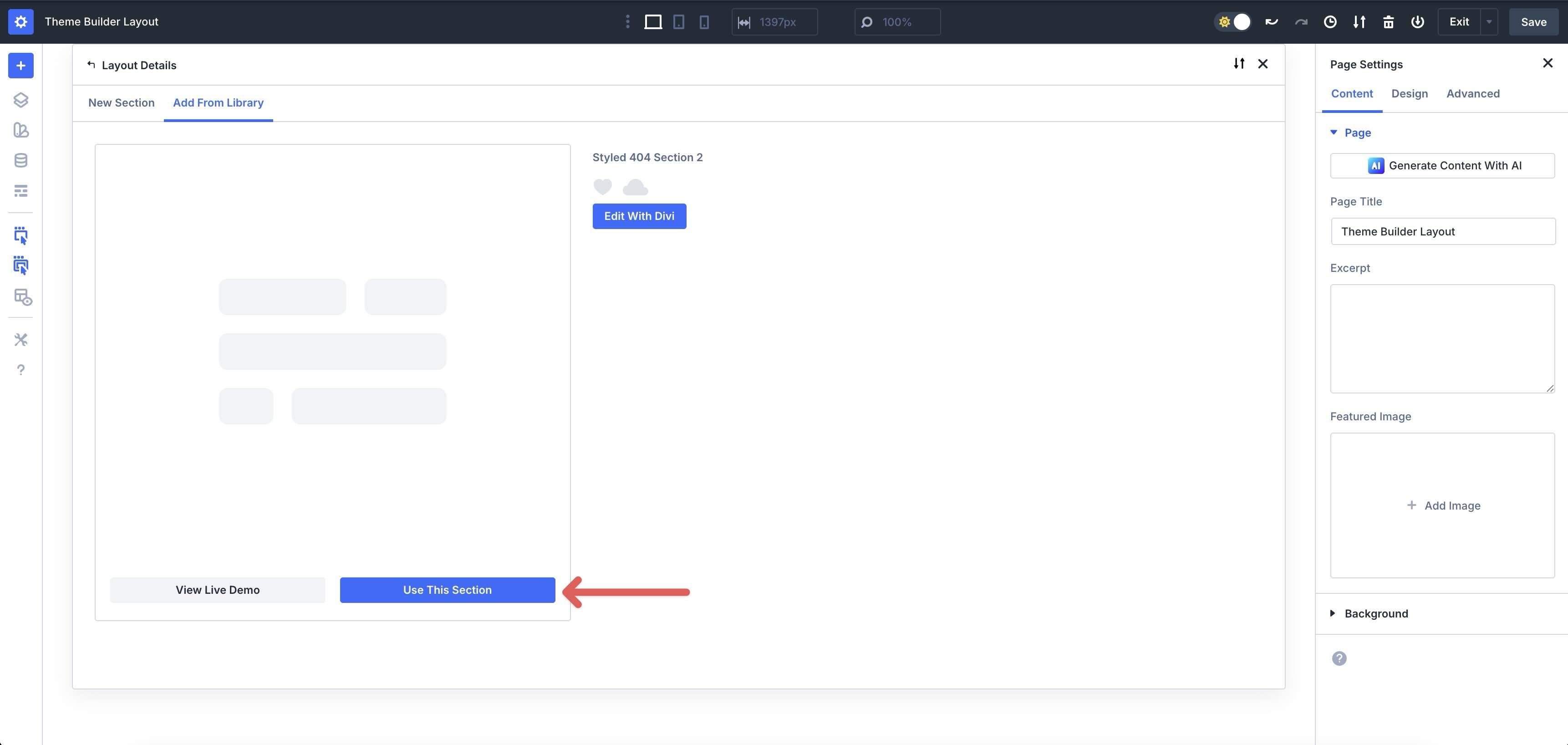
Finally select Use this section to load the layout into the Theme Builder.
4. Exchange content
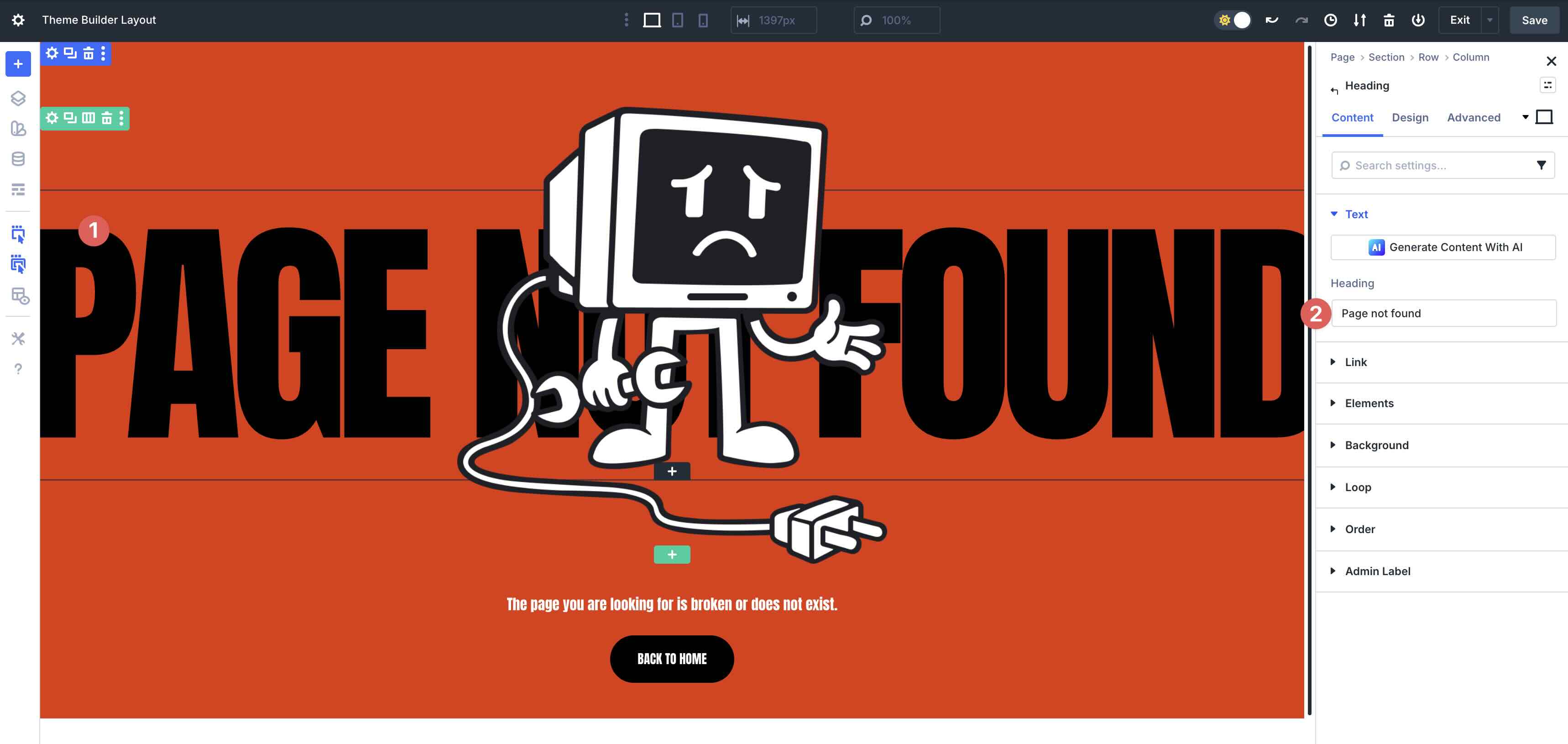
Once the section is on the page, replacing the placeholder content takes just a few clicks.
Click directly on any one Text module to edit the headline, message, supporting text, or button text in real time. For best results, update the main message first (for example, “Page not found”) and then add a short, helpful line that tells visitors what to do next.
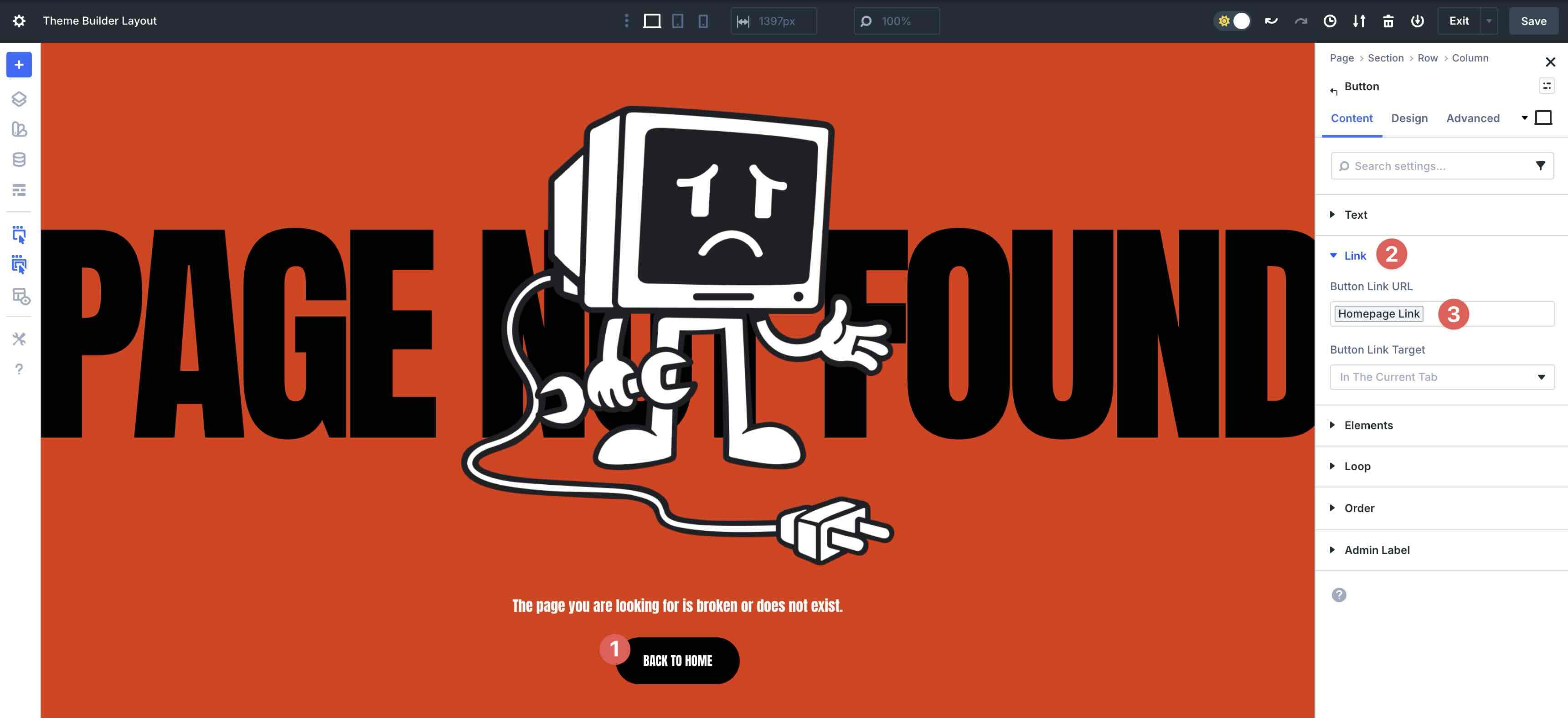
Most designs already have buttons and CTAs set up. Update the link to direct people to a useful resource, such as your homepage, blog, or contact page.
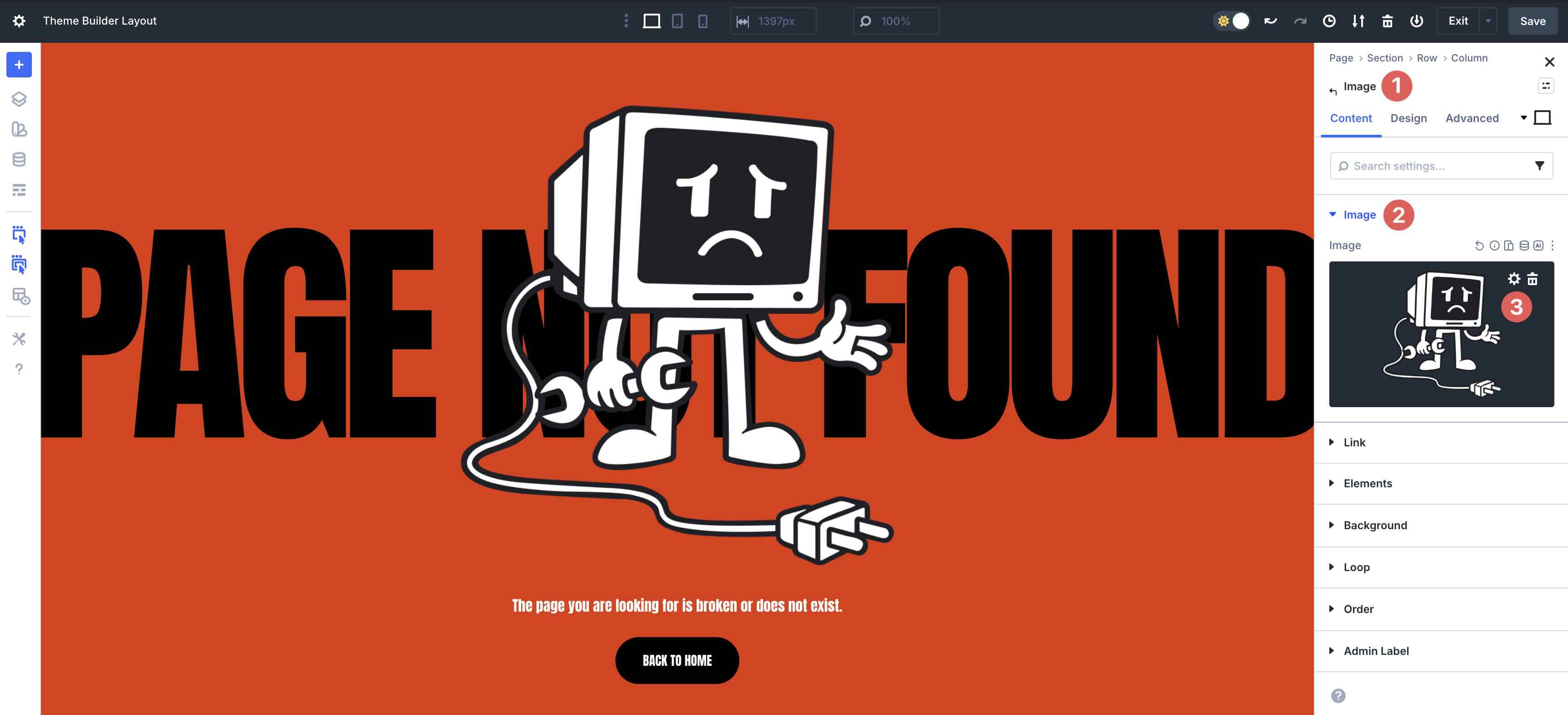
To replace images or icons, open it Image settings through to the Contents tab of that module. Click Image → Upload or choose an image from your media library.
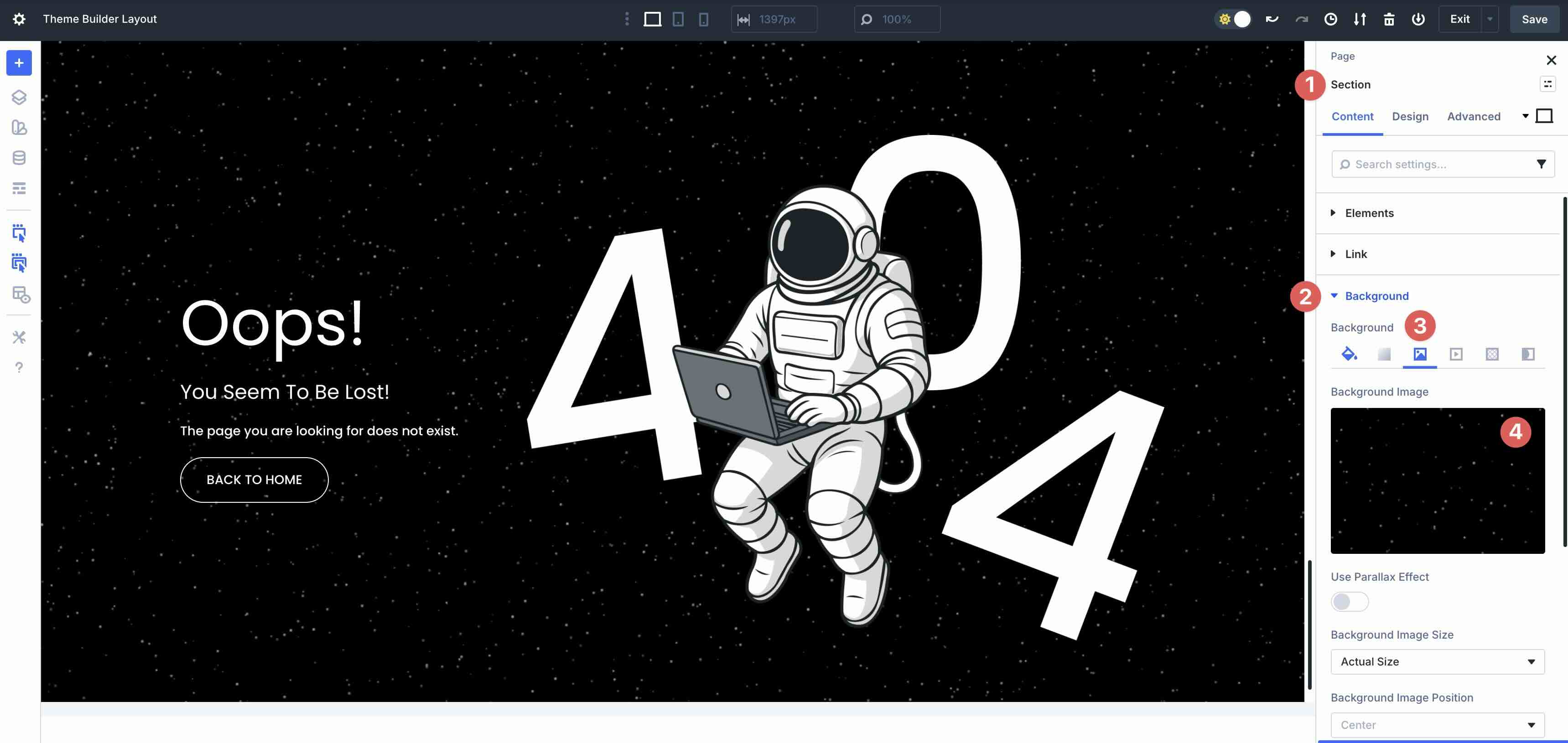
For Background images or Expiredgo to Section settings → Content tab → Background tab and place your own image or adjust the settings Progress stops.
5. Customize styles (optional)
If you use an unstyled version, apply your own typography, spacing, and color system. If you use a stylized version, you can still make quick adjustments to better suit your brand.
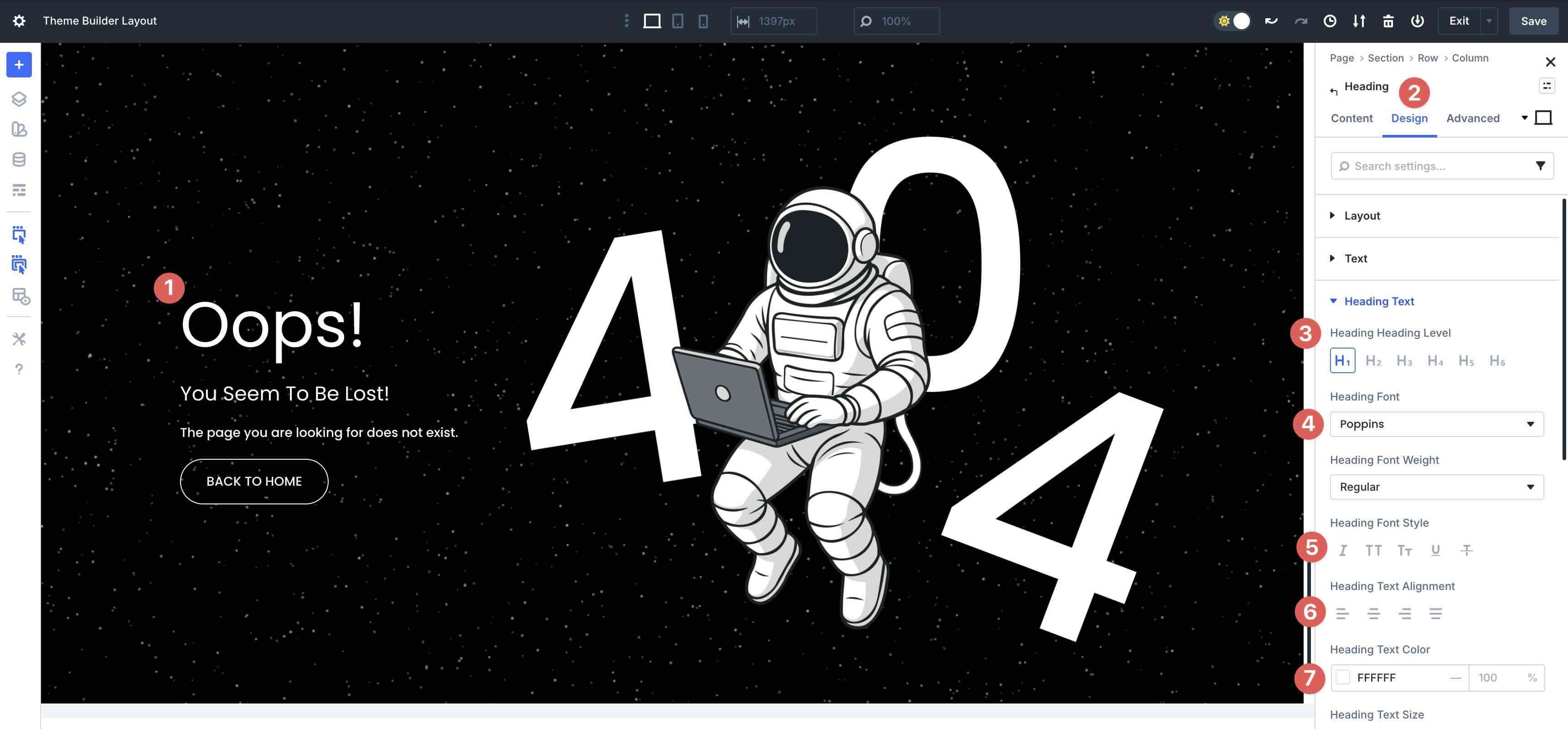
To change fonts, open a text or heading module and go to the Design tab. Fold the Text or Category drop-down menu to select the Heading level, font, font style, text alignmentor Text color.
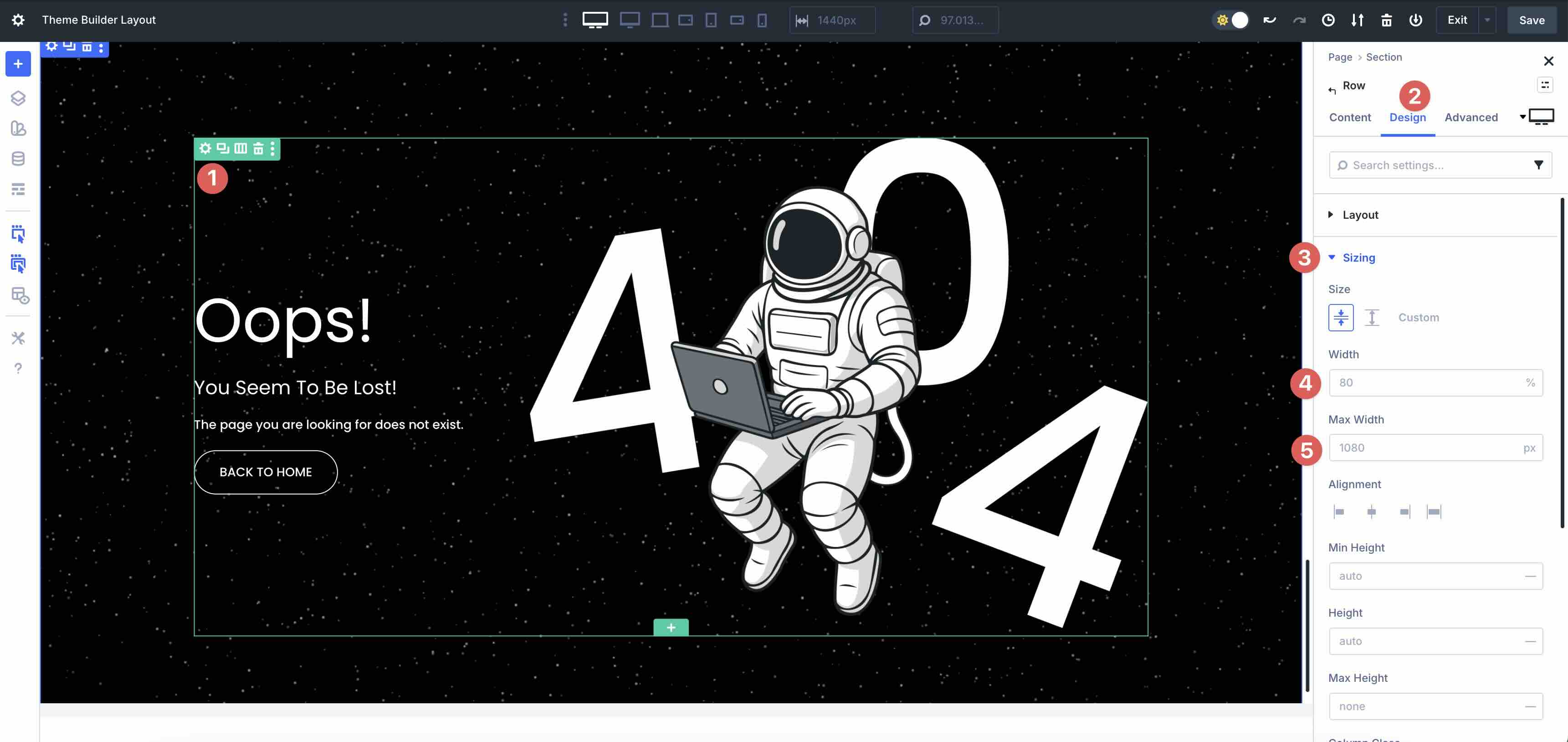
To adjust the layout size, change it Width And Maximum width values to control the width of the 404 message and CTAs on larger screens.
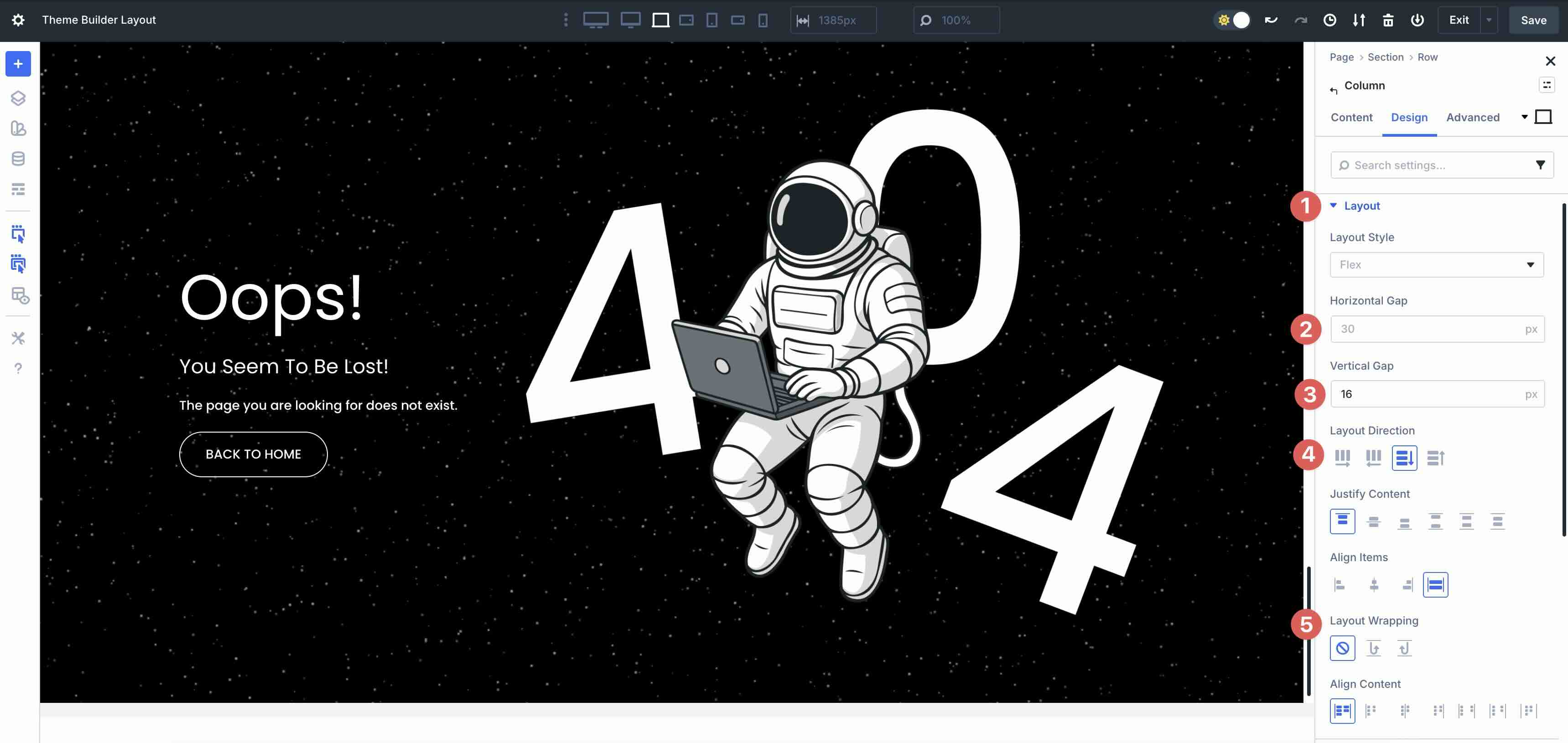
Use Divi’s Layout settings to adjust Flex properties, such as Horizontal And Vertical opening, Classification Directionor Layout packaging.
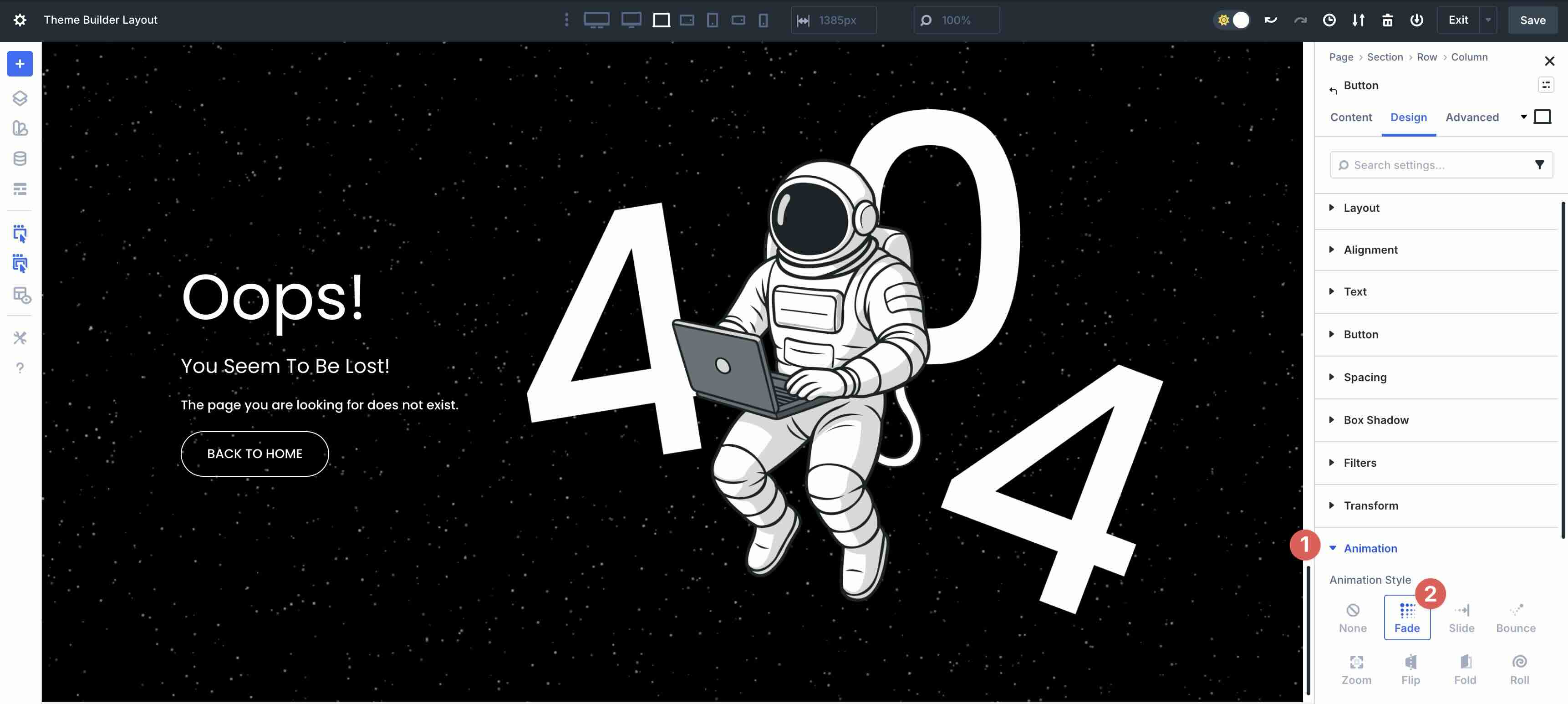
If you want movement, keep it subtle, like a soft fade or a little hover on your CTA.
Tips for effective 404 designs
A 404 page is only a dead end if you allow it to be. These quick tips can help you turn it into a useful redirect.
Make the message clear
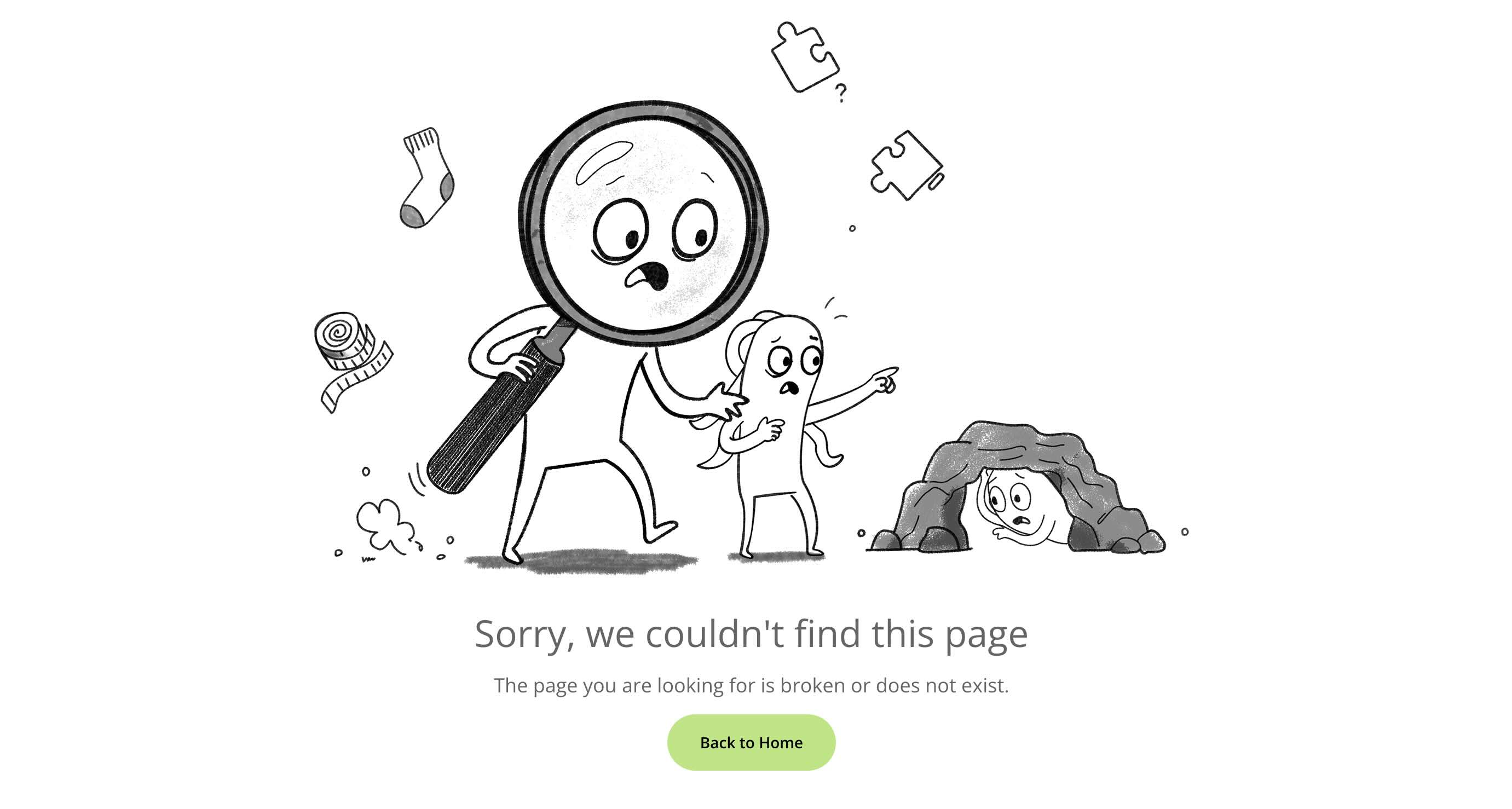
Tell what happened in plain language and then immediately offer a next step. Visitors must be able to understand the situation at a glance. Just avoid technical jargon like ‘404 not found’. Instead, pair it with something friendly, such as “Sorry, we couldn’t find this page,” to reduce frustration and set a reassuring tone.
Provide a workable way out
Add a strong CTA to the homepage, along with one or two useful links (such as popular pages, recent posts, or contact information). One or two prominent buttons can quickly guide users, preventing them from leaving your site entirely.
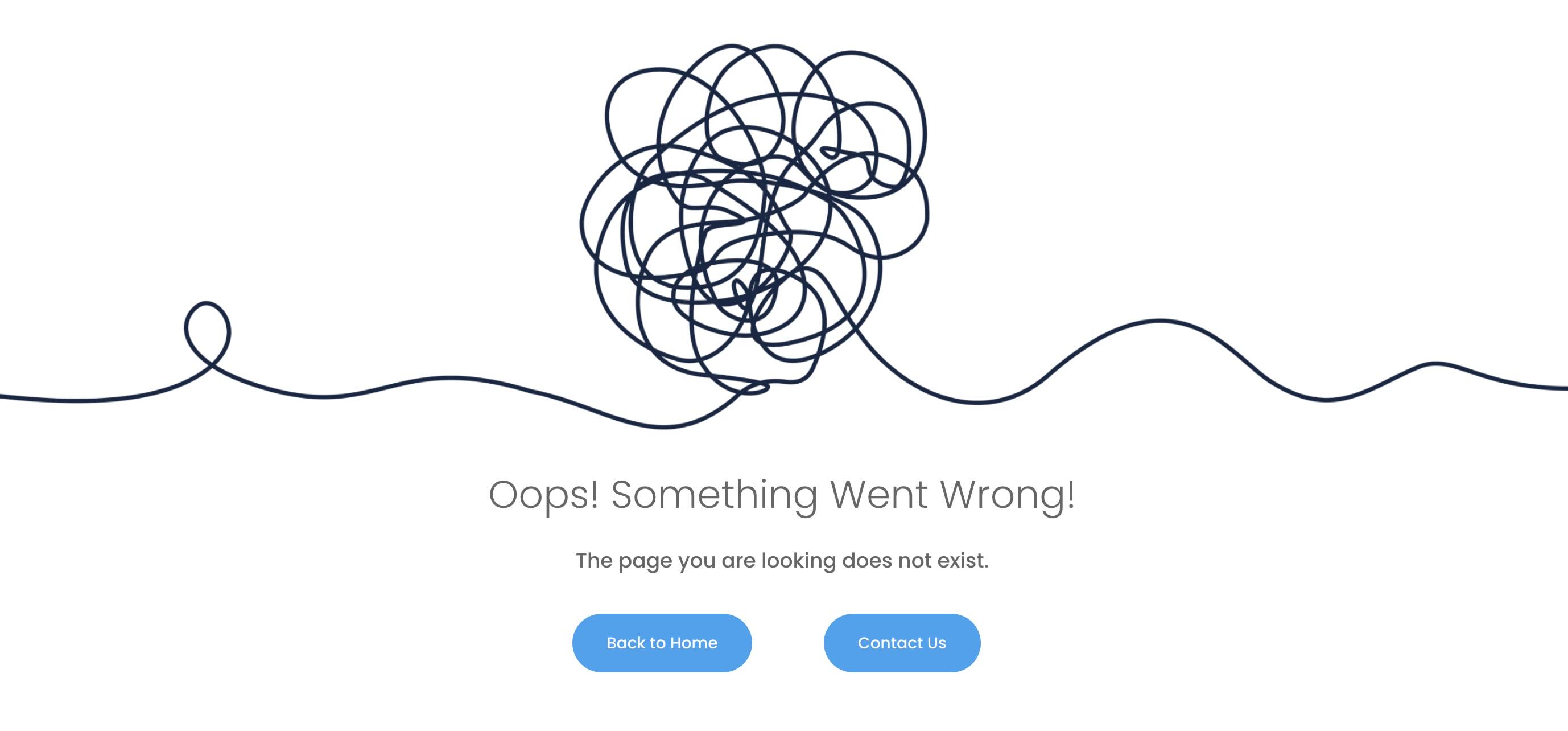
Stick with the brand
Make sure your site’s typography, colors, and voice match. A consistent 404 page builds trust, even when something goes wrong. Using your brand colors, fonts, and tone makes the experience feel seamless and reinforces your identity.
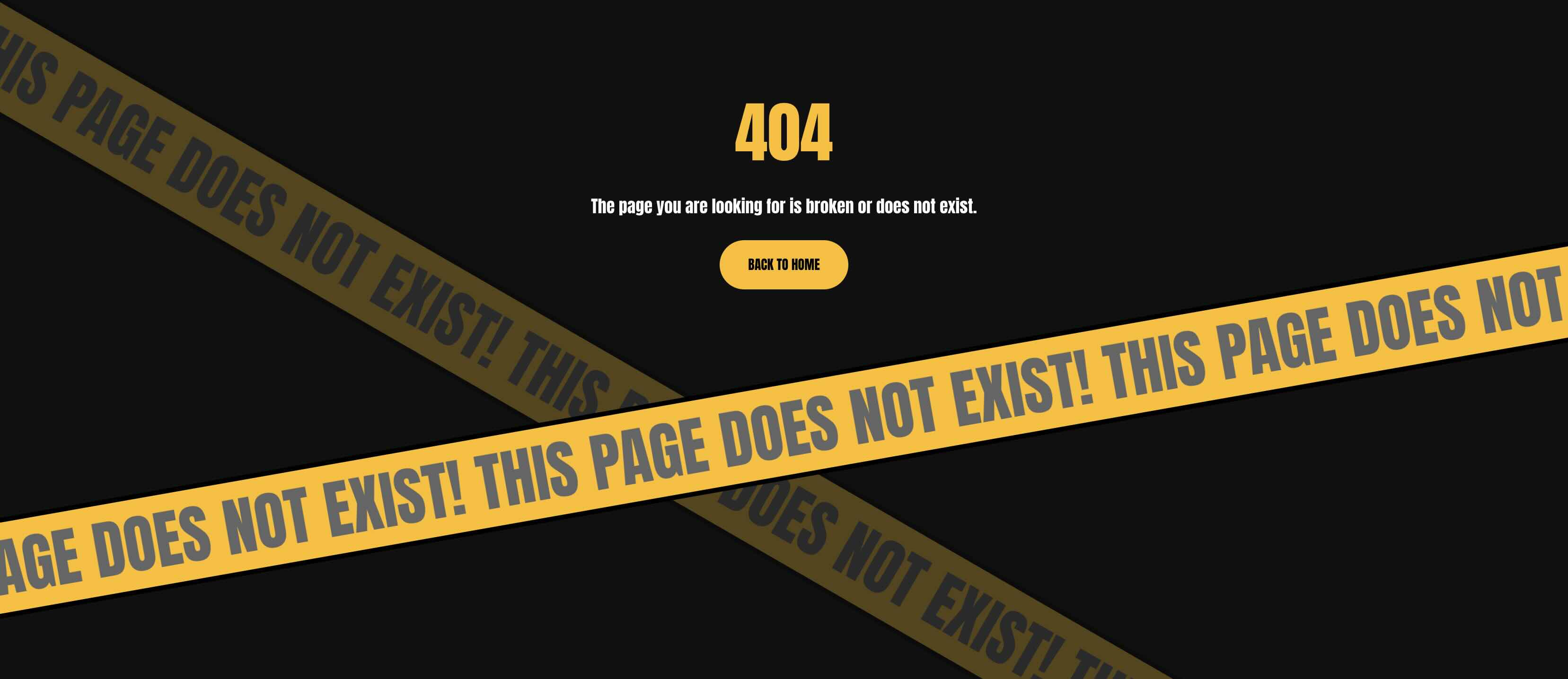
Keep it fast and accessible
Make sure buttons have clear labels, maintain readable contrast, and avoid text overlaying busy images without an overlay. A 404 page should be just as useful as the rest of your site. Optimize images for fast loading, follow accessibility guidelines for contrast, and test on mobile so every visitor can navigate easily.

Start building in Divi 5 today
These 8,404 sections help you turn missing pages into a better user experience with clear messaging, convenient navigation, and appropriate design. Import the styled versions for instant results, or use the unstyled versions as a clean base for your own system in Divi 5.
#designs #Divi #free #sections